
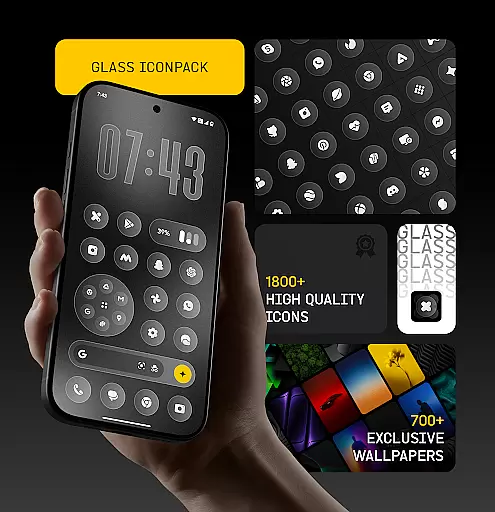
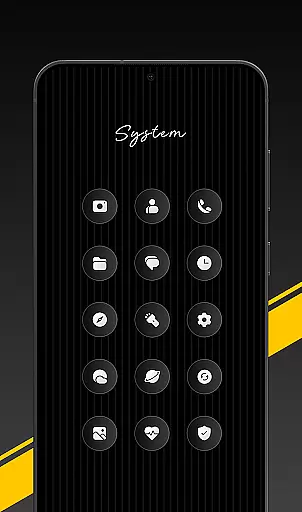
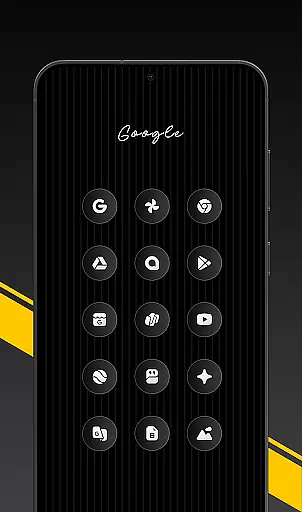
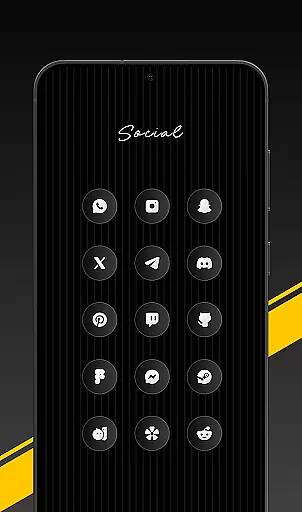
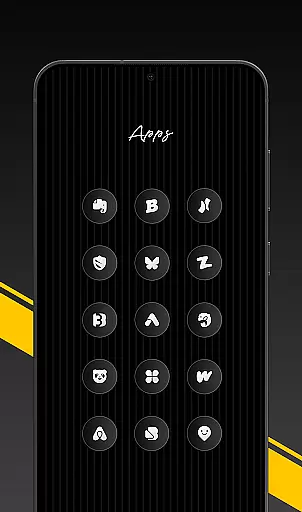
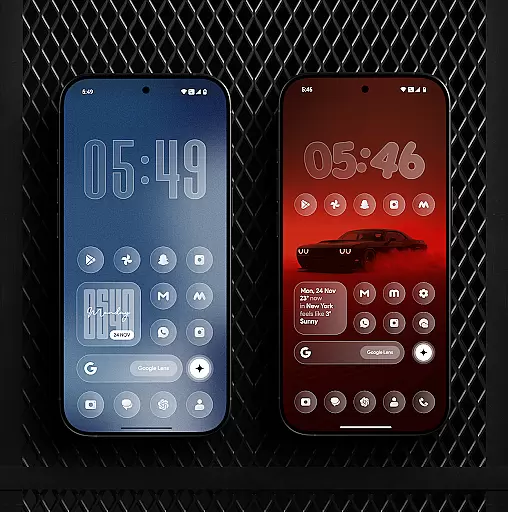
Glass Icon Pack is a premium collection of glossy, modern icons designed to give Android users a sleek and aesthetic home screen experience. With over 1850 high-quality icons featuring a smooth glass effect, the pack ensures visual consistency across various app categories.
The icon pack supports dynamic calendar icons, smart masking for unthemed apps, and includes 700+ matching wallpapers. Compatible with most launchers, it offers an easy-to-use dashboard with search functionality and regular updates, making it ideal for customization enthusiasts seeking a polished look.
Glass Icon Pack stands out with its meticulously crafted design elements. Each icon boasts HD resolution, subtle depth, and a glossy finish that enhances visual appeal on any Android device. The inclusion of 700+ gradient-inspired wallpapers complements the icons perfectly.
Unique features include dynamic calendar support, smart icon masking, and free icon request options. The intuitive dashboard allows users to preview and search icons effortlessly. Regular updates ensure compatibility with new apps, while its broad category coverage makes it versatile for different user needs.
Glass Icon Pack offers an extensive range of customization options, ensuring that users can tailor their Android home screens to their exact preferences. With over 1850 high-quality glass icons, the pack covers a wide array of app categories including system apps, social media, and tools.
The inclusion of 700+ matching wallpapers inspired by glass and gradient themes further enhances personalization, allowing for a cohesive look that complements the icons. Dynamic Calendar icons add another layer of customization for supported launchers, adapting to reflect current dates seamlessly.
Smart icon masking is employed to provide a consistent appearance even for unthemed apps, while regular updates introduce new icons and improvements based on user feedback. This ensures that your device's aesthetic remains fresh and up-to-date with evolving design trends.
Ensuring theme compatibility is at the core of Glass Icon Packu2019s design philosophy. The pack has been crafted not only to offer visually appealing glossy icons but also to integrate smoothly with various launchers and devices. Users can apply these premium-looking icons through any supported launcher or directly via their device settings if they own compatible models like Nothing, OnePlus, or Poco.
An easy-to-use dashboard facilitates this process by providing features such as icon search and preview functionalities, making it simpler than ever to find specific app icons and see how they will appear on your home screen before applying them. For those instances where certain icons might be missing from the collection, free icon requests are available within the app itself.
This level of flexibility in application combined with responsive support channelsu2014including X (Twitter), Telegram, Gmailu2014ensures users have all necessary resources at hand when customizing their digital environment according to personal tastes.
Premium glossy design
HD resolution icons
Regular updates
Wide app compatibility
Smart icon masking
Limited to supported launchers
No iOS support
Some icons missing
Requires manual application
Paid purchase required

Ultra realistic gold analog watch face with lots of customization options.
 4.50
4.50
Only for Wear OS devices!
4.90
Ninja Turtles Cowabunga SE watch face for Wear OS
4.50
Prank your friends with realistic broken screen and cracked HD effects!
4.3
Dark icon pack based on One 8
4.80
Unique Fonts, typefaces and stylish text. Fonts for Instagram, Whatsapp & others
4.20
Turn text & photos into stunning AI videos, art, and creative visual stories.
4.50
Stylish Pink Cute Hippo keyboard with 10000+ customized keyboard themes!
4.60
Enjoy a variety of amazing live wallpapers and colorful EDGE lighting borders!
4.80
Winter's Journey: digital watch face for Galaxy Watch & Wear OS
4.80
Unique Android Launcher
4.60
Add cute Shimeji pets to screen, interact with them and relax with cute motions
4.60
300+ widgets inspired by Material You and Material 3 expressive design.
4.60
Beautiful realistic hybrid watch face with numerous customization options.
4.50
Yandex Browser — stylish and secure, with voice search and data compression
4.40
The definitive Icon pack maker and editor
4.30
Launcher OS™ Pro without ads help make your phone simple and pretty
4.30
More than 3000+ themes and 9000+ wallpapers for everybody!
4.10
Ultimate widget creator. Design custom widgets for a truly unique home screen!
3.90


User Reviews