
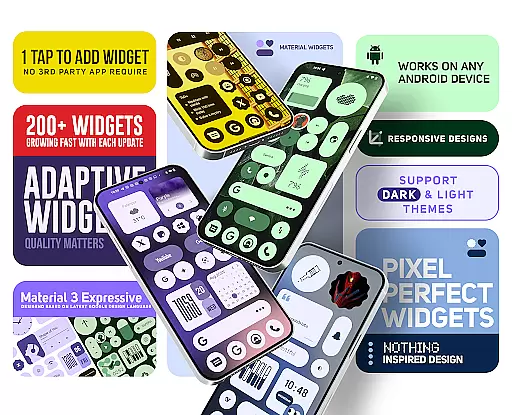
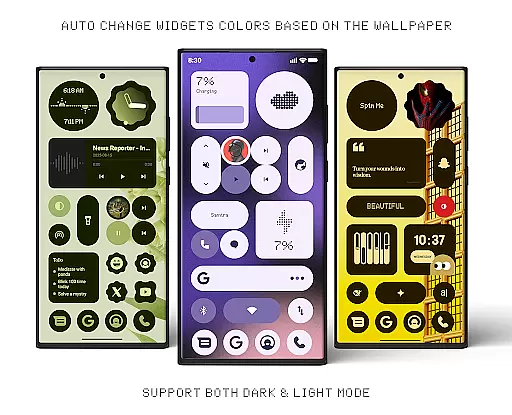
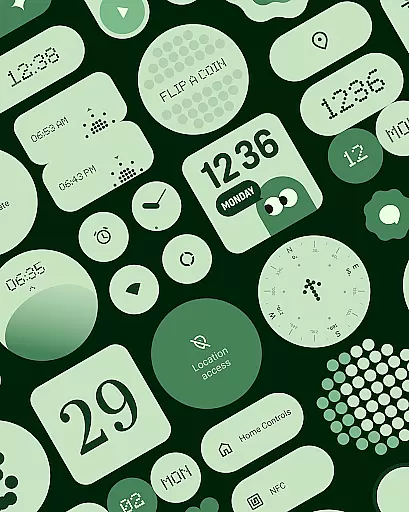
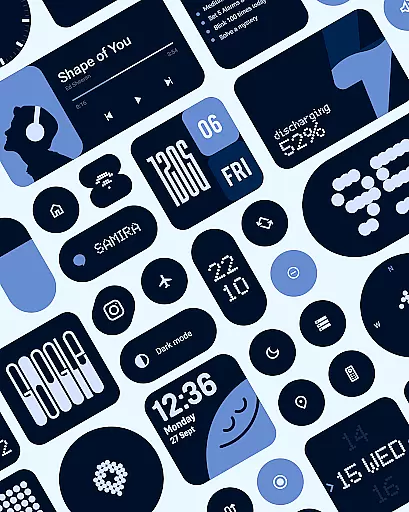
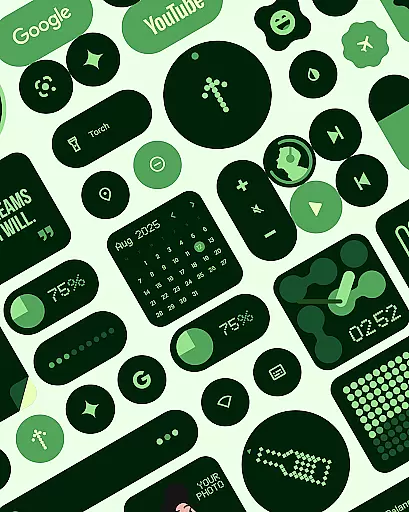
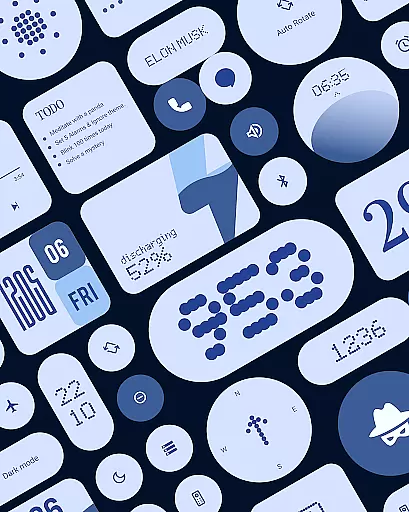
Material Widgets is a personalization app that brings Google's Material 3 design to your home screen. With over 200 widgets, it offers dynamic theming that adapts to your wallpaper and system colors, supporting both dark and light modes.
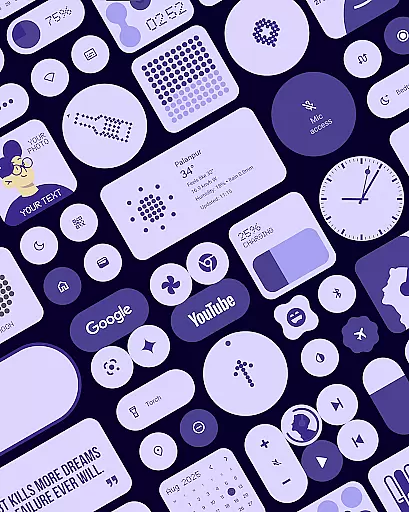
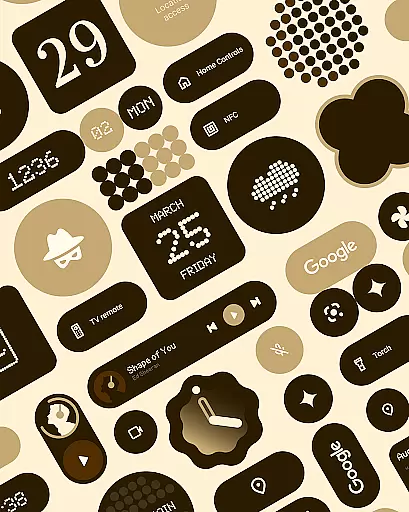
The app provides a variety of widget types including clocks, calendars, weather, battery indicators, and productivity tools. These widgets are fully resizable, giving users complete control over their home screen layout while maintaining a modern and expressive appearance.
Perfect for users who want a personalized and dynamic smartphone experience, Material Widgets eliminates the need for third-party apps by working natively on your device. It also includes matching wallpapers, completing the aesthetic transformation of your home screen.
Material Widgets stands out with its native functionality, eliminating the need for additional apps like KWGT. The app automatically adjusts widget colors based on your wallpaper, creating a seamless visual experience across your home screen.
Each widget is designed following Google's Material 3 guidelines, featuring modern shapes, bold typography, and adaptive sizing from compact to full-screen layouts. The pack includes clock, calendar, weather, battery, and productivity widgets, all with dynamic theming capabilities.
Unique features include quick settings controls, contact widgets, photo frames, and even mini-games. The app also provides 100+ matching wallpapers and regularly updates with new widgets, ensuring your home screen remains fresh and personalized.
Material Widgets offers an extensive range of customization options, ensuring that users can tailor their home screens to reflect their personal style. With over 200 widgets available, the app provides a diverse selection including clocks, calendars, weather indicators, and even mini-games.
Each widget is designed with Google's Material 3 expressive design guidelines, featuring modern shapes and bold typography. These aren't just static elements; they dynamically adapt to your wallpaper and system colors, creating a seamless visual experience across your device.
The true power of customization lies in the app's native functionality. Unlike other widget packs, there's no need for third-party apps like KWGT. Users can simply tap to add widgets, enjoying a perfectly styled home screen within seconds.
This level of customization empowers users to create a unique and dynamic home screen environment. Whether you're looking for practical utility widgets or decorative elements, Material Widgets provides the tools to make your smartphone truly yours.
Theme compatibility is at the core of Material Widgets' design philosophy. The application automatically adjusts its widgets to match both dark and light modes, ensuring a consistent user experience regardless of your preferred theme settings.
What sets these widgets apart is their ability to seamlessly integrate with your system's color scheme. Each widget adapts its colors based on your wallpaper, creating a cohesive visual flow across your entire home screen.
The app's adaptive theming extends beyond basic color matching. It incorporates modern design elements and typography that align with Google's Material 3 guidelines, ensuring that every widget feels native to your device's ecosystem.
This sophisticated approach to theme compatibility not only enhances visual appeal but also maintains optimal readability and usability. Users can switch between themes without worrying about widget visibility or aesthetic disruption, making their home screen experience both beautiful and functional.
Native widget support
Dynamic color adaptation
Wide widget variety
Regular updates
Matching wallpapers
Limited to Android
Requires modern OS
No iOS support
Some widgets basic
Learning curve

Glass style colourful icons with a One UI look and feel
 4.60
4.60
A launcher for Samsung Good Lock and Good Guardians modules without ads
4.70
Bring adorable pets to life on your screen. Playful, interactive and full of fun
4.60
Want to make your phone more special than ever?
4.60 4.50
4.50 3.50
3.50
Handcrafted pixel art icons, widgets & wallpapers
4.60
Customize phone with anime themes, 3D icons, aesthetic widgets & wallpapers
4.80
Amazing letter fonts in your messages and social statuses
4.70
Winter's Journey: digital watch face for Galaxy Watch & Wear OS
4.80
Vertically oriented rectangular icons
4.70
400+ Beautifully crafted widgets inspired by NOTHING.
4.70
Classic analogue watch face. For wear os devices.
4.60
Over 28,000 high quality icons to bring color & homogeneity to your phone.
4.60
Ultimate Gallery Lock App - Hide Pictures, Videos and Lock Apps Instantly!
4.60
Ultra realistic gold analog watch face with lots of customization options.
4.50
Aesthetic Widgets, HD Wallpapers, Themes in Mico Widget for Home and Lock Screen
4.50
Realistic animated snow on your wrist, with 10 images landscapes to choose from
4.00
⭐ OneUI inspired Fluffy Icon Pack – Soft. Stylish. Standout. ⭐
4.1


User Reviews