
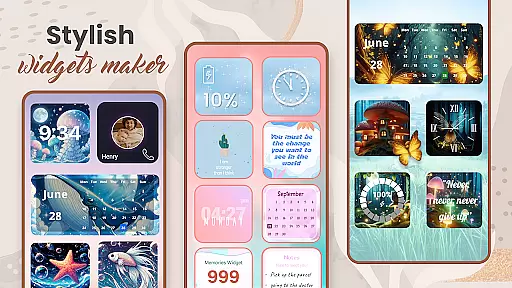
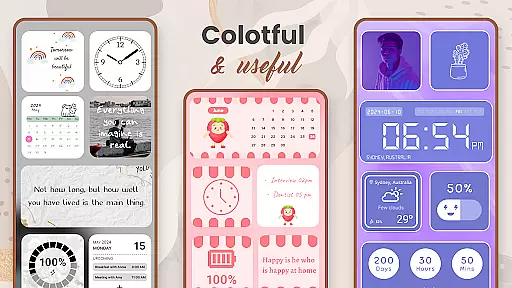
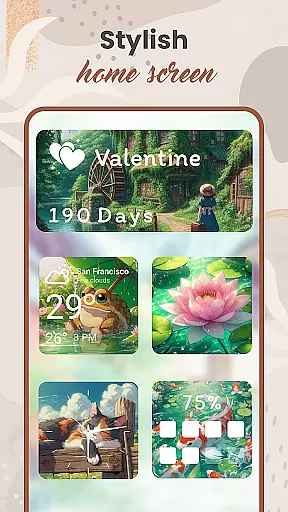
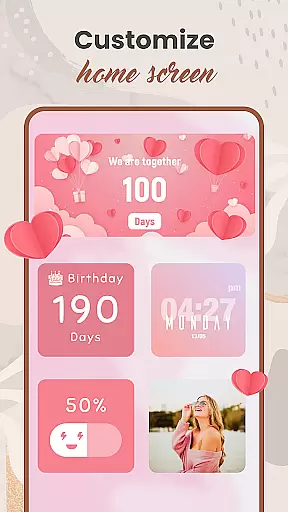
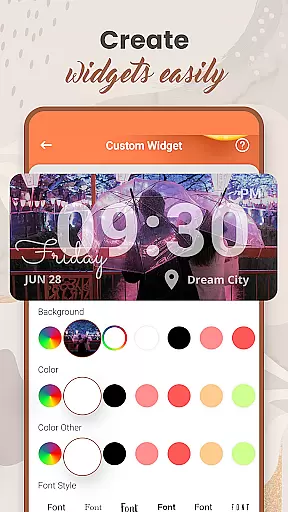
Widget 2025 is a powerful personalization app that allows Android users to transform their home screens with aesthetic and functional widgets. The app offers an extensive range of customization options, including color widget creation, photo widgets, weather updates, clock styles, calendar displays, countdowns, contact shortcuts, battery indicators, and more.
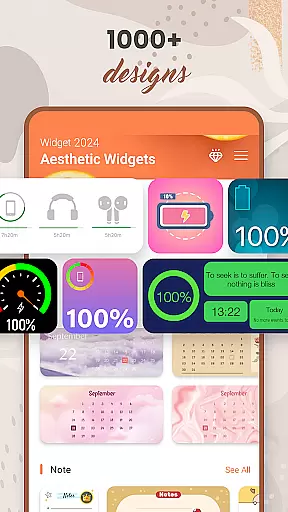
This versatile tool provides over 1000 stylish widget options to choose from, ensuring there's something for every user's unique taste. With its intuitive interface, Widget 2025 makes it easy to personalize your device's appearance while maintaining full functionality. Whether you're looking to enhance your phone's visual appeal or improve your daily productivity, this app delivers a comprehensive solution for Android customization.
The app boasts numerous features that set it apart in the personalization category. Its Color Widget Maker enables users to create custom-designed widgets that perfectly match their preferred aesthetics. The powerful widget editor allows for detailed customization of colors, fonts, styles, and backgrounds, giving users complete control over their home screen's appearance.
Widget 2025 supports multiple widget types including photo displays, weather information, clock faces, and calendar views. The app's user-friendly interface makes it simple to add, edit, and arrange widgets on your home screen. Additionally, the app's quote of the day feature and note functionality provide both inspiration and practical utility, while the day counter and countdown widgets help users stay organized and focused on important events.
Customization is at the heart of Widget 2025, allowing users to express their unique style through a wide array of aesthetic widgets. With over 1000 styles to choose from, this app offers unmatched diversity in personalizing your Android device's home screen.
The app provides tools such as the Color Widget Maker and an intuitive widget editor that cater to both simplicity and complexity in design. Users can customize colors, fonts, styles, and backgrounds with ease, ensuring that each widget not only serves a functional purpose but also reflects personal taste.
Moreover, the ability to add multiple Photo Widgets On Home Screen means you're not limited to just one expression of creativity. Whether itu2019s displaying motivational quotes, weather updates, or cherished memories, Widget 2025 empowers users to craft a digital space that is truly their own.
Widget 2025 excels in theme compatibility, ensuring that every widget you create will seamlessly integrate into your Android device's ecosystem. The app supports a broad spectrum of themes, from minimalist designs to vibrant, artistic expressions, all optimized for visual consistency across devices.
With features like Quotes of the Day, Weather & Clock styles, Calendar, day counter & Note, Countdown, Contact on the home screen, and Battery indicators, users can enjoy a cohesive look and feel throughout their device. Each element has been carefully designed to match various themes without compromising functionality.
This harmonious blend of aesthetics and utility ensures that whether you are customizing for beauty or practicality, Widget 2025 stands out by offering a smooth experience where every component feels native to your personalized setup.
User-friendly interface
Extensive customization options
Wide variety of widget styles
Easy installation process
Regular feature updates
May affect device performance
Limited iOS compatibility
Some features require premium
Occasional bugs reported
Learning curve for beginners

Classic analogue watch face. For wear os devices.
 4.60
4.60
Shimeji adds cute animated characters to your screen, lively and fun.
4.70
Ultimate widget creator. Design custom widgets for a truly unique home screen!
3.90
Unique Fonts, typefaces and stylish text. Fonts for Instagram, Whatsapp & others
4.20
Aesthetic Widgets, HD Wallpapers, Themes in Mico Widget for Home and Lock Screen
4.50
Organize and manage your photos and videos effortlessly with Photo Gallery
4.20
Custom edge gestures for volume control, brightness, apps, and shortcuts.
4.0
Yandex Browser — stylish and secure, with voice search and data compression
4.40
set a new experience for the Android mobile phone
4.20
Enjoy a variety of amazing live wallpapers and colorful EDGE lighting borders!
4.80
Sparkle your screen with Glitter Wallpapers For Girls and Cute Backgrounds!
4.80
Personalize your phone with stunning HD and 4K wallpapers!
4.70
400+ Beautifully crafted widgets inspired by NOTHING.
4.70
350+ widgets with a premium glass-style finish, perfect for home & lock screens.
4.70
Ninja Turtles Cowabunga SE watch face for Wear OS
4.50
Customizable screen pets that play, climb, and keep you company.
4.50
200+ Material Inspired Widgets
4.50
Your home screen, just the way you like it.
4.30
Magic fluids wallpaper 4D: Relax with stunning fluid simulation wallpaper app
4.20


User Reviews