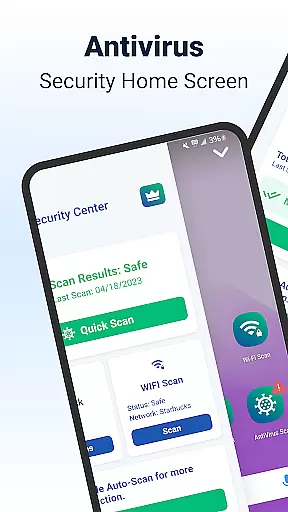
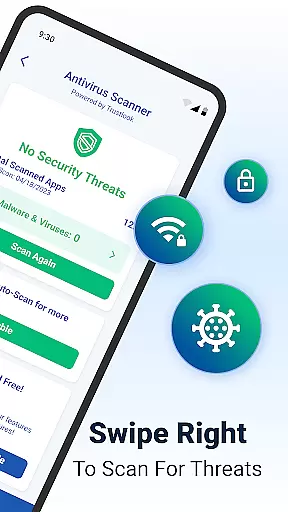
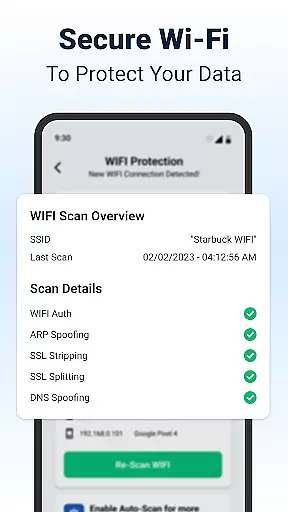
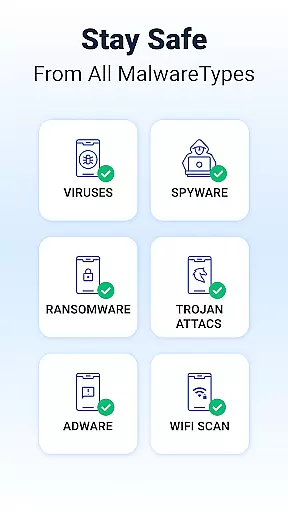
Shield is a comprehensive security solution designed specifically for Android devices, offering robust protection against viruses, malware, and various cyber threats. The app features an advanced AI-driven antivirus scanner with a 99% detection rate, ensuring your device remains safeguarded while maintaining privacy through secure WiFi scanning.
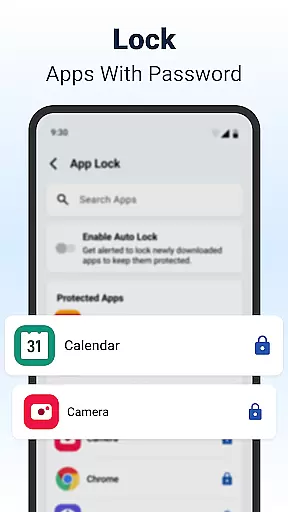
Beyond basic security, Shield provides powerful privacy tools such as AppLock, which allows users to lock sensitive apps using passwords or fingerprints. Additionally, the app offers customizable settings, including personalized lock screens and enhanced privacy options, making it not only a security powerhouse but also a tool for personalizing your Android experience.
Whether you're at home or using public networks, Shield's WiFi security ensures your data stays protected from network-based attacks like ARP spoofing and DNS hijacking. With its user-friendly interface and visually appealing design, Shield transforms your home screen into a secure command center tailored to your needs.
Shield stands out with its cutting-edge features that cater to both security-conscious and style-savvy users. One of its core functionalities is the AI-powered antivirus scanner, which operates with high accuracy and minimal false positives, providing real-time protection against malware and spyware threats.
In addition to its antivirus capabilities, Shield includes advanced privacy tools such as AppLock, which secures sensitive applications with fingerprint or PIN protection. Users can also take advantage of secure WiFi scanning to detect potential vulnerabilities in their network, preventing attacks like ARP spoofing and SSL stripping.
For those who value customization, Shield offers extensive personalization options, allowing users to tailor their home screens and app settings. This combination of top-tier security and aesthetic flexibility makes Shield a versatile choice for enhancing both the safety and appearance of your Android device.
Customization is at the heart of Shield Antivirus Home Screen, offering users a versatile way to personalize their Android devices. This feature allows you to tailor your home screen with intuitive privacy controls and custom settings that suit your unique preferences.
The app provides extensive customization options, including personalized lock screens and app settings. You can modify the appearance and functionality of your device without compromising on security. This ensures that while your device remains protected, it also reflects your personal style and meets your specific needs.
Shield Antivirus enhances user experience by integrating privacy options within the customization features. For instance, you can choose which apps to protect with AppLock and customize privacy settings for WiFi scanning. This combination of security and personalization ensures a seamless and secure Android experience.
Theme compatibility in Shield Antivirus Home Screen ensures that all visual customizations are consistent and visually appealing across different themes. Whether you prefer a minimalist design or vibrant colors, Shield supports various themes to match your aesthetic preferences.
This feature guarantees that any theme applied to your device maintains the integrity of privacy controls and security settings. Users can switch between themes without worrying about losing functionality or experiencing inconsistencies in their security features.
By focusing on theme compatibility, Shield Antivirus allows users to enjoy a cohesive look and feel throughout their device. The ability to seamlessly integrate security features with diverse themes makes Shield an ideal choice for those seeking both protection and personalization in their mobile experience.
Powerful antivirus engine
Advanced privacy controls
Customizable home screen
Secure WiFi scanning
User-friendly interface
Premium features locked
Occasional ads in free version
Resource-intensive scans
Limited iOS compatibility
Requires constant updates

Wear Os Watch Face - Seasonal - Animated Snow Effect - 9 Animals
 4.20
4.20
Prank your friends with realistic broken screen and cracked HD effects!
4.3
Adult video chat, dating, making friends, random matching
4.20 3.50
3.50
Unleash Your Creativity and Connect with Loved Ones with Lockscreen Drawing!
4.20
Handcrafted pixel art icons, widgets & wallpapers
4.60
Struggling to find apps? Use this app to locate and open any app on your phone!
2.20
set a new experience for the Android mobile phone
4.20
Amazing letter fonts in your messages and social statuses
4.70
Dark icon pack based on One 8
4.80
100+ Stylish Fonts, Emojis, Symbols keyboard for Instagram & TikTok!
4.80
300+ Beautifully crafted widgets inspired by OneUI.
4.60
3D, live, and moving wallpapers & themes in 4K and HD for your device.
4.50
Art & Emoji Keyboard with Cool Fonts, Cute Themes and Custom Designs.
4.40
Yandex Browser — stylish and secure, with voice search and data compression
4.40
A light in the dark, a unique style and an andless cutomization!
4.30
App Icon Changer & Shortcut Creator. Customize your icons without any watermarks
4.30
Unique Fonts, typefaces and stylish text. Fonts for Instagram, Whatsapp & others
4.20
Turn your lock screen into fun with smile live wallpapers & animated wallpapers!
2.50


User Reviews