
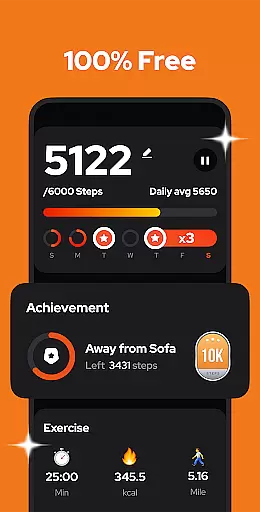
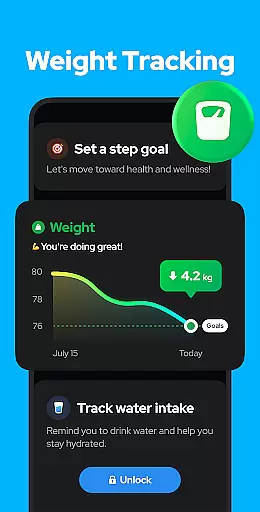
Personalized planning in fitness applications refers to the ability to tailor exercise routines and health goals according to individual user needs. Step Counter - Pedometer excels in this area by offering adjustable settings that adapt to various walking styles and paces.
The app allows users to input personal data such as age, weight, and stride length, which directly influences the accuracy of calorie and distance tracking. This customization ensures that each step contributes optimally towards the user's fitness objectives.
Moreover, the sensitivity of the built-in sensor can be fine-tuned, providing a more precise step count that aligns with the user's unique movement patterns. This level of personalization supports a more effective and engaging fitness journey.
By integrating personalized planning features, Step Counter not only tracks but also enhances the individual's path to better health, making daily step goals more attainable and relevant to personal fitness levels.
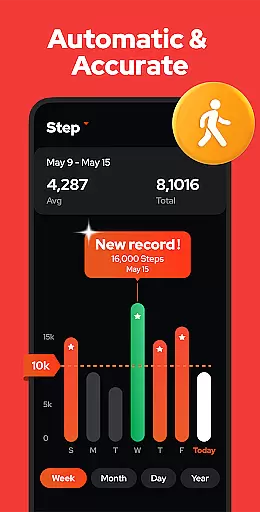
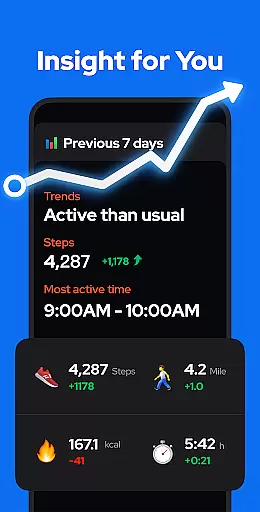
Progress visualization is a critical feature in health and fitness apps, providing users with a clear representation of their achievements and motivating continued effort. Step Counter - Pedometer offers robust progress visualization through detailed charts and graphs.
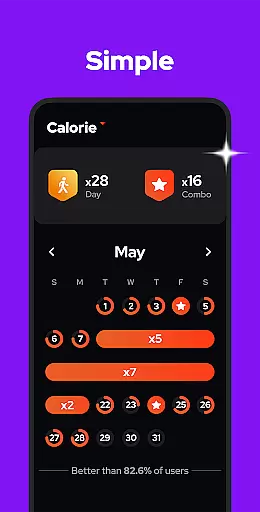
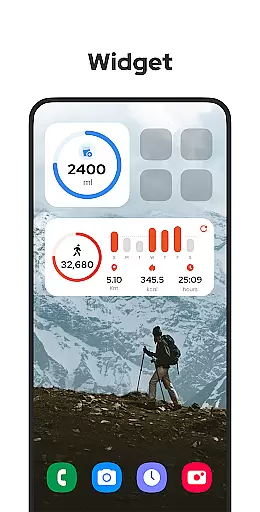
Users can view their walking data, including steps, calories burned, duration, and distance, represented in easy-to-understand charts. These visual tools allow for a comprehensive overview of daily, weekly, monthly, or yearly performance trends.
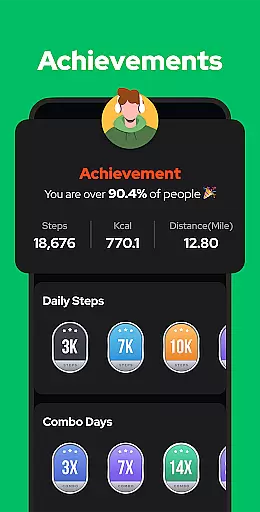
This visualization aids in setting realistic goals and understanding one's improvement over time. By seeing tangible evidence of progress, users are encouraged to maintain an active lifestyle and strive for new milestones.
Step Counter's commitment to progress visualization ensures that users remain engaged and informed about their fitness journey, turning abstract numbers into meaningful insights that foster a healthier lifestyle.

Using Recognise™ has been shown to reduce pain and improve performance.
 4.0
4.0
Beauty Care, Makeup & Skin Care Scanner | Pregnancy App For A Mom | Healthy Baby
5.00
See what's really going on inside your head! Real time EEG graphs from your Muse
4.40
When the night comes, we prepare your eyes for deep, sweet dreams
4.70
Eat smarter with Eato, your personal calorie counter and nutrition tracker!
4.40
Your portable blood pressure tracker. Record, monitor, and analyze BP anytime.
4.30
Lazy home workouts with your virtual fitness coach for weight loss.
4.30
Jogging app for calorie counter and distance tracker. Running app to lose weight
4.20
Control your blood pressure, heart rate and blood sugar in a fast way.
4.00
Protect your healthy sleep
4.80
Effortlessly and naturally release anxiety by harnessing the power of your brain
4.60
Binaural Beats - Fully Customizable Waves - Pure Sound - No Loops
4.50
Raccoon AI Calorie Counter. Intermittent Fasting & Timer. Macro, Carb, Protein
4.50
Blood Pressure Log, HRV & Heartbeat Tracker. Pulse Checker.
4.40
Your personal BP tracking companion, focus on helping you achieve wellness goal.
4.10
Pedometer that gives you sweatcoins for steps. It pays to walk!
4.10
Create powerful subliminal audio with custom affirmations and background music.
4.00
SportWerks - Workout Tracker for Wear OS Watches
3.90
Understand your body’s most meaningful messages and transform your health.
3.90


User Reviews