
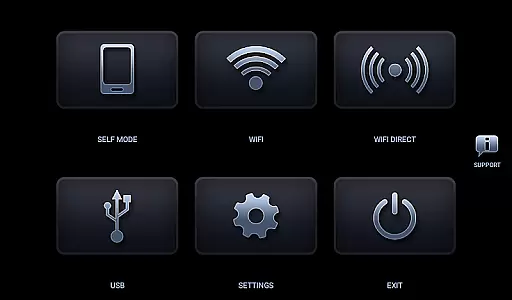
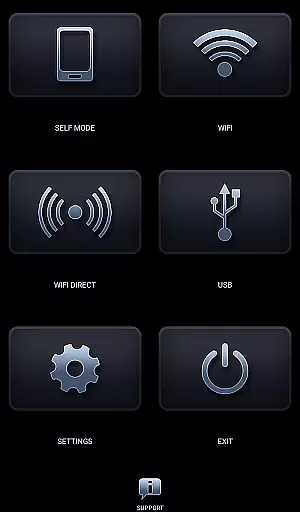
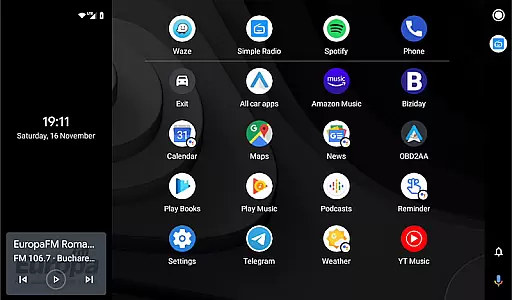
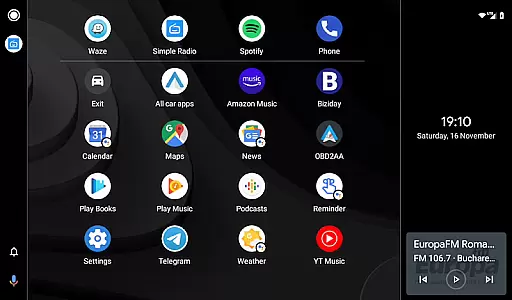
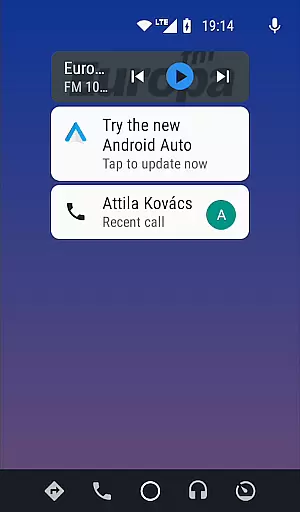
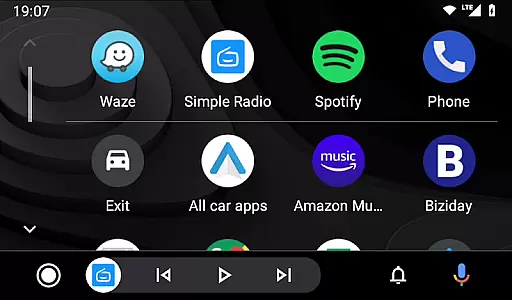

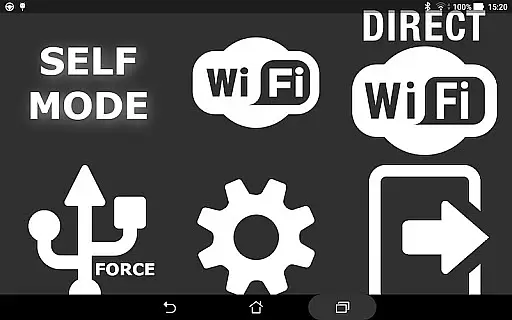
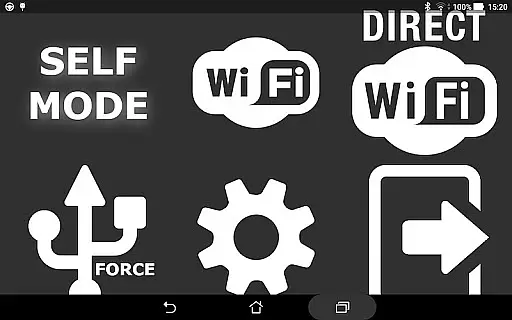
Headunit Reloaded Emulator HUR is a specialized Android application designed to emulate the functionality of Android Auto head units. This app allows users to transform their mobile devices into fully functional head units, providing seamless integration with car systems. With support for USB, WiFi, and Self-mode connections, it ensures compatibility across various usage scenarios.
The application supports multiple connection methods including USB mode for direct wired connections, WiFi mode for wireless connectivity through hotspots, and Self-mode for running both Android Auto and HUR on the same device. It is compatible with a wide range of Android-powered head units from manufacturers like Joying, Eonon, Xtrons, and others. Whether you need basic navigation or advanced multimedia control, this app delivers a comprehensive solution for in-car entertainment and information systems.
Headunit Reloaded Emulator HUR offers an impressive array of features that cater to diverse user needs. The app supports three distinct connection modes - USB, WiFi, and Self-mode - each designed to provide optimal performance based on the user's specific setup. In USB mode, users can connect their devices directly using a standard USB cable or OTG adapter, ensuring stable and fast data transfer.
For those preferring wireless connectivity, the WiFi mode allows users to establish a connection through a mobile hotspot. By installing the companion WiFi Launcher app, users can automate the connection process by linking it with their car's Bluetooth system. Additionally, the Self-mode feature enables users to run both Android Auto and HUR on a single device, making it ideal for testing or when no secondary device is available. The app also includes advanced troubleshooting options and customizable settings to optimize performance across different hardware configurations.
Map accuracy is a crucial feature for any navigation app, ensuring that users receive precise location data and reliable directions. Headunit Reloaded Emulator HUR achieves this by integrating with Android Auto and supporting various devices like Joying, Eonon, and Xtrons. The app allows seamless connectivity through USB, Wi-Fi, or self-mode, adapting to different vehicle systems.
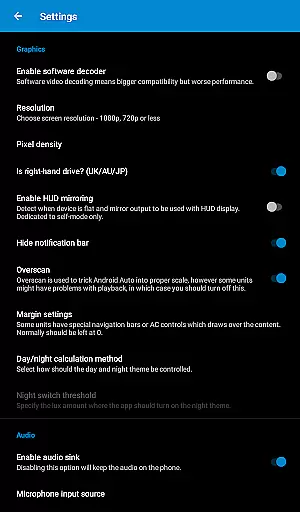
The application ensures map accuracy by maintaining compatibility with multiple Android-powered head units and providing options like software decoding. This flexibility allows the app to deliver correct positioning even in challenging environments such as areas with poor GPS signals. Users can trust that their navigation will remain accurate regardless of their location.
By offering settings adjustments and troubleshooting support, Headunit Reloaded Emulator HUR enhances user experience. Whether it's adjusting video playback settings during drives or enabling hotspot connections, these features contribute to more dependable maps. As a result, drivers can focus on the road while receiving trustworthy guidance from the app.
Effective route planning is essential for efficient travel, saving time and reducing stress. Headunit Reloaded Emulator HUR excels in this area by allowing users to connect via USB, Wi-Fi, or self-mode, ensuring versatile setup options. These methods cater to different preferences and scenarios, making it easier for users to plan their journeys effectively.
The app supports automatic startup through Bluetooth triggers when using the WiFi Launcher companion app. This functionality streamlines the process of initiating route planning without manual intervention. Additionally, users benefit from real-time updates and adaptive routing based on current traffic conditions, enhancing overall efficiency.
With comprehensive FAQs and community support available at forums like XDA Developers, users have access to extensive resources for optimizing route planning. Troubleshooting tips address common issues such as black screens or connectivity problems, ensuring smooth operation. By leveraging these tools, drivers can enjoy optimized routes tailored to their specific needs and circumstances.
User-friendly interface
Multiple connection options
Wide device compatibility
Regular updates and support
Comprehensive documentation
Requires technical knowledge
Occasional connection issues
Limited free features
Device-specific settings
Learning curve for beginners

Start your next adventure confidently using our Accurate Compass App
 3.70
3.70
Offline maps for phone and smart watch: topographic maps, satellite images...
3.30
Maps, Driving Directions & GPS navigation using directions app & GPS App
4.30
Your real-time window to the world. Explore anywhere, anytime.
3.30
Bolt is a ride-hailing app for requesting fast, safe, and affordable transport
4.80
Explore Earth with live GPS, satellite view & street navigation
3.60
Ride or drive at YOUR price
4.70
Park in Chicago, NYC, Boston, SF, Houston & more!
4.70
Get there with the Waymo Driver — The World’s Most Experienced Driver™
4.90
Track friends in real-time and explore worldwide live cameras.
4.60
Voice GPS with driving directions, offline maps navigation GPS for safe travel
4.50
The fastest and most convenient way to pay for parking on our lots.
4.40
Route tracker, Speedometer, Odometer, Fuel, HUD mode, save route as .GPX
4.40
ParkWhiz, an Arrive Mobility brand, part of the Arrive Network
4.30
GPS Navigation: Get map directions and find the shortest routes to avoid delays!
4.00
Navigation, weather, offline maps & tools for smarter, safer travel planning.
4.00
Discover over 800 points of interest along the canal.
3.70
Play in the outdoors with Android as your Handheld GPS and offline topo maps!
3.50
Find 93 Octane Gas: Locate Gasoline Stations Selling Premium 93 Octane or Higher
4.3
Honest Uber review—pricing surge charges, driver quality, safety features, hidden fees, and how it compares to Lyft and local taxis.



User Reviews