
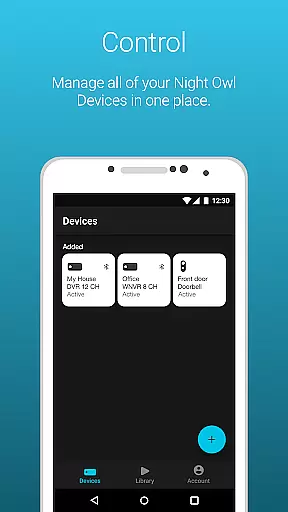
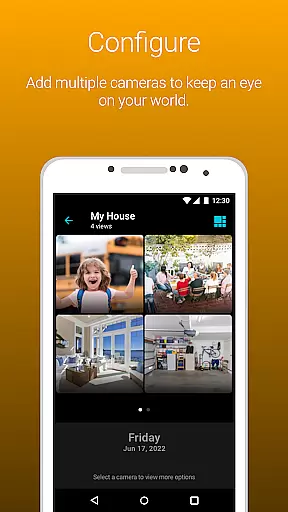
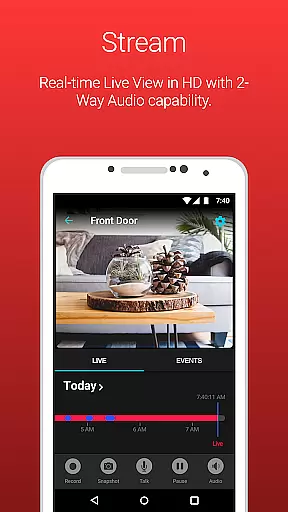
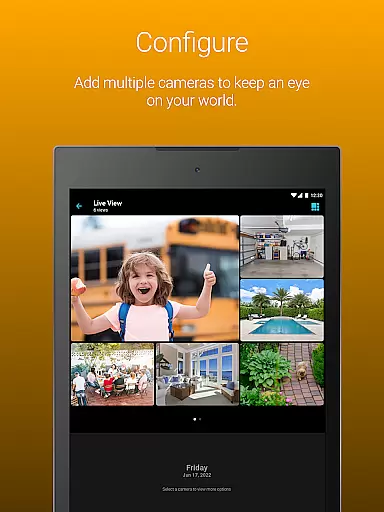
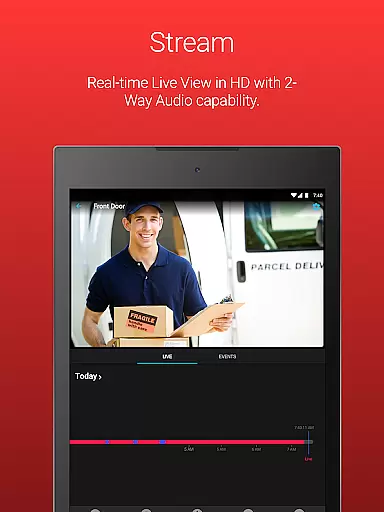
Night Owl Protect is a comprehensive home and business security application that allows users to monitor their properties in real-time through connected cameras. The app supports live video streaming, motion detection alerts, and various smart features like two-way audio and siren activation for applicable models. Designed for both homeowners and businesses, this app ensures top-tier privacy protection while offering cloud storage options for recordings.
One of the standout features of Night Owl Protect is its user-friendly interface that consolidates all your security devices into one platform. Whether you're using a smartphone or tablet, you can easily access live footage, configure alert settings, and share images or recordings via email, text, or social media. This makes it simple to stay connected to your property and respond quickly to any potential threats.
The app also emphasizes data security with features like 2-step verification and secure password resets. Compatible with numerous Night Owl devices, it offers flexible access controls, including sharing capabilities with family or colleagues. Its versatility and advanced security measures make it an ideal choice for those seeking reliable, real-time monitoring solutions.
Night Owl Protect stands out with its robust feature set tailored for both convenience and security. One of the key functionalities is the Secure App-Based Bluetooth Setup, which simplifies the initial configuration process. Users can receive real-time mobile alerts based on specific triggers such as human, face, or vehicle detection, ensuring they are always informed about activity around their property.
The app provides advanced playback and search options for reviewing recorded footage. With features like snapshot capture, audio support (two-way audio, sirens, preset voice messages), and customizable alert settings, users have extensive control over their surveillance system. Additionally, the ability to save and share recordings directly from the mobile device enhances usability, making it easy to distribute important footage when needed.
Security is further reinforced through 2-step verification and Single Sign-On capabilities, allowing users to manage multiple devices conveniently while maintaining high privacy standards. For those subscribed to the Night Owl Protect Cloud service, accessing cloud-stored recordings adds another layer of reliability. These features collectively ensure that users can protect their world with confidence and ease.
When it comes to property monitoring, the authenticity of listings is paramount. Night Owl Protect ensures that every connected device provides genuine and accurate footage of your property. This mobile application allows users to view live feeds from their cameras, ensuring real-time surveillance without any discrepancies.
The app's compatibility with a wide range of Night Owl devices guarantees that users receive consistent and reliable data about their homes or businesses. With features like 2-step verification and secure app-based Bluetooth setup, Night Owl Protect safeguards against unauthorized access, ensuring that the information you receive is both authentic and secure.
Moreover, the ability to configure alert settings for human, face, or vehicle detection means that users are notified only when relevant activity is detected. This targeted approach reduces false alarms and enhances the overall reliability of the property monitoring system.
Night Owl Protect offers an array of home management features designed to simplify security oversight. The app allows users to easily organize their cameras into favorites and groups, providing quick access to specific views when needed. This feature is particularly useful for managing multiple properties or large premises with numerous camera installations.
In addition to organizing cameras, the app facilitates sharing access with friends and family. This collaborative approach to home management ensures that trusted individuals can monitor the property, enhancing collective security efforts. Users can also share images and recordings via social networks, email, or text, making it easy to distribute important footage quickly.
For those subscribed to the Night Owl Protect Cloud service, accessing saved recordings becomes another valuable home management tool. This cloud-based solution provides a backup of critical video data, ensuring that recordings are safe even if local devices are compromised. Overall, these features create a comprehensive home management system focused on security and convenience.
User-friendly interface
Real-time alerts
Secure cloud storage
Wide device compatibility
Advanced privacy features
Subscription required for cloud
High data usage on mobile
Limited free features
Complex setup for some models
Occasional connectivity issues

Map-based search app for apartments and homes for rent.
 4.60
4.60
Universal TV remote Control for Roku TV brands via WiFi remote
4.1
Draw your floor plan smartly. Make house design blueprint with home planner app
3.60
AI floor creator to design your dream house, plan rooms & style your home
4.00
Schlage Lock Company LLC
4.00
Plan your remodel AI home renovation easily using planner 5D and home decor AI.
4.40
Looking for the perfect apartment finder app? Find beautiful rental homes here!
4.60
Find homes for sale and apartments for rent in the best neighborhood.
4.70
Houses for Sale & Homes for Rent: Buy Homes, Rent Apartments & Sell Real Estate
4.80
Find your next home, house, apartment, condo, casa, flat, rental, studio, or bed
4.70
Tailored Care Guides For Houseplants, Indoor Plants, Garden Plants & Flowers.
4.60
WiZ smart light system
4.40
Set up your devices, customize settings, and monitor your home—from anywhere
4.40
Make your phone a surveillance camera remote with a home camera app for Android!
4.40
USHUD.com helps you find the best homes for sale in your area
4.00
Find the perfect paint color with advanced tools to explore and visualize color.
3.80
Design house plans in 2D & 3D, style furniture, and preview renovation layouts
3.70
This Fire TV Remote control's your Fire TV Device and Insignia Fire TV Remote
3.70
An awesome mobile app for Home Security Surveillance - uses ZoneMinder
3.20


User Reviews