
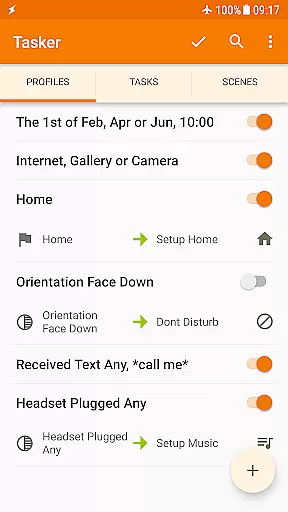
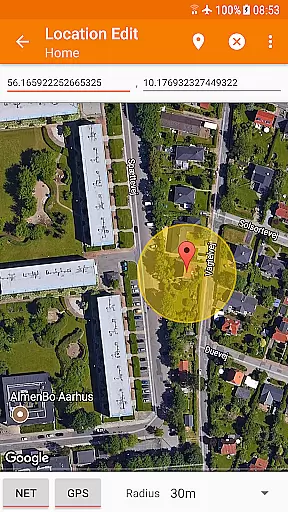
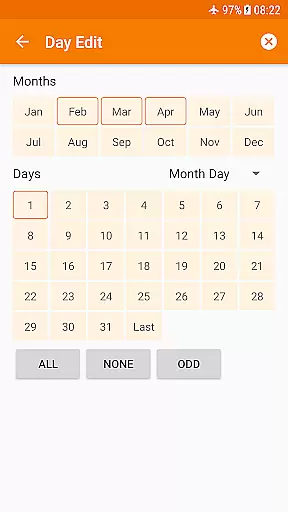
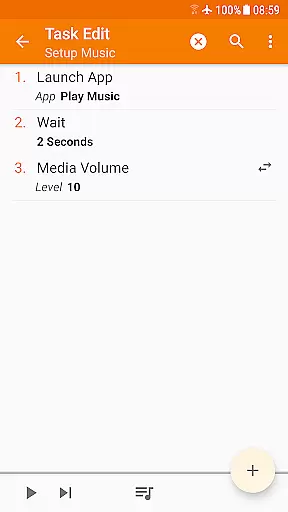
Tasker is a powerful automation tool for Android devices, enabling users to automate repetitive tasks and customize their phone's behavior based on various triggers. With over 130 contexts and 350 actions, it allows you to create complex automations ranging from simple settings adjustments to comprehensive workflows.
The app supports automation based on time, location, Wi-Fi network, received SMS or calls, and even the currently playing song. It also offers advanced features like automatic file backups, APK installations, and integration with other apps through plugins. Tasker's flexibility extends to creating custom UI scenes, standalone apps, and working with web APIs, making it an indispensable tool for power users and developers alike.
Whether you want to optimize your daily routine or create sophisticated automation workflows, Tasker provides the tools to make your Android device truly smart and personalized to your needs.
Tasker stands out with its extensive range of features that cater to both casual users and tech enthusiasts. The app's core functionality revolves around its ability to automate almost any task on an Android device without requiring root access. Users can set up automations based on a wide array of triggers such as app usage, time of day, location, and system events.
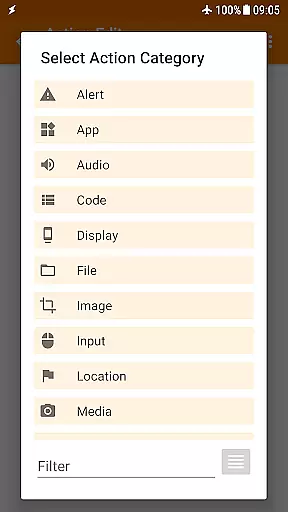
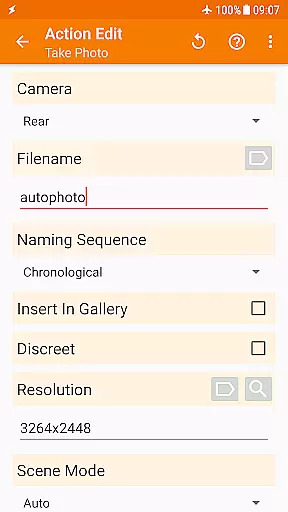
One of Tasker's key strengths is its vast library of over 350 actions. These include sending SMS, creating notifications, changing system settings, controlling music playback, and managing files. The app also supports integration with third-party applications through plugins, allowing users to extend its capabilities even further. Additionally, Tasker enables users to design custom UI scenes and create standalone apps using the Tasker App Factory.
Advanced users will appreciate Tasker's developer-friendly features, including HTTP Auth and Request actions for interacting with web APIs. The app also offers remote triggering capabilities when paired with Join, allowing users to execute tasks from another device or PC. This combination of flexibility, extensibility, and power makes Tasker an unparalleled automation solution for Android.
Tasker exemplifies the pinnacle of core function accuracy and effectiveness in the automation tools category. At its heart, Tasker is designed to automate a wide array of tasks on Android devices with precision and reliability.
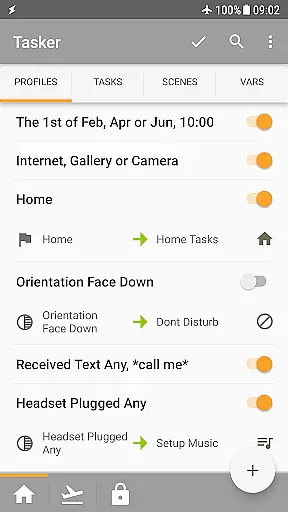
The app leverages over 130 contexts and events, including time of day, location, and received SMS or calls, allowing users to create complex automation rules that trigger actions based on real-time conditions. This ensures that every automated task is executed accurately when specific criteria are met.
With more than 350 available actions, ranging from sending SMS to manipulating files and controlling music playback, Tasker offers an extensive toolkit for customizing your device. These actions are implemented with meticulous attention to detail, ensuring they perform as expected without unnecessary side effects.
Users benefit from Tasker's robust architecture which guarantees that automations run smoothly even when performing multiple tasks simultaneously. The result is a powerful tool that not only saves time but also enhances productivity by taking care of repetitive tasks automatically, letting users focus on what truly matters.
In the realm of interface simplicity and intuitiveness, Tasker stands out by providing a user-friendly environment despite its powerful capabilities. The design philosophy behind Tasker emphasizes ease of use while maintaining access to advanced features.
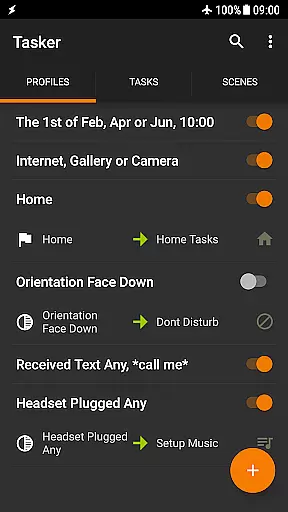
Tasker's interface allows users to easily create and manage tasks through an intuitive drag-and-drop system. This approach simplifies the process of setting up automations, making it accessible even to those who may not be tech-savvy. Users can quickly define triggers and corresponding actions without needing extensive technical knowledge.
Moreover, Tasker includes helpful resources such as starter guides and pre-made projects, which further enhance the learning experience. These materials guide new users through common use cases, helping them understand how to harness Taskeru2019s full potential efficiently.
While offering deep customization options, Tasker maintains clarity by organizing settings logically and providing clear descriptions for each function. This balance between simplicity and depth ensures that both beginners and experienced users can navigate the app effortlessly, creating sophisticated automations with confidence.
Highly customizable
Versatile automation options
Extensive plugin support
User-friendly interface
Regular updates
Steep learning curve
Requires technical knowledge
Some features need root
Occasional stability issues
Premium pricing

 4.50
4.50
Change your GPS location instantly. Simulate routes anywhere in the world.
4.90
Easily install aab(Android App Bundle) files on your Android device with our app
4.80
HD Camera captures every special moment.
4.60
Fast Video Downloader, Movie Downloader, Torrent Downloader & Adblock Browser
4.70
Play your X-Box games remotely in 1080p with any controller and zero latency
4.60
Pro Emulator is an easy to use game console emulator for a range of consoles.
4.40
A clean app.
4.50
Fast VPN USA for any country. Super secure VPN for calls, streaming, games, TV.
4.40
Remote Play with FSR upscaling, low latency & full controller support
4.80
Excellent scientific calculator with symbolic algebra, integrals, derivatives
4.80
The Ultimate Flex Drivers Utility App - Convenient Tapping & Block Filters
4.70
Connect instantly to a fast, encrypted VPN with one tap
4.60
Game Booster, GFX Tool is now compatible with newer game update
4.50
VESC Tool can monitor and configure VESC-compatible devices over BLE and Wifi
4.20
Screen Mirroring with sound for Samsung TV, LG TV, Sony TV, Smart TV and Browser
4.20
Family Locator, Share location, StayConnect with your family in real time
3.90
Fun lie-detection pranks for friends and parties.
3.80
Transfer Files, APK from Phone to Watch & Install.
4.0


User Reviews