
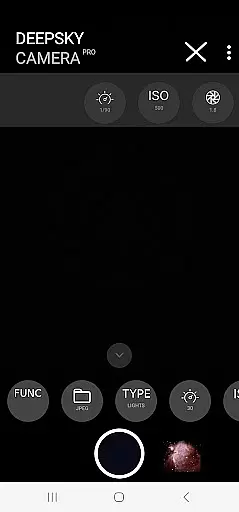
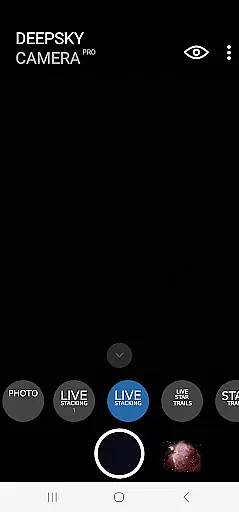
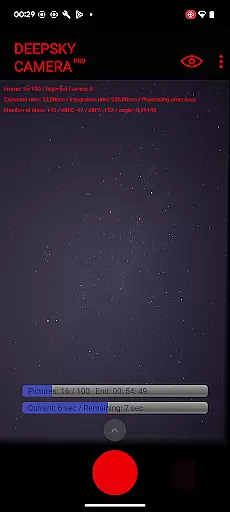
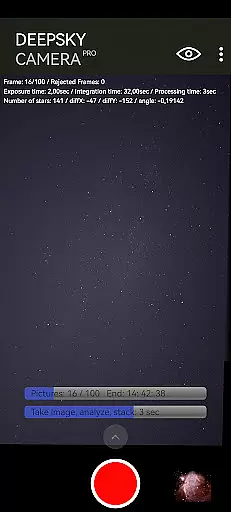
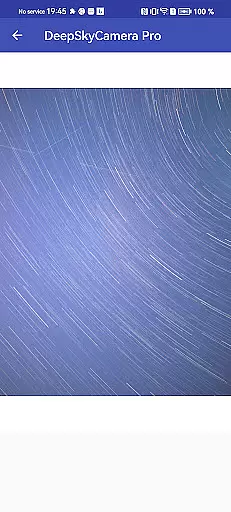
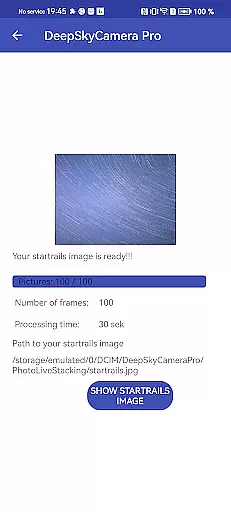
Real-time capture and preview functionality is essential for astrophotography, allowing users to see the night sky as it is being photographed. DeepSkyCamera Pro offers advanced live stacking features that enable photographers to stack images directly on their smartphones while capturing. This includes both tracked and untracked images, providing flexibility whether using a telescope mount or shooting handheld.
The app supports live star trails and viewfinder live stacking with extended shutter speeds of up to 10 seconds, breaking the typical one-second limitation found in standard smartphone cameras. These capabilities ensure that even faint celestial objects become visible through prolonged exposure times, enhancing image quality significantly.
During photo live stacking, critical information such as frame count, rejected frames, exposure time, integration duration, processing time, and alignment shifts are displayed on-screen. This data empowers users to make informed decisions about their photography settings, ensuring optimal results when photographing deep-sky objects like galaxies and nebulae.
By offering these sophisticated tools within an intuitive interface, DeepSkyCamera Pro transforms mobile devices into powerful instruments for serious astronomical imaging, rivaling traditional DSLR setups in many aspects.
While primarily designed for astrophotography, DeepSkyCamera Pro also incorporates AI-driven enhancements to improve image naturalness without compromising authenticity. The application processes RAW files captured by the smartphone's camera sensor, converting them into DNG format compatible with popular post-processing software used by professional astrophotographers.
Photo live stacking works seamlessly with both tracked and untracked images, aligning multiple shots to reduce noise and enhance details. The resulting TIFF or JPEG outputs retain the original characteristics of the night sky, preserving star colors and subtle gradients while minimizing artifacts introduced during long exposures.
For daylight photography, users must adjust specific settings to accommodate different lighting conditions effectively. Detailed guidance provided in the manual ensures that adjustments maintain the integrity of the scene being photographed, avoiding over-processing that could detract from the final result.
DeepSkyCamera Pro caters to experienced astronomers familiar with concepts such as RAW files and stacking techniques. By focusing on delivering genuine representations of celestial phenomena rather than artificial enhancements, this app stands out among mobile astrophotography solutions, appealing to enthusiasts seeking true-to-life imagery.

AI portrait generator and polaroid AI selfie, fun AI generated AI photo creator!
 4.30
4.30
Long exposure camera with computational photography
2.60
Photobooth mini FULL app will allow you to add more fun to your parties
4.00
Cut and paste photo editor & eraser to customize photos easy and swap faces fun
4.50
Pet Camera
3.70
Photo editor: AI filters, photo enhancer, pic collage maker, AI art generator.
4.80
A reflected light meter with spot metering and incident light metering.
4.40
Add a dreamy vibe to your selfies and videos with soft style filters
4.4
Fit multiple photos on one post. Create carousels & scroll layouts for Instagram
4.50
Photo prints, cards, & gifts at Walgreens. Easy ordering & fast local pickup !
4.80
The original Rarevision VHS look seen everywhere!
4.70
Add Watermark - Sign your pictures with a text or logo. Effective, quick, easy!
4.50
Create Business Headshots, Polaroid Filter, Retake Photos,Profile Pics,AI Photos
4.50
Natural Beauty, Selfie Retouch
4.30
All-in-One Editor & AI Photo Enhancer, Beautify & Retouch, Collage, Cartoonify
4.20
How old age camera Gender Swap App Face Shape Hairstyle App Hair Styler App fun!
4.00
Professional quality photo edits with the new Snapseed.
4.00
Raw Image Viewer. Gallery with support of raw images (.cr3, .cr2, .nef, .raf).
2.00
Over 800 film simulation recipes for Fujifilm. Black Friday Offer!
4.1


User Reviews