
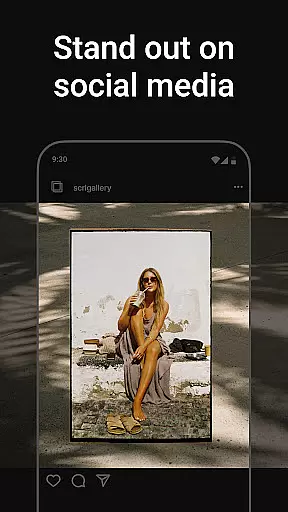
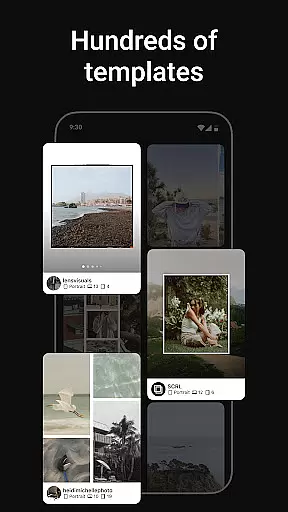
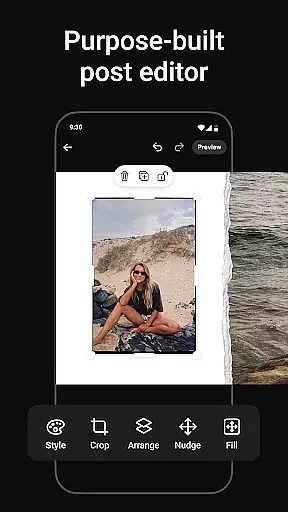
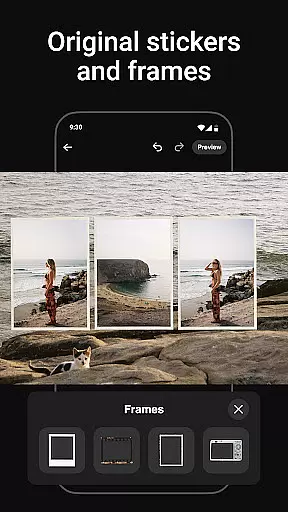
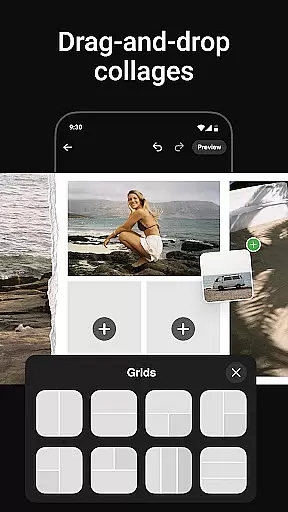
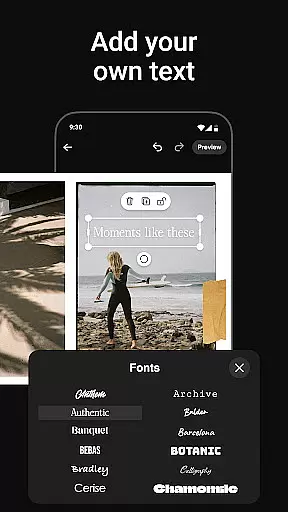
Photo Collage Maker by SCRL is the leading app for creating stunning photo collages and seamless Instagram carousel posts. Designed for influencers, artists, and photography enthusiasts, this app offers a complete suite of tools to enhance your social media presence. With hundreds of hand-picked templates, a freeform canvas, and advanced design features, users can create personalized collages that stand out.
The app allows you to merge multiple photos into captivating layouts, add creative stickers and overlays, and instantly post your creations to Instagram. Whether you're designing for personal memories or professional projects, Photo Collage Maker provides all the resources needed to express your creativity. Its intuitive interface and premium subscription options make it a versatile choice for both casual users and professionals.
Photo Collage Maker stands out with its robust set of features tailored for creative expression. The app includes an extensive library of collage templates curated by design experts, ensuring high-quality and versatile options for every occasion. These templates cater to various styles, from minimalist designs to extravagant layouts, empowering users to craft visually appealing collages effortlessly.
In addition to templates, the app offers a freeform canvas that allows precise control over your designs. You can zoom in and out, adjust layouts, and combine images, text, stickers, and overlays to create unique compositions. The ability to add more than 10 photos to a single post breaks traditional limitations, enabling richer storytelling. Furthermore, the instant posting feature streamlines sharing your masterpieces directly to Instagram without additional steps.
Premium subscribers gain access to exclusive tools such as video integration, gradient backgrounds, and advanced editing capabilities. These features elevate your designs, making them truly professional-grade. Trusted by industry leaders, Photo Collage Maker ensures reliability and excellence in every creation.
Real-time capture and preview functionality is essential for ensuring that every photo collage or carousel post created with Photo Collage Maker meets the user's expectations right from the start. This feature allows users to see their edits and adjustments as they make them, providing an immediate visual feedback loop.
The app offers a seamless experience by enabling users to preview their designs in real-time, thus eliminating guesswork. Whether you're resizing images, applying filters, or adding stickers, the changes appear instantly on the canvas. This ensures that the final output aligns perfectly with your creative vision.
For influencers and creatives who rely on high-quality visuals, this feature significantly enhances productivity. It reduces the time spent on revisions and allows for more spontaneous creativity. Users can experiment with different templates and design elements, seeing the results immediately and making informed decisions about their design choices.
Ultimately, real-time capture and preview empower users to produce professional-grade collages and carousels with confidence. The ability to visualize changes instantly not only streamlines the design process but also makes it more enjoyable, letting users focus on unleashing their creativity without any technical hindrances.
AI beauty and enhancement features have become a cornerstone of modern photo editing, and Photo Collage Maker stands out by offering tools that enhance images naturally. This ensures that edited photos retain their authenticity while still benefiting from advanced beautification algorithms.
The AI-driven enhancements automatically adjust lighting, smooth skin textures, and optimize colors without creating an over-processed look. These intelligent adjustments are subtle yet effective, preserving the original essence of the photos. Users can fine-tune these settings manually, allowing for personalized enhancements that suit individual preferences.
This natural approach to photo enhancement is particularly beneficial for social media content creators. It helps maintain a genuine appearance in posts, which is crucial for audience engagement. Followers can relate more easily to authentic-looking images, leading to higher interaction rates and stronger connections.
By integrating AI beauty and enhancement tools, Photo Collage Maker empowers users to elevate their photo collages and carousels effortlessly. The emphasis on natural enhancement ensures that every creation looks polished and professional, enhancing the overall storytelling experience without compromising on realism.
User-friendly interface
Extensive template library
Freeform canvas flexibility
Instant Instagram posting
Premium customization tools
Limited free features
Premium subscription cost
Occasional bugs reported
Learning curve for beginners
Heavy on device storage

How would you look like with a differently shaped nose, chin or lips?
 3.90
3.90
All-in-One Editor & AI Photo Enhancer, Beautify & Retouch, Collage, Cartoonify
4.20
Trendy TikTok time warp scan funny filter app brings you unique photos & videos.
4.40
Easily stitch panoramas from multiple photos or video.
4.40
Perfect body tune & face app - photo retouch, makeup, slim body & beautify face.
4.80
Create AI photos & videos with Enhancer; restore, fix, beautify, enhance photos
4.50
GCamera allows all GCam features on all phone models! Better photos with GCamera
3.30
PhotoSync Bundle Add-On License. Enables all features and services in PhotoSync.
4.60
Welcome to ProShot, the most powerful camera app on Android.
4.20
Viewfinder, Light meter, Reciprocity failure time, DOF & Bellows Extension
4.60
Light-weight Media Gallery app for Android made with Jetpack Compose
4.60
Professional camera app that brings DSLR manual photography controls to Android.
4.20
Create & Edit with AI: AI Remove, Enhance, Retouch, Filter
4.10
The #1 app for B&W film developing featuring an advanced darkroom timer.
4.10
Catch sunlight, sunrise sunset times and sun phases with the AR sun tracker.
4.10
Professional quality photo edits with the new Snapseed.
4.00
USB Storage Access for Photos, Videos, Music and Documents
3.80
Perfect photos with body shaping, BG changer and object remover.
3.70
Application for remote controlling DSLR
3.00


User Reviews