
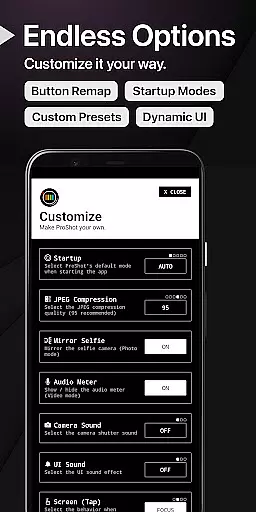
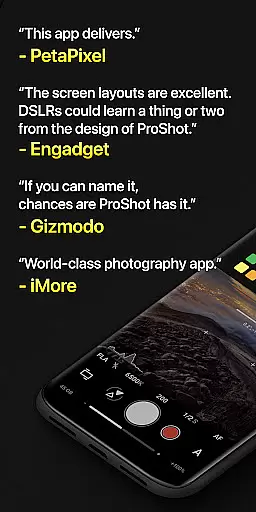
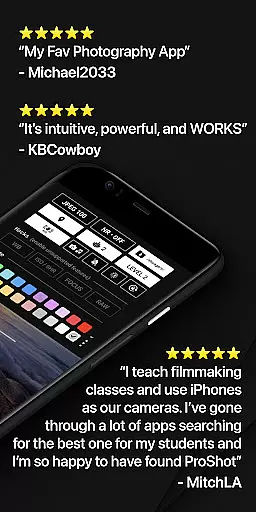
ProShot is a professional-grade photography and filmmaking application designed for Android users who demand full creative control over their mobile photography experience. This app offers an expansive suite of manual controls akin to those found on DSLR cameras, including shutter speed, ISO, white balance, and exposure settings. With its unique Dual Dial system and intuitive interface, ProShot makes it easy to adjust camera parameters quickly and efficiently.
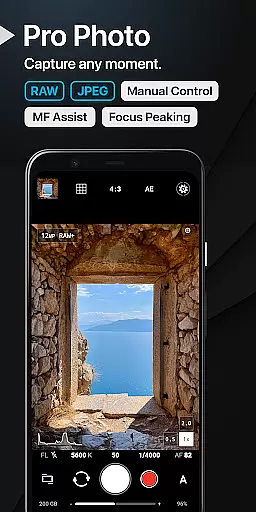
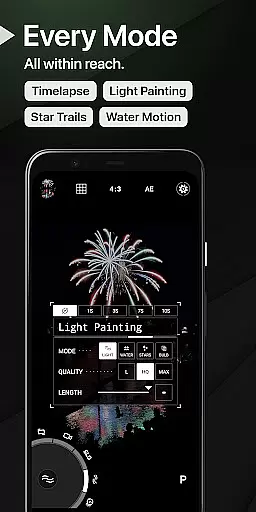
The app supports various shooting modes such as Auto, Program, Manual, and Custom, allowing photographers to tailor their approach based on the situation. It also includes advanced features like RAW (DNG) image capture, HEIC support, Light Painting modes for artistic long-exposure effects, and Bulb mode for astrophotography. Additionally, ProShot provides comprehensive video capabilities with up to 8K recording, LOG/FLAT color profiles, and real-time audio monitoring. Whether capturing stills or motion, ProShot ensures that users can achieve professional-quality results directly from their smartphones.
One notable aspect of ProShot is its commitment to user privacy; no personal data is collected or transmitted by the app. This dedication to security allows users to focus on their craft without worrying about data harvesting. Suitable for both amateur enthusiasts and seasoned professionals, ProShot empowers creators to push the boundaries of mobile photography while maintaining complete control over their work.
ProShot stands out in the realm of mobile photography apps due to its extensive feature set tailored for professional use. The app leverages the camera2 API to deliver precise manual controls over key photographic elements such as ISO, shutter speed, white balance, and focus. Users can choose between different shooting modes—Auto, Program, Manual, and two Custom modes—each offering varying levels of control similar to traditional DSLRs. This flexibility enables photographers to adapt to diverse shooting scenarios with ease.
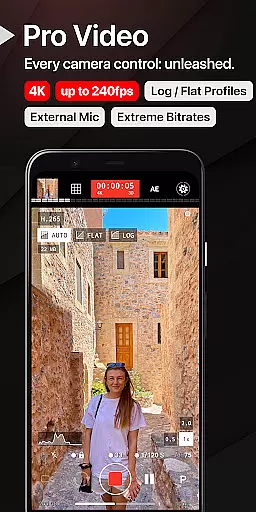
In addition to robust photo capabilities, ProShot excels in videography with options for high-resolution recording at up to 8K resolution. The app supports advanced video features like adjustable frame rates ranging from 24 FPS to 240 FPS, LOG and FLAT color profiles for enhanced dynamic range, and H.264/H.265 codecs for efficient file compression. Real-time monitoring tools allow users to track audio levels and video file sizes during recording sessions. Furthermore, ProShot integrates seamlessly with external microphones and permits simultaneous audio playback from services like Spotify.
Beyond technical specifications, ProShot enhances usability through thoughtful design choices. Its Dual Dial interface facilitates rapid adjustments to camera settings, while customizable accent colors and accentuated focus peaking help personalize the user experience. Additional conveniences include zero-lag bracket exposure, histogram analysis with three display modes, and zoom functionality up to 10X using a single finger gesture. These innovations ensure that whether you're snapping photos or shooting videos, ProShot remains a versatile tool capable of meeting even the most demanding creative requirements.
Real-time capture and preview functionality is essential for photographers who need to see exactly what their camera is capturing before taking the shot. ProShot offers a sophisticated real-time preview system that ensures every detail is captured as intended.
The app leverages advanced processing capabilities to provide an accurate representation of the scene, including exposure, white balance, and focus adjustments. This allows users to make precise modifications on the fly, ensuring optimal image quality.
With its intuitive interface, ProShot makes it easy to adjust settings like ISO, shutter speed, and white balance while observing the changes in real time. This immediate feedback empowers photographers to experiment with different settings confidently.
Ultimately, ProShot's real-time capture and preview feature enhances the photography experience by providing reliable and responsive tools that help users achieve their creative vision without any guesswork.
AI-powered beauty and enhancement features are becoming increasingly popular in photography apps, but maintaining natural-looking results is crucial. ProShot employs advanced AI algorithms to enhance images while preserving authenticity.
The app's AI technology intelligently identifies facial features and applies subtle enhancements that highlight natural beauty without over-processing. This approach ensures that skin tones remain true and textures retain their original character.
Users can customize the level of enhancement according to their preferences, allowing for personalized adjustments that suit individual styles. The result is professional-quality images that look polished yet genuine.
By focusing on naturalness in AI beauty enhancements, ProShot delivers superior image quality that respects the integrity of the original photograph, making it an ideal choice for photographers seeking authentic results.
Full manual controls
RAW image capture
Privacy-focused design
Advanced video features
Customizable interface
Steep learning curve
Premium price point
Limited beginner guidance
Device compatibility issues
No free trial available

Gallery show photo, video, slideshow, is perfect 3D effect private photo albums.
 4.80
4.80
Shooting photos and records video easily and efficient with professional Camera
4.30
Perfect photos with body shaping, BG changer and object remover.
3.70
Create funny photos and videos with the popular Time Warp Scan filter.
4.90
How old age camera Gender Swap App Face Shape Hairstyle App Hair Styler App fun!
4.00
Natural Beauty, Selfie Retouch
4.30
Photo prints, cards, & gifts at Walgreens. Easy ordering & fast local pickup !
4.80
Over 800 film simulation recipes for Fujifilm. Black Friday Offer!
4.4
Smart, light, and fast photo and video gallery
4.30
Create Business Headshots, Polaroid Filter, Retake Photos,Profile Pics,AI Photos
4.50
Transform photos into videos! Create realistic or anime-style images easily!
4.50
HD Camera Pro with HD Video shooting, Panorama, Photo editor , Beauty Camera.
4.50
[3DSteroid Pro] is a stereoscopic application for Android.
4.30
Professional photography on your mobile phone
4.20
Professional camera app that brings DSLR manual photography controls to Android.
4.20
All-in-One Editor & AI Photo Enhancer, Collage, Cartoonify, Funny Stickers & BGS
4.10
GCamera allows all GCam features on all phone models! Better photos with GCamera
3.30
An interval timer to automate photo taking process for timelapse
2.90
Professional video recording application with manual controls for filmmakers!
2.80


User Reviews