

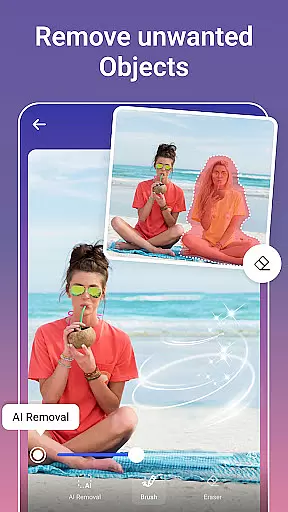
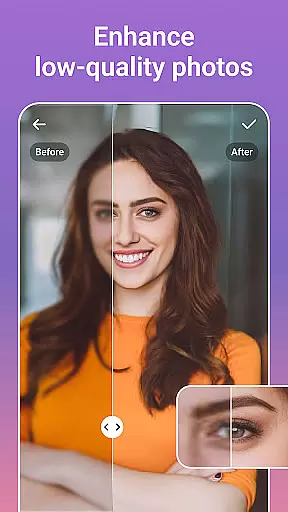
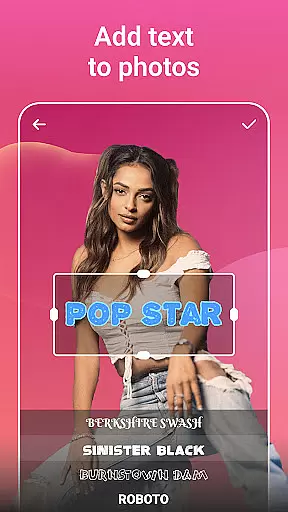


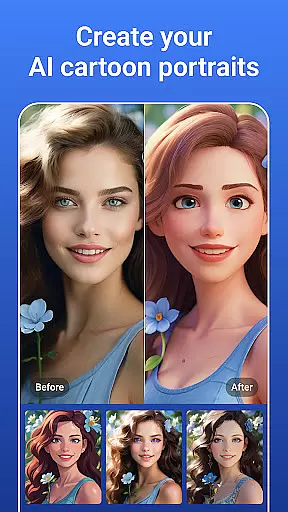

PicsLeap is an advanced AI-powered photo editing application that offers a complete suite of tools for enhancing, transforming, and personalizing your images. The app provides users with professional-grade features such as One-Tap Enhance, Magic Eraser, AI Face Swap, and AI Cartoon Filters, enabling effortless photo improvements. Whether you're looking to remove unwanted objects, apply artistic effects, or create stunning collages, PicsLeap has the tools to meet all your photo editing needs.
With over 100 filters and effects, PicsLeap allows users to embrace their signature style. From retro film looks to modern light effects, the app caters to diverse aesthetic preferences. Its intuitive interface ensures that even beginners can achieve high-quality results, while advanced options like HSL, Curve, and Double Exposure satisfy seasoned photographers. PicsLeap also supports creative experimentation through features like background swapping and sticker creation, making it a versatile choice for social media enthusiasts and professional editors alike.
The app's powerful AI technology simplifies complex editing tasks, allowing users to enhance resolution, restore old photos, and remove backgrounds with minimal effort. PicsLeap is perfect for anyone who wants to elevate their photography without requiring extensive technical knowledge. By providing watermark-free editing and seamless sharing options for platforms like Instagram and Facebook, PicsLeap empowers users to showcase their creativity effortlessly.
PicsLeap stands out with its comprehensive set of AI-driven photo editing tools designed to cater to both casual users and professionals. The app's One-Tap Enhance feature instantly improves image quality, while the Magic Eraser intelligently removes unwanted elements and fills the gaps seamlessly. With AI Face Swap, users can merge faces from different photos with realistic results, and AI Cartoon Filters transform ordinary images into whimsical works of art.
In addition to its core editing capabilities, PicsLeap offers specialized tools for creative expression. Users can experiment with Double Exposure effects to blend multiple images, apply Blur to highlight subjects, and utilize precise color adjustments through HSL and Curve settings. The app also includes a robust collage maker, enabling users to weave together multiple snapshots into visually appealing compositions. Adjustable layouts, custom backgrounds, and unique borders further enhance the creative possibilities.
PicsLeap's standout innovation lies in its ability to simplify traditionally time-consuming tasks. Removing backgrounds, restoring old photos, and creating personalized stickers are now achievable with just a few taps. The app's user-friendly design ensures accessibility for beginners, while its advanced features provide ample depth for experienced editors. By combining cutting-edge AI technology with a wide array of customization options, PicsLeap delivers a truly versatile photo editing experience.
Real-time capture and preview functionality is essential for any photography app, allowing users to see exactly what their final image will look like before taking the shot. PicsLeap offers a seamless experience with its advanced AI-powered real-time effects that can be applied instantly to the camera feed.
This feature ensures that photographers can experiment with different filters, lighting conditions, and artistic effects without having to take multiple shots. The app's sophisticated algorithms adjust settings on-the-fly, providing an accurate representation of how these adjustments will impact the final photo.
Users benefit from this immediate feedback loop as it allows them to fine-tune their compositions and make creative decisions in the moment. With PicsLeap's real-time capabilities, capturing the perfect shot becomes more intuitive and less about post-processing guesswork.
The value of real-time capture and preview lies in empowering users to express their creativity freely while ensuring they have full control over the outcome. It streamlines the editing process by integrating powerful tools directly into the shooting phase, thus enhancing both efficiency and artistic expression.
AI beauty and enhancement features are designed to elevate photos by improving aesthetics while maintaining a natural look. PicsLeap stands out with its suite of AI-driven tools that intelligently enhance facial features, skin texture, and overall image quality without creating an artificial appearance.
The app employs cutting-edge technology to analyze each photo individually, applying enhancements that complement the subjectu2019s unique attributes. Whether smoothing skin imperfections or brightening eyes, PicsLeap ensures every edit looks authentic and true-to-life.
Photographers using PicsLeap can expect their portraits to retain individuality and character even after applying beautification filters. This approach not only boosts visual appeal but also preserves the emotional connection between viewer and imageu2014a critical aspect often lost in overly processed photos.
Ultimately, PicsLeapu2019s commitment to natural enhancement empowers users to produce stunning yet believable images. By prioritizing subtlety and realism, the app caters to both amateur enthusiasts looking for quick touch-ups and professionals seeking refined results without compromising authenticity.
User-friendly interface
Advanced AI features
Versatile editing tools
High-quality results
Free to download
Some features may require premium
Occasional processing delays
Limited offline functionality
Ads in free version
Learning curve for beginners

Effortlessly organize, view and share your photos & videos with Gallery app!
 4.40
4.40
Search, tag and rate your way to an organized image gallery
4.40
Safe & smart flight with Go Fly drone controller for 40+ drone camera, zone map
4.50
Android Native system HD camera app. Never been so simple and faster.
4.70
Create Business Headshots, Polaroid Filter, Retake Photos,Profile Pics,AI Photos
4.50
Cartoon and artistic effects for your photos and videos
4.70
A must-have app for landscape photographers
4.60
Raw Image Viewer. Gallery with support of raw images (.cr3, .cr2, .nef, .raf).
2.00
Snap photos remotely using your Garmin watch as the camera trigger
4.2
Create funny photos and videos with the popular Time Warp Scan filter.
4.90
1M influencer's special filter
4.60
Create collages easily! Nice pic collage maker & background eraser for Instagram
4.50
AI photo editor with hair editor, retouch tools, hair color changer & filters!
4.50
Photo Exif Editor allows to view, add and modify EXIF data of multiple photos
4.50
Photobooth mini FULL app will allow you to add more fun to your parties
4.00
Pet Camera
3.70
Create amazing frames with up to five photos. Rounded corners, effects and more!
3.60
Application for remote controlling DSLR
3.00
HD Photo gallery and photo manager to edit, hide private photos, videos & albums
4.2


User Reviews