
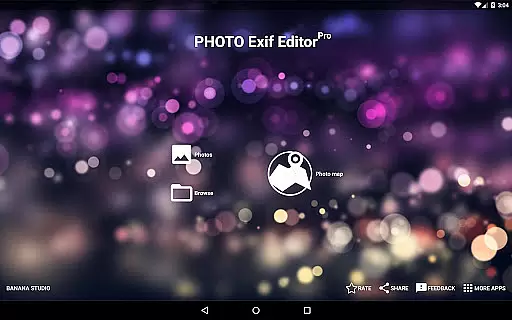
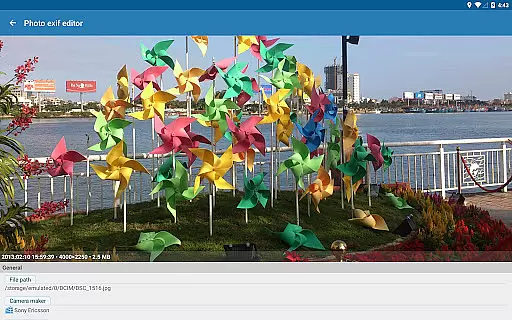
Photo Exif Editor Pro is a comprehensive tool designed for photographers and enthusiasts who need to manage the metadata of their images. This application allows users to view, add, and modify Exif data in photos, providing essential details about camera settings and shooting conditions.
The app features an intuitive interface that makes it easy to correct missing information or update existing data. With support for various file formats including JPG, PNG, and RAW, Photo Exif Editor Pro ensures compatibility across different devices and platforms. Whether you're organizing your photo library or preparing images for professional use, this app offers the necessary tools to handle Exif information effectively.
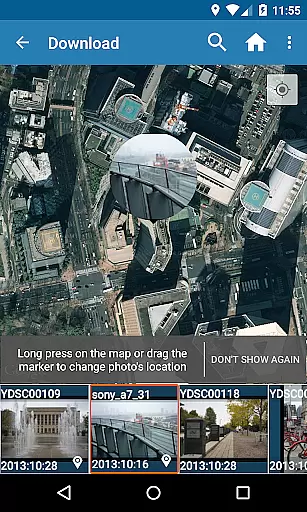
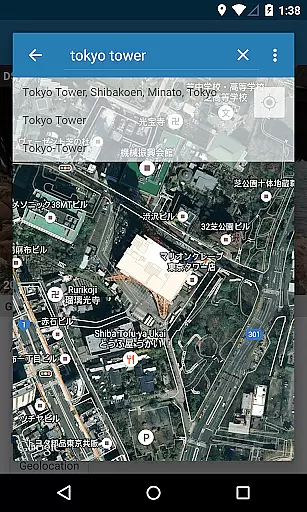
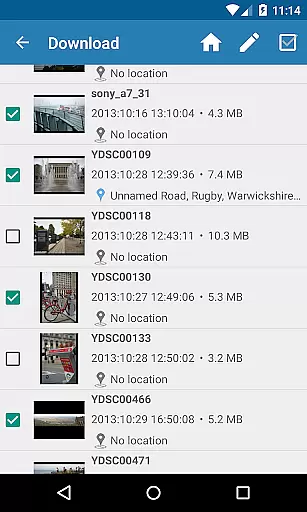
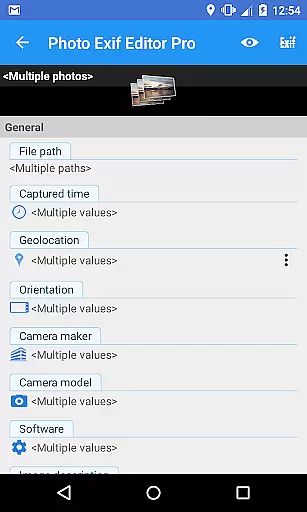
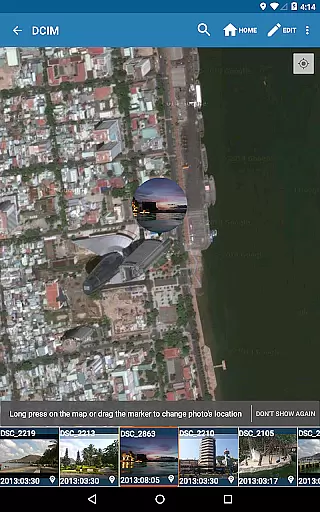
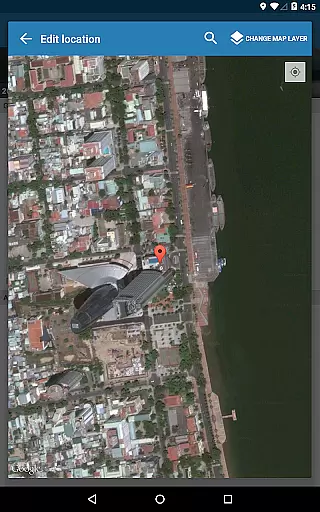
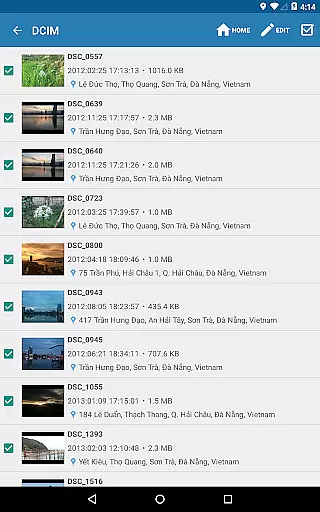
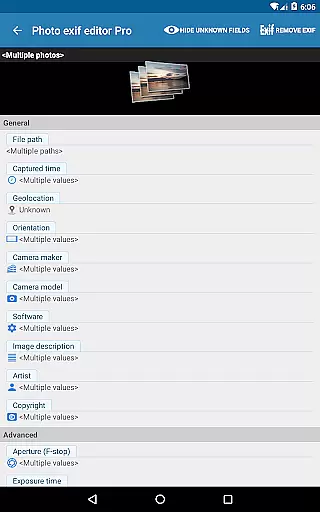
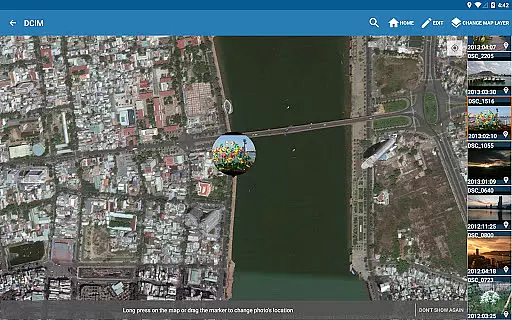
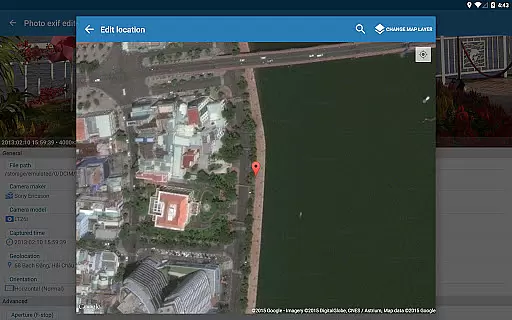
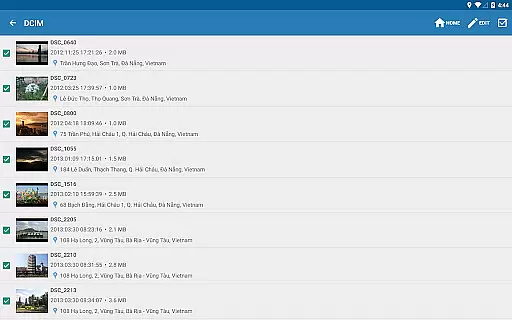
One notable feature is the ability to edit location data using Google Maps, which is particularly useful for geotagging photos. The app also supports batch editing, allowing users to make changes to multiple images simultaneously. This functionality saves time and enhances workflow efficiency, making it an invaluable asset for anyone working with large photo collections.
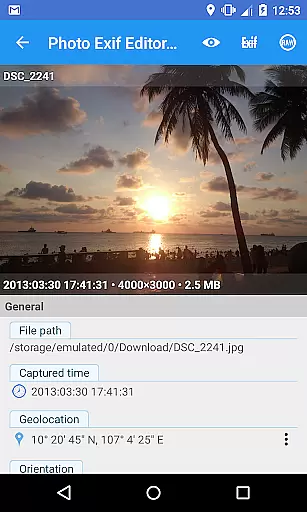
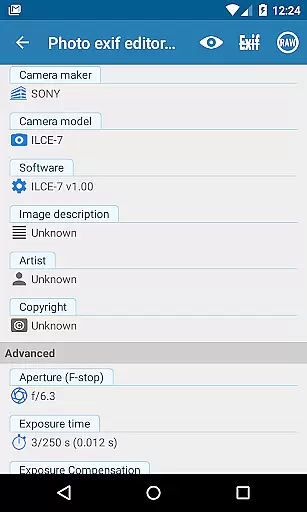
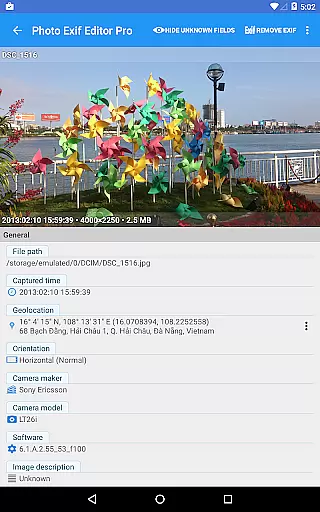
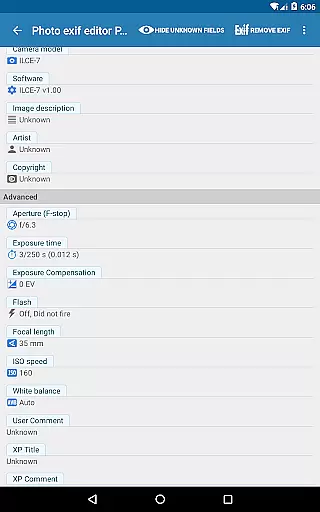
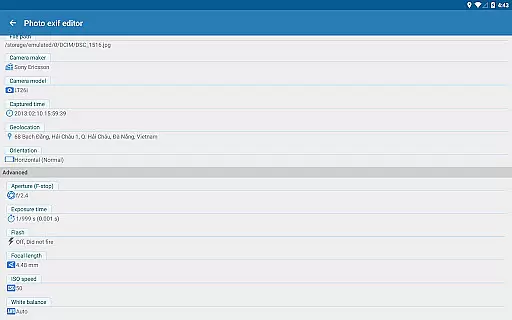
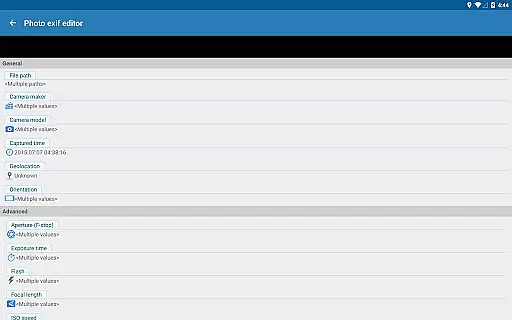
Photo Exif Editor Pro stands out with its robust set of features tailored for managing image metadata. The app provides a complete suite of tools for viewing and modifying Exif tags, including camera model, maker, capture time, orientation, aperture, shutter speed, focal length, ISO speed, and white balance. These capabilities ensure that users can adjust every aspect of their photo's metadata to meet specific requirements.
In addition to basic tag editing, the app offers advanced functionalities such as batch processing and full raw data display. Users can edit multiple photos at once, streamlining the workflow when dealing with extensive photo libraries. The ability to show the full raw data of pictures gives professionals greater control over their files, enabling them to make precise adjustments as needed.
Another significant advantage is the integration with Google Maps for geotagging purposes. This feature allows users to add or correct location data effortlessly, enhancing the accuracy of their photo archives. Furthermore, the app is ad-free, providing an uninterrupted user experience. As the developers plan to merge features from their other app, EXIF Pro - ExifTool for Android, users can expect even more powerful editing capabilities in future updates.
Real-time capture and preview functionality is essential for photography applications as it allows users to see exactly what the camera sees before taking a shot. This ensures that the framing, lighting, and composition are all correct before capturing an image.
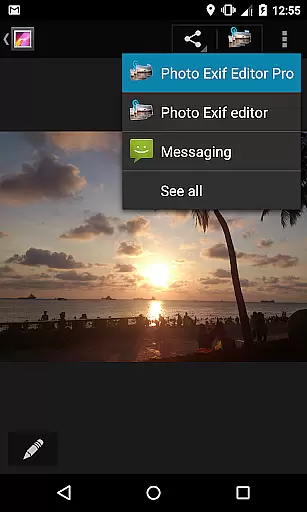
Photo Exif Editor Pro offers a seamless real-time capture experience by integrating with Android's native camera system. Users can open the camera directly from the app by long-pressing the Gallery button, providing quick access to photo opportunities without delay.
The application ensures that photographers can make immediate adjustments to their settings based on the live preview. This feature is particularly useful when modifying EXIF data such as orientation or GPS location in real-time, allowing users to embed accurate metadata while shooting.
By offering a clear and responsive interface, Photo Exif Editor Pro enhances the user's ability to take high-quality photos with confidence, knowing that both the visual and metadata aspects of their images are precisely controlled.
AI beauty and enhancement features have become increasingly popular in photography apps, allowing users to improve the aesthetic quality of their photos naturally. These tools leverage advanced algorithms to enhance facial features, skin tones, and overall image clarity without making the edits appear artificial.
Photo Exif Editor Pro focuses on maintaining the natural look of photos while still offering powerful enhancement options. The app provides users with the ability to modify various EXIF tags like white balance, ISO speed, and aperture, which contribute to the overall quality and mood of the image.
Although the app does not explicitly market itself as an AI-driven beauty tool, its comprehensive editing capabilities enable subtle enhancements. For instance, adjusting the white balance can significantly improve skin tones, and tweaking the ISO speed can reduce noise, resulting in cleaner, more professional-looking photos.
Ultimately, Photo Exif Editor Pro empowers users to enhance their photos' natural beauty through precise control over metadata, ensuring that each image reflects the photographer's intended vision without compromising authenticity.
User-friendly interface
Batch editing support
Comprehensive Exif tag management
Google Maps integration
No advertisements
Limited to Android 4.4 and above
External SD card write restrictions
Advanced features may overwhelm beginners
Requires network connection for maps
Optional location permission needed

Photo editor: AI filters, photo enhancer, pic collage maker, AI art generator.
 4.80
4.80
Be your best in every shot! Fix, edit and retouch your face in selfies & photos.
3.70
Cartoon and artistic effects for your photos and videos
4.70
A must-have app for landscape photographers
4.60
Amazing Photo Effects - The most fun you can have with your photos!
4.70
AI-powered video creator by MiniMax - Where ideas meet cinema
4.20
Pro version: AR sun/moon tracker for any date. Tool for photographers & planners
4.90
live datamoshing
4.00
Solocator stamps photos you take with GPS location, Compass Direction, Date/Time
3.80
Unblur, enhance & restore photos with powerful AI photo enhancer tools.
4.60
Safe & smart flight with Go Fly drone controller for 40+ drone camera, zone map
4.50
Create collages easily! Nice pic collage maker & background eraser for Instagram
4.50
Transform photos into videos! Create realistic or anime-style images easily!
4.50
Search, tag and rate your way to an organized image gallery
4.40
RAW video capture with advanced controls
4.40
Create & Edit with AI: AI Remove, Enhance, Retouch, Filter
4.10
Professional quality photo edits with the new Snapseed.
4.00
Astrophotography with your smartphone, photo live stacking and much more!
3.90
Photo Album Watch Face shows your favorite pictures as a Watchface.
1.90


User Reviews