
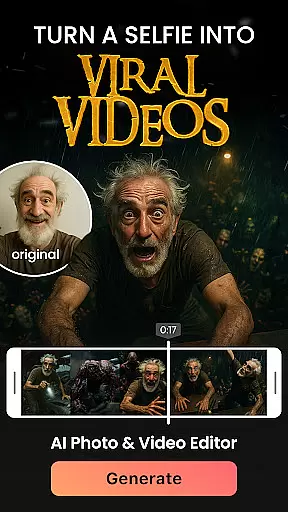

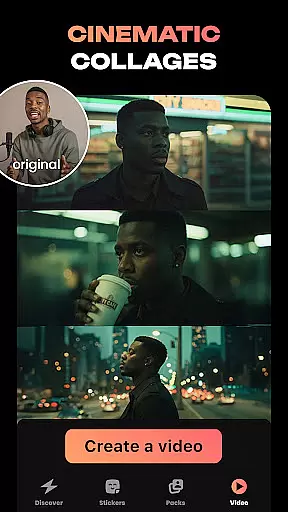
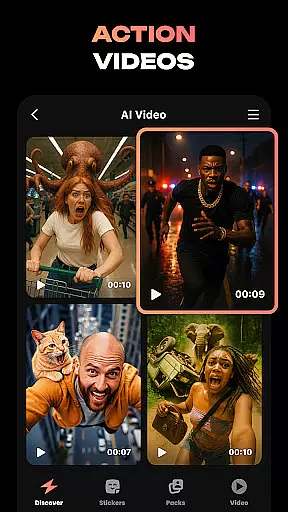

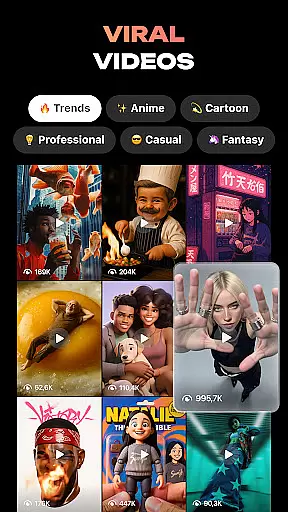
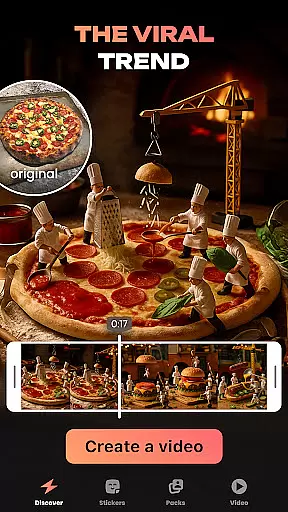
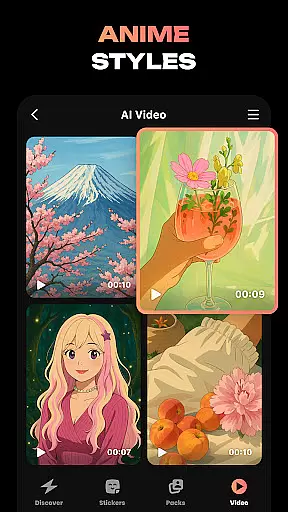
Hula is an innovative photography app that leverages AI technology to transform your photos and videos into creative masterpieces. With a wide range of features, the app allows users to create personalized avatars, viral video content, and unique photo-to-video transformations. Whether you want to turn your selfie into an anime character or generate a future baby's image with your partner, Hula offers endless possibilities for self-expression.
The app stands out with its playful approach to photo editing, offering styles ranging from retro aesthetics to futuristic designs. Users can easily refresh their social media profiles, create custom stickers, or even see how they would look in different time periods. Hula's intuitive interface makes it simple to use while delivering professional-quality results, making it perfect for both casual users and creative professionals.
Hula distinguishes itself through its diverse and powerful features tailored for modern digital creativity. One standout feature is the ability to bring photos to life by transforming them into eye-catching videos, such as strolls through Paris or chic magazine-style shoots. Additionally, the Baby Generator tool uses advanced algorithms to predict what your future child might look like based on uploaded photos.
Another highlight is the sticker creation functionality, which lets users design entire sets of personalized stickers from just one selfie. These stickers can be used across various messaging platforms like WhatsApp and Telegram. Moreover, Hula provides options for dramatic makeovers using AI filters, including vintage looks, luxury fashion styles, and even anime transformations. This versatility ensures that every user finds something exciting and engaging within the app.
Real-time capture and preview functionality is essential for photography apps as it allows users to see exactly what the camera sees before taking a shot. This ensures that users can make necessary adjustments to achieve the desired outcome.
Hula app provides an intuitive real-time capture experience, enabling users to transform their selfies into various styles and formats instantly. The app's advanced AI algorithms process images swiftly, allowing users to preview effects such as anime transformations or time travel through decades without delay.
With this feature, Hula empowers users to experiment with different looks and creative ideas confidently. Whether it's turning a photo into a viral video or creating custom stickers, the ability to preview results in real-time enhances user engagement and satisfaction.
AI beauty and enhancement features are designed to improve the aesthetic appeal of photos while maintaining a natural look. This balance is crucial for user acceptance, as overly processed images can appear artificial and unappealing.
Hula leverages sophisticated AI technology to offer beauty enhancements that preserve authenticity. Users can apply various filters and transformations, such as vintage styles or futuristic aesthetics, knowing that the app will retain their unique facial features and expressions.
The app's commitment to natural-looking enhancements extends to its baby generator and time-travel features, where realistic predictions and era-specific adjustments are made. By prioritizing natural beauty, Hula ensures that every transformation feels genuine and engaging, enhancing the overall user experience.
User-friendly interface
Wide variety of effects
High-quality output
Frequent updates
Creative avatar tools
Some features require payment
Occasional bugs reported
Limited free options
Heavy app size
In-app ads present

How would you look like with a differently shaped nose, chin or lips?
 3.90
3.90
Add Watermark - Sign your pictures with a text or logo. Effective, quick, easy!
4.50
Photobooth mini FULL app will allow you to add more fun to your parties
4.00
Create amazing frames with up to five photos. Rounded corners, effects and more!
3.60
See your baby AI baby face generator AI baby maker Face generator babymaker fun!
4.70
live datamoshing
4.00
Your personal guide to the sun and moon. Plan ahead, visualize and predict!
4.70
A light meter for true photographers.
4.20
Photo & Video Gallery app to manage albums and save WA Status easily.
4.70
Perfect body tune & face app - photo retouch, makeup, slim body & beautify face.
4.80
Amazing Photo Effects - The most fun you can have with your photos!
4.70
Enhance, upscale, and transform your images — on your device, without limits
4.70
A must-have app for landscape photographers
4.60
Create Business Headshots, Polaroid Filter, Retake Photos,Profile Pics,AI Photos
4.50
Create AI photos & videos with Enhancer; restore, fix, beautify, enhance photos
4.50
Search, tag and rate your way to an organized image gallery
4.40
USB Storage Access for Photos, Videos, Music and Documents
3.80
Long exposure camera with computational photography
2.60
Photo Album Watch Face shows your favorite pictures as a Watchface.
1.90


User Reviews