
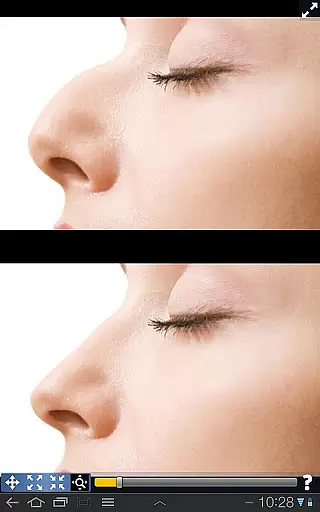
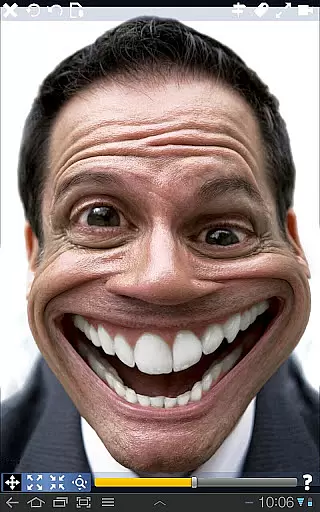
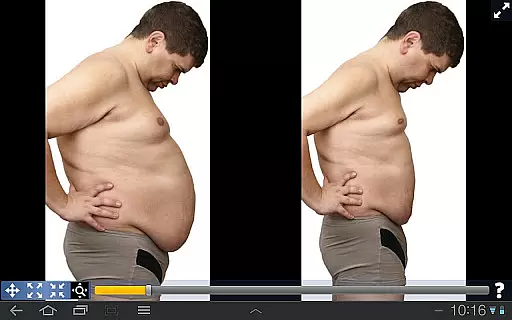
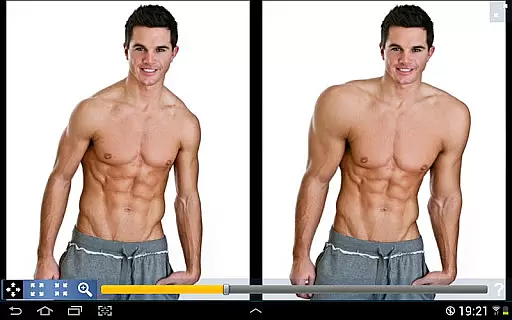
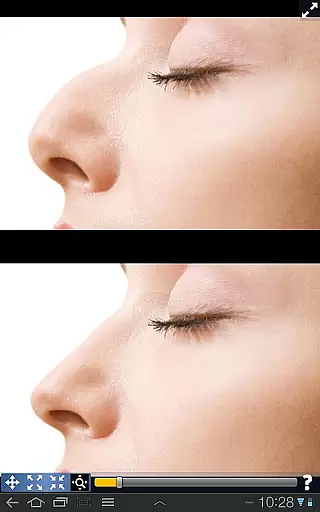
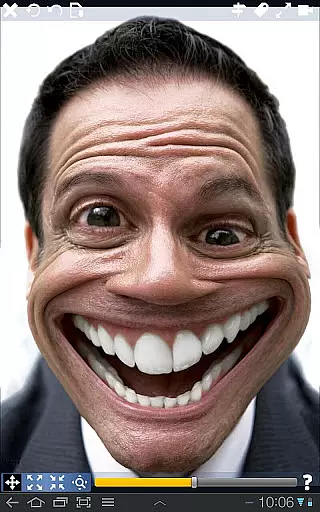
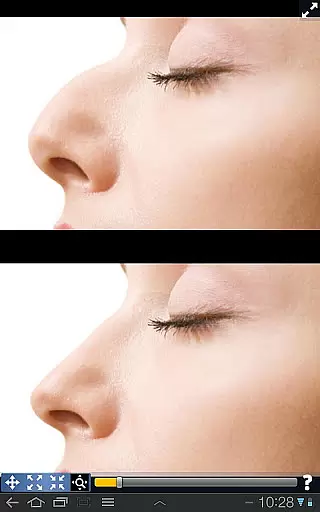
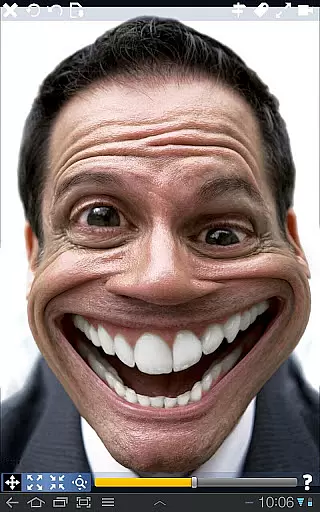
Plastic Surgery Simulator is a dynamic photo editing application designed for creative image manipulation. The app's core functionality lies in its ability to simulate physical transformations through an intuitive touch interface, allowing users to reshape and modify various body parts with precision.
What sets this app apart are two distinctive features. First, it employs a sophisticated distortion algorithm that ensures smooth and natural-looking modifications. Second, the innovative dual display mode provides an unobstructed view while editing, making it especially useful for mobile devices where screen space is limited.
This app is particularly valuable for social media enthusiasts who want to experiment with different looks or create entertaining content. Whether you're curious about cosmetic changes or simply looking for a fun way to engage with your photos, Plastic Surgery Simulator offers both practical and recreational value.
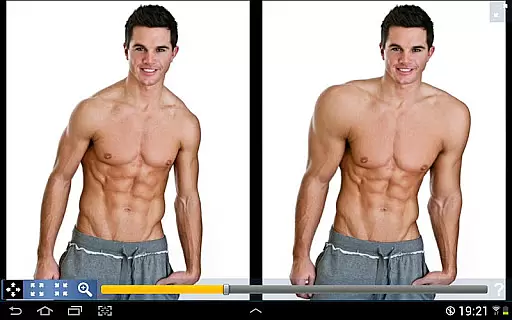
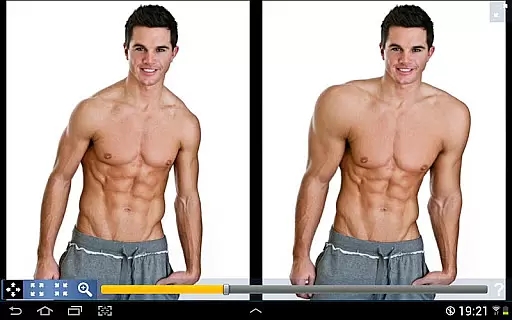
The app boasts several notable features that enhance the user experience. Its primary capability is the advanced photo distortion technology, which allows for seamless modifications of facial and body features. Users can easily manipulate elements like noses, lips, and muscles through simple drag-and-drop gestures.
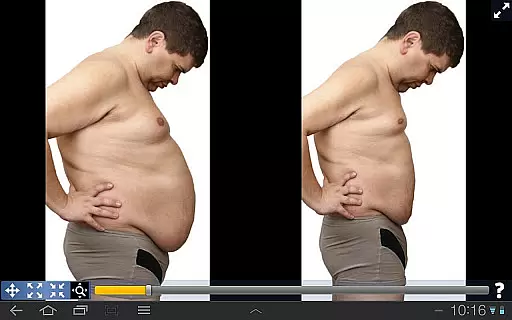
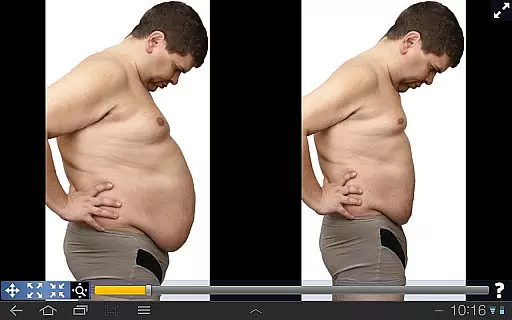
A key innovation is the dual display functionality, which automatically mirrors your image when the device is rotated. This feature enables users to work on their images without their fingers blocking the view, providing greater accuracy and control during editing. Additionally, the app supports various transformation options, from subtle enhancements to dramatic changes, catering to different creative needs.
These features collectively provide a versatile tool for digital artists, social media influencers, and casual users alike. The combination of professional-grade editing capabilities with an accessible interface makes Plastic Surgery Simulator a standout choice in the photography category.
Real-time capture and preview functionality is essential for photography applications as it allows users to see the effects of their edits instantly. This feature ensures that users can make precise adjustments without any delay.
Plastic Surgery Simulator excels in this area by providing a dual display mode. When you rotate your device, the app clones your image into the other half of the screen. This innovative approach enables users to modify their images without their fingers obstructing the view, offering an uninterrupted editing experience.
The powerful photo distortion algorithm further enhances the real-time capture and preview feature. It produces smooth transformations, allowing users to simulate body transformations accurately. Whether altering facial features or reshaping body parts, the changes appear seamlessly, providing a realistic preview of the final result.
This combination of dual display mode and advanced distortion technology ensures that users can experiment with different looks effortlessly. The instant feedback and smooth modifications empower users to achieve their desired aesthetic with precision and ease.
AI beauty and enhancement features are crucial for modern photography apps, aiming to improve appearance naturally. These tools use sophisticated algorithms to enhance images while maintaining authenticity.
Plastic Surgery Simulator stands out with its powerful photo distortion algorithm. This technology ensures that all transformations, whether adjusting facial features or body parts, appear smooth and lifelike. Users can experiment with different looks, such as altering their nose, chin, or lips, and still achieve natural results.
The app's dual display mode complements its AI capabilities. By cloning the image on the screen during rotation, it allows users to focus on detailed edits without obstruction. This feature is particularly beneficial for small touch devices, ensuring that enhancements are applied accurately.
Overall, Plastic Surgery Simulator offers a balanced approach to beauty enhancement. Its advanced AI technology and thoughtful design enable users to improve their appearance on social networks or have fun warping images, all while preserving a natural look.
User-friendly interface
Advanced distortion tech
Dual display convenience
Social media optimized
Creative versatility
Limited professional tools
Occasional glitches
Few customization options
Ads may interrupt
Not for serious edits

Edit like a pro with Hypic. Apply filters, AI effects, & magic touch.
 4.40
4.40
Pet Camera
3.70
A must-have app for landscape photographers
4.60
Create amazing frames with up to five photos. Rounded corners, effects and more!
3.60
Create AI photos & videos with Enhancer; restore, fix, beautify, enhance photos
4.50
GCamera allows all GCam features on all phone models! Better photos with GCamera
3.30
Catch sunlight, sunrise sunset times and sun phases with the AR sun tracker.
4.10
Unlock the full potential of your DJI drone with Litchi
4.50
Discover How to Plan any Sun, Moon and Milky Way Photo You Imagine in Seconds
4.70
Collage your moments in one tap: 1000+ layouts, filters, stickers, and texts.
4.90
Gallery show photo, video, slideshow, is perfect 3D effect private photo albums.
4.80
Easily create custom gifts, cards, photo books & more on the Shutterfly app!
4.60
Add Watermark - Sign your pictures with a text or logo. Effective, quick, easy!
4.50
Shooting photos and records video easily and efficient with professional Camera
4.30
All-in-One Editor & AI Photo Enhancer, Beautify & Retouch, Collage, Cartoonify
4.20
Photobooth mini FULL app will allow you to add more fun to your parties
4.00
Perfect photos with body shaping, BG changer and object remover.
3.70
Professional video recording application with manual controls for filmmakers!
2.80
Raw Image Viewer. Gallery with support of raw images (.cr3, .cr2, .nef, .raf).
2.00


User Reviews