
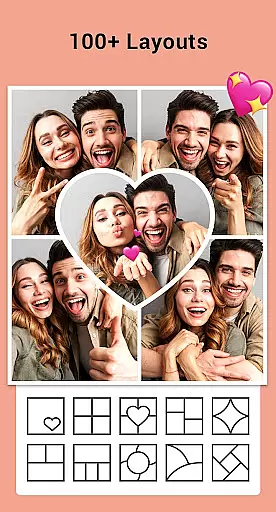
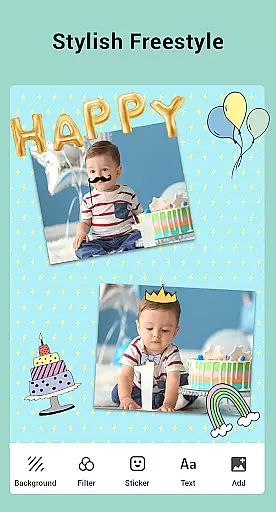

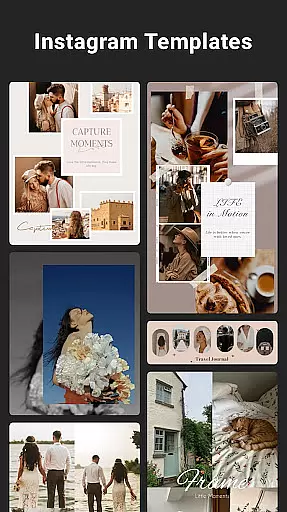

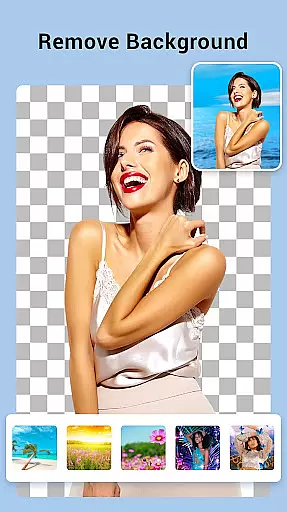
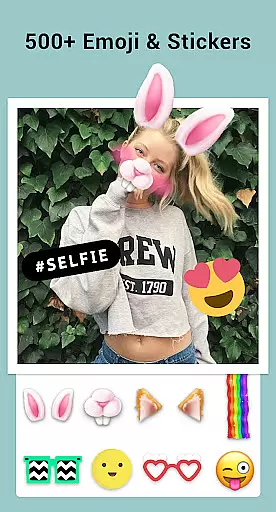
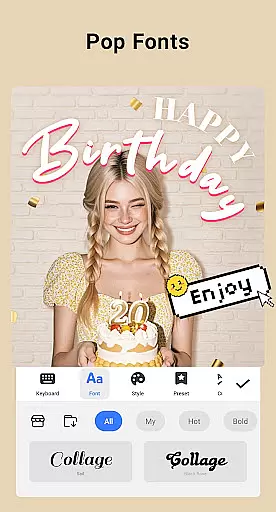
Collage Maker is a versatile photo collage and editing application designed for creative enthusiasts. This app allows users to instantly combine multiple photos into stunning collages using over 100 layouts, backgrounds, stickers, fonts, and more. With its AI Photo Enhancer feature, users can transform low-quality or damaged images into high-definition masterpieces with just one tap. The app supports both grid-style and free-style collage creation, making it ideal for Instagram posts, YouTube thumbnails, and scrapbooking projects.
In addition to its collage-making capabilities, Collage Maker offers advanced photo editing tools such as cropping, filters, text overlays, doodles, and rotation. Users can also create Insta square photos with customizable blur or white backgrounds, ensuring their content fits perfectly on social media platforms. Whether you're designing side-by-side comparison posts, stylized story templates, or multi-fit Instagram content, this app provides all the necessary features to produce professional-quality visuals.
The app's intuitive interface and extensive customization options make it suitable for both casual users and professional designers. By enabling seamless integration with social media apps and offering high-resolution saving options, Collage Maker empowers users to express their creativity while maintaining exceptional image quality.
Collage Maker stands out with its comprehensive set of features tailored for photo enthusiasts. One of its key highlights is the ability to combine up to 100 photos into a single collage, complete with customizable layouts, borders, and backgrounds. The app includes an impressive library of over 100 grid and frame styles, allowing users to experiment with different designs effortlessly. Additionally, users can enhance their creations with stylish photo frames, decorative stickers, and unique fonts, ensuring each collage reflects their personal style.
Beyond collage creation, the app functions as an all-in-one photo editor. It provides essential tools like cropping, rotating, flipping, and applying filters to individual images within the collage. The inclusion of doodle tools and text overlays adds another layer of creativity, enabling users to draw directly on their images or add meaningful captions. For Instagram-focused projects, the Multi-fit feature ensures every photo meets platform-specific aspect ratios without cropping, including 1:1, 4:5, and 9:16 formats.
Another standout feature is the AI Photo Enhancer, which automatically improves the quality of blurry or old photos. This innovation not only saves time but also enhances the overall visual appeal of user-generated content. With these robust features, Collage Maker caters to a wide range of creative needs, from simple photo arrangements to complex design projects.
Real-time capture and preview functionality is essential for photography apps as it allows users to see exactly what the camera sees before taking a shot. Collage Maker offers this feature, enabling users to frame their photos accurately and make necessary adjustments on the fly.
The app provides an intuitive interface where users can access various editing tools while capturing images. This ensures that every photo taken meets the desired specifications without requiring extensive post-processing. With real-time filters and effects, users can apply creative enhancements instantly, making each shot picture-perfect.
Additionally, Collage Maker supports high-resolution image capture, ensuring that the final output retains clarity and detail. The ability to preview these high-quality images in real time gives users confidence in their photography, knowing that the saved photos will look just as intended.
By integrating real-time capture and preview features, Collage Maker empowers users to take better photos with minimal effort. Whether creating collages or editing individual images, the immediate visual feedback enhances the overall user experience, leading to more satisfying results.
AI beauty and enhancement features are becoming increasingly popular in photography apps, offering users the ability to enhance their photos naturally. Collage Maker incorporates advanced AI technology to transform ordinary photos into stunning visuals without compromising authenticity.
The AI Photo Enhancer tool within Collage Maker can automatically detect and improve various aspects of an image, such as brightness, contrast, and sharpness. By analyzing the photo's content, the AI ensures that enhancements are applied evenly and realistically, preserving the original essence of the image.
Users can also manually adjust specific parameters to achieve their preferred level of enhancement. This flexibility allows for personalized edits that maintain the natural look of the photo, whether it's smoothing skin tones or enhancing colors. The result is professional-quality images that still feel genuine and unaltered.
With Collage Maker's AI beauty and enhancement features, users can elevate their photography while keeping the enhancements subtle and true to life. This balance between technology and artistry makes the app a valuable tool for anyone looking to create visually appealing yet authentic content.
User-friendly interface
Extensive customization options
AI-powered photo enhancement
High-resolution output
Social media optimization
Limited free features
Occasional ads
Premium subscription required
Storage-intensive
Learning curve for beginners

Photo editor: face & body editor, beauty cam, filters and quality enhancer.
 4.00
4.00
Gallery show photo, video, slideshow, is perfect 3D effect private photo albums.
4.80
Safe & smart flight with Go Fly drone controller for 40+ drone camera, zone map
4.50
1M influencer's special filter
4.60
HD Photo gallery and photo manager to edit, hide private photos, videos & albums
4.5
Application for remote controlling DSLR
3.00
A reflected light meter with spot metering and incident light metering.
4.40
Your Family Calendar + Photos. Manage your Skylight Calendar and Skylight Frame.
4.40
Edit photos with the picture generator: PS2 & AI Clay filters, cartoon effects.
4.50
Photo prints, cards, & gifts at Walgreens. Easy ordering & fast local pickup !
4.80
Automatically backup your photos and videos to computer, NAS and Cloud services
4.60
Unblur, enhance & restore photos with powerful AI photo enhancer tools.
4.60
Add Watermark - Sign your pictures with a text or logo. Effective, quick, easy!
4.50
Search, tag and rate your way to an organized image gallery
4.40
Trendy TikTok time warp scan funny filter app brings you unique photos & videos.
4.40
Catch sunlight, sunrise sunset times and sun phases with the AR sun tracker.
4.10
Photobooth mini FULL app will allow you to add more fun to your parties
4.00
Professional video recording application with manual controls for filmmakers!
2.80
Remote control the phone camera shutter from your smartwatch and take a picture
1.60


User Reviews