
YouCam Perfect is a comprehensive photo editing application designed to elevate your photography experience. This ultimate selfie photo editor and beauty camera app offers an extensive suite of tools powered by AI technology. With over 800 million downloads, it has become a go-to solution for users seeking professional-grade photo enhancements.
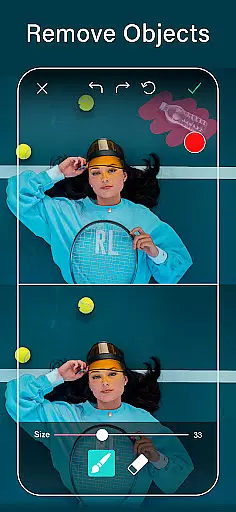
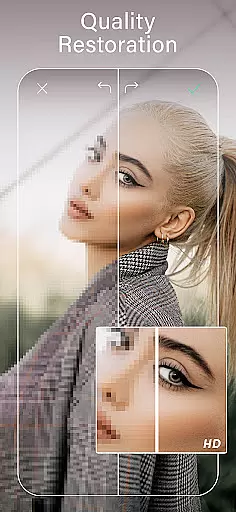
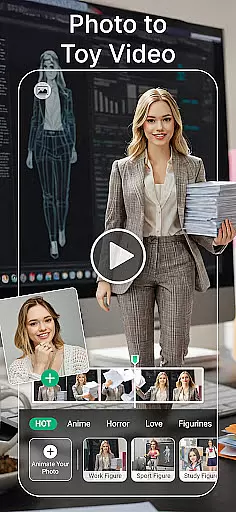
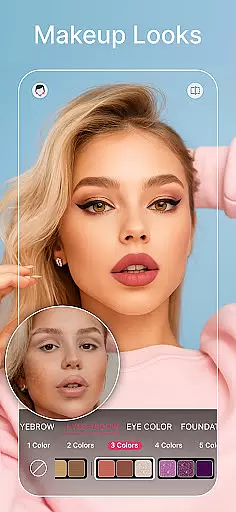
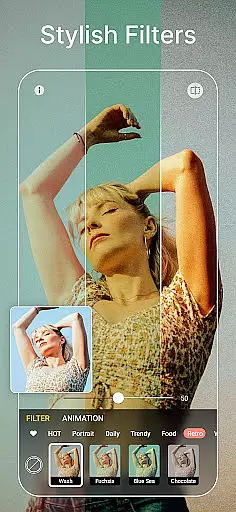
The app provides powerful features such as AI-based object removal, background editing, and quality enhancement. Users can effortlessly retouch facial features, apply makeup virtually, and experiment with diverse filters and effects. Its body tuning capabilities allow for natural-looking adjustments, while the image-to-video feature creates stunning animated presentations from still photos.
Whether you're looking to create polished headshots for professional profiles or fun collages for social media, YouCam Perfect caters to various creative needs. The app's intuitive interface and diverse editing options make it suitable for both casual users and photography enthusiasts who want to achieve remarkable results on mobile devices.
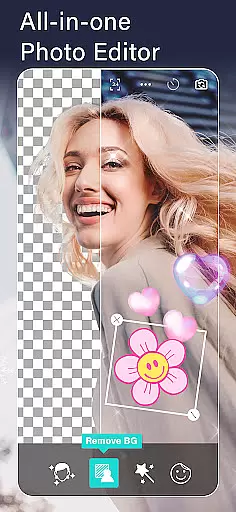
YouCam Perfect stands out with its innovative AI-powered tools that revolutionize photo editing. The app's AI object removal feature lets users instantly erase unwanted elements from photos, while the background removal tool enables creative compositions by separating subjects from their original backgrounds.
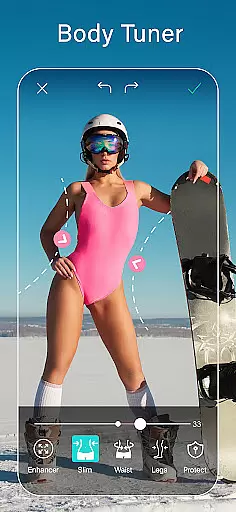
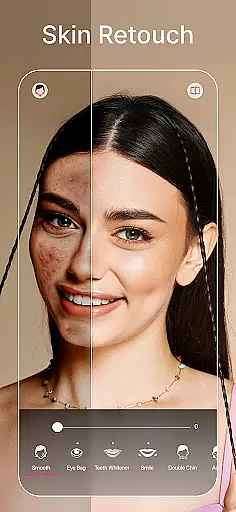
The Body Tuner and Height Adjustment functions provide precise control over body reshaping, allowing users to achieve natural-looking enhancements. The Beauty Camera offers one-tap solutions for skin smoothing, teeth whitening, and blemish removal, complemented by virtual makeup tools that deliver professional-quality results.
Unique features like Image to Video conversion and Generative AI tools expand creative possibilities. Users can transform static images into dynamic video content or generate distinctive AI avatars and headshots. The app's collection of animated effects, trendy filters, and creative drawing tools ensures endless opportunities for artistic expression.
YouCam Perfect offers a dynamic real-time capture and preview feature that allows users to see the results of beauty enhancements and filters instantly as they take a selfie. This immediate feedback empowers users to adjust their photo settings on-the-fly, ensuring the perfect shot every time.
The app's advanced AI technology provides live previews of makeup effects, skin smoothing, and blemish removal, giving users an accurate representation of the final image before capturing it. This feature is particularly beneficial for those who want to ensure their selfies are flawless without the need for post-editing.
With its intuitive interface, YouCam Perfect makes real-time photo editing accessible to everyone. Users can experiment with different looks, from subtle enhancements to bold transformations, all within the camera preview window. This saves time and effort, allowing users to focus on capturing memories rather than spending hours in post-production.
Ultimately, the real-time capture and preview functionality enhances user engagement by providing an interactive and personalized photography experience. It bridges the gap between taking a photo and editing it, streamlining the entire process while delivering professional-quality results directly from the camera.
YouCam Perfect leverages sophisticated AI algorithms to deliver beauty enhancements that maintain a natural appearance. The app intelligently smooths skin, whitens teeth, and removes blemishes while preserving authentic facial features, ensuring that edited photos remain true to life.
This dedication to natural enhancement is evident in the app's one-tap beautification tools, which apply adjustments that mimic real-life improvements rather than artificial alterations. Users can achieve polished yet genuine-looking results, whether they're editing a casual snapshot or preparing a professional headshot.
In addition to basic retouching, YouCam Perfect offers AI makeup tools that simulate realistic cosmetic applications. From lipstick shades to full-face looks, these features adapt to individual facial structures, enhancing beauty without compromising authenticity. This approach resonates with users seeking subtle refinements over dramatic changes.
By prioritizing natural enhancement, YouCam Perfect sets itself apart in the crowded field of photo editors. Its ability to elevate photos while retaining their original essence ensures that users can share their best selves confidently, knowing their edits look both beautiful and believable.
User-friendly interface
Extensive AI features
Versatile editing tools
Professional results
Creative possibilities
Premium features locked
Subscription required
Occasional bugs
Large file size
Learning curve

Photo Album Watch Face shows your favorite pictures as a Watchface.
 1.90
1.90
Easily stitch panoramas from multiple photos or video.
4.40
What celebrity do you look like? Celebs will find your celebrity match!
4.10
Virtual makeup, hair filters & body tuner—edit from face to full body!
4.20
Create collages easily! Nice pic collage maker & background eraser for Instagram
4.50
A must-have app for landscape photographers
4.60
Create amazing frames with up to five photos. Rounded corners, effects and more!
3.60
Professional photography on your mobile phone
4.20
Fit multiple photos on one post. Create carousels & scroll layouts for Instagram
4.50
Enhance, upscale, and transform your images — on your device, without limits
4.70
PhotoSync Bundle Add-On License. Enables all features and services in PhotoSync.
4.60
Discover & download millions of art for The Frame TV or Hisense CanvasTV
4.60
Smart, light, and fast photo and video gallery
4.30
Create AI Photos, Improve and restore quality of blurry, old or damaged pics.
4.20
Luminar: Photo Editor - easy picture editing with AI
4.20
Create & Edit with AI: AI Remove, Enhance, Retouch, Filter
4.10
How old age camera Gender Swap App Face Shape Hairstyle App Hair Styler App fun!
4.00
An interval timer to automate photo taking process for timelapse
2.90
HD Photo gallery and photo manager to edit, hide private photos, videos & albums
4.5


User Reviews