
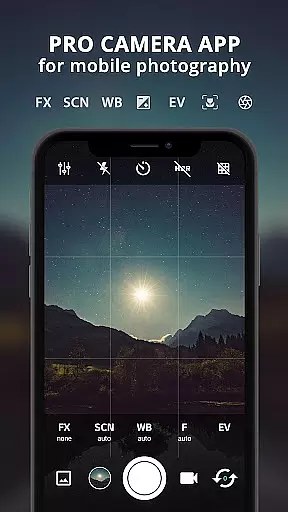
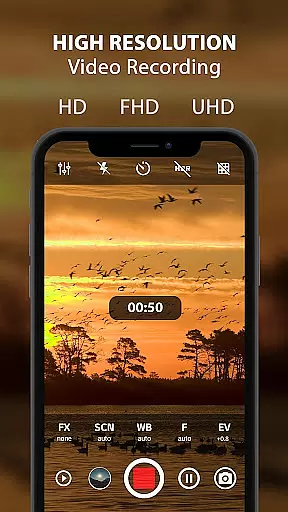
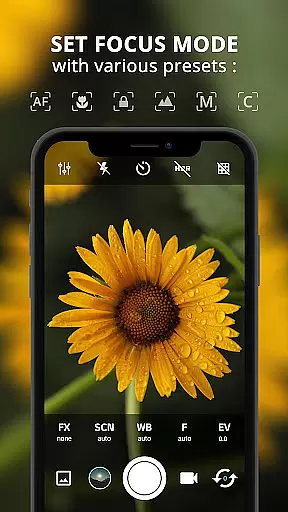
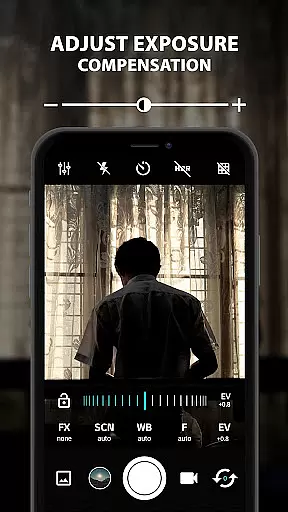
ProCam X is a feature-rich mobile application that transforms your smartphone into a professional-grade camera. With advanced controls over exposure, focus, white balance, ISO, and other settings, it offers users the ability to capture high-quality photos and record videos in up to 4K resolution. The app supports both front and back cameras and includes features like burst mode, time-lapse photography, and real-time filters.
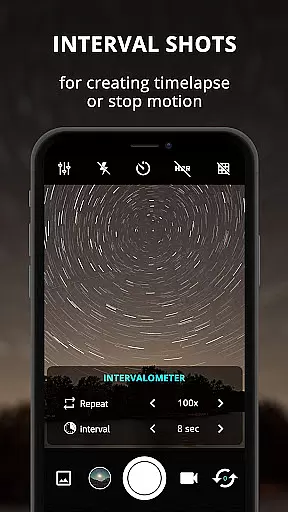
The app's standout capabilities include manual shutter speed adjustment, intervalometer for creating stop-motion or time-lapse videos, and geotagging functionality. It also provides professional-level tools such as DSLR-like manual focus and ISO control, making it an excellent choice for mobile photographers who want to elevate their craft. ProCam X is particularly useful for those who need precise control over their mobile photography process.
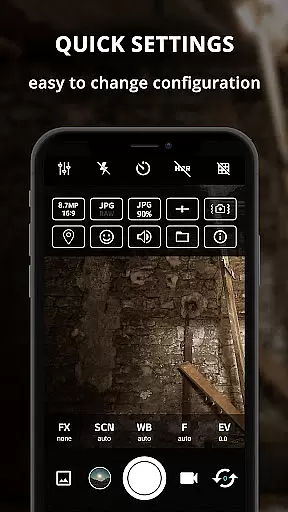
Whether you're a hobbyist or a professional photographer, ProCam X enables you to achieve exceptional results with its comprehensive suite of camera features. From customizable volume key functions to anti-shake technology, this app ensures that every shot is as sharp and vibrant as possible. Its intuitive interface and powerful tools make it an indispensable companion for capturing life's moments with precision and creativity.
ProCam X stands out with its extensive array of professional camera features designed to give users complete control over their mobile photography experience. One of its key features is the ability to manually adjust ISO, shutter speed, and focus, which allows for greater creative freedom and precision in different shooting conditions. This level of control is typically found only in DSLR cameras, making ProCam X a unique offering in the mobile photography space.
In addition to manual controls, the app includes several advanced functionalities such as burst mode, facial recognition, and real-time filters. These features enable users to experiment with various photographic styles and effects without needing additional equipment or software. The inclusion of geotagging and optional GPS location tagging further enhances the app's utility by allowing photographers to track where their images were taken.
Another notable aspect of ProCam X is its support for 4K video recording on compatible devices. Users can capture ultra-high-definition videos with optional audio, providing a cinematic quality to their recordings. The app also offers a clean and user-friendly interface despite its complex feature set, ensuring that even beginners can navigate and utilize its tools effectively. Overall, ProCam X delivers a robust package of professional-grade features that cater to both amateur enthusiasts and seasoned photographers alike.
Real-time capture and preview functionality is essential for ensuring that every photo or video taken with ProCam X meets professional standards. This feature allows users to see exactly what the camera sees, in real time, before capturing the moment.
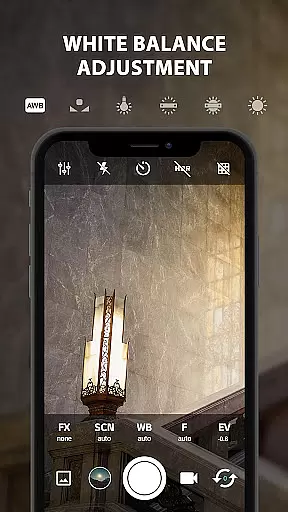
ProCam X offers a highly responsive interface where adjustments to exposure, focus, and white balance are instantly visible. Users can fine-tune settings like ISO and shutter speed while observing the changes live on their screen, ensuring optimal image quality.
The app's advanced processing capabilities ensure minimal lag between the action and its display on the screen. This responsiveness is crucial for scenarios requiring precise timing, such as sports photography or capturing fast-moving subjects.
With this real-time functionality, photographers can confidently take shots knowing exactly how the final image will look. The ability to preview effects and filters live also enhances creativity, allowing users to experiment with different visual styles on the fly.
AI beauty and enhancement features in ProCam X provide natural-looking improvements to photos without compromising the authenticity of the original image. These intelligent tools analyze facial features and skin tones to apply enhancements that look realistic and pleasing.
The app uses sophisticated algorithms to smooth skin textures while preserving important details and natural contours. This ensures that portrait subjects retain their unique characteristics while benefiting from subtle refinements that enhance overall appearance.
Users can adjust the intensity of AI enhancements, giving them control over how pronounced they want these effects to be. Whether aiming for a polished professional look or a more casual aesthetic, ProCam X delivers results that maintain the integrity of the original photograph.
This combination of artificial intelligence and user control makes ProCam X stand out in mobile photography. Photographers can trust that their edited images will appear genuine and appealing, enhancing their work without introducing artificial elements that detract from the subject's natural beauty.
Advanced manual controls
4K video recording
Real-time filters
Geotagging functionality
User-friendly interface
Requires Android 5.0+
Some features device-specific
No free version available
Occasional performance issues
Learning curve for beginners

Photo Album Watch Face shows your favorite pictures as a Watchface.
 1.90
1.90
Search, tag and rate your way to an organized image gallery
4.40
Virtual makeup, hair filters & body tuner—edit from face to full body!
4.20
Photo prints, cards, & gifts at Walgreens. Easy ordering & fast local pickup !
4.80
Take videos and pictures with the popular TikTok TIME WARP SCAN filter.
4.60
Movie camera, supports pro recording settings for filming. Try it and be amazed!
4.50
Photo editor & gallery. Crop pictures & edit photos offline, no wifi!
4.50
Easily create custom gifts, cards, photo books & more on the Shutterfly app!
4.60
Your Family Calendar + Photos. Manage your Skylight Calendar and Skylight Frame.
4.40
Your personal guide to the sun and moon. Plan ahead, visualize and predict!
4.70
A collection of tools and reference tables for DPs, ACs, DITs and Operators.
4.70
The #1 app for B&W film developing featuring an advanced darkroom timer.
4.10
Catch sunlight, sunrise sunset times and sun phases with the AR sun tracker.
4.10
Photobooth mini FULL app will allow you to add more fun to your parties
4.00
Gallery Slideshow is slideshow maker app for slideshow from your gallery photos.
3.90
Hair color changer, AI haircut app, fun hair editor and buzz cut filter for all!
3.80
Create amazing frames with up to five photos. Rounded corners, effects and more!
3.60
Superimpose one photo on top of another using the original Superimpose app!
3.20
Application for remote controlling DSLR
3.00


User Reviews