
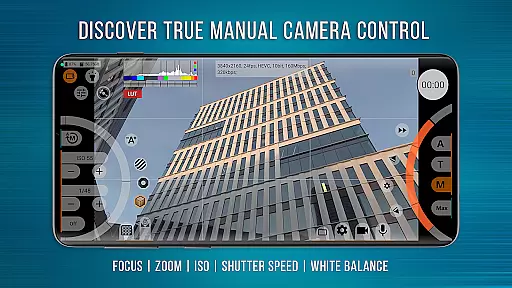
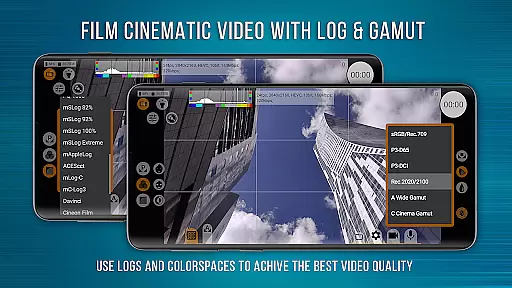
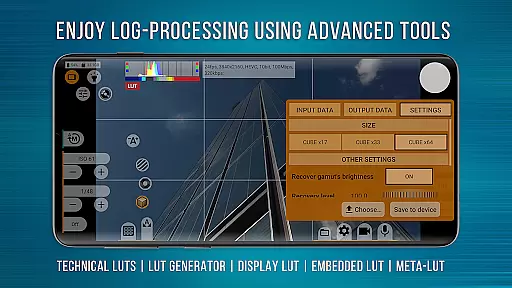
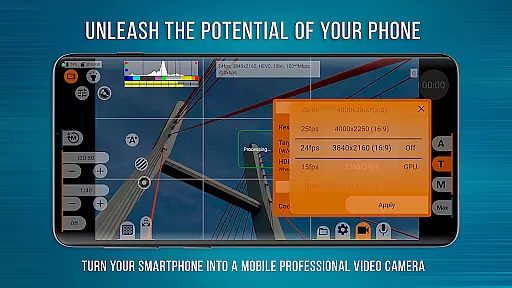
mcpro24fps Manual Video Camera represents the pinnacle of professional mobile videography on Android devices. Designed exclusively for filmmakers and videographers, this app transforms your smartphone into a powerful cinema camera. It offers advanced features previously only found in professional camcorders, including 10-bit shooting, Log video recording without GPU activation, and an extensive range of manual controls.
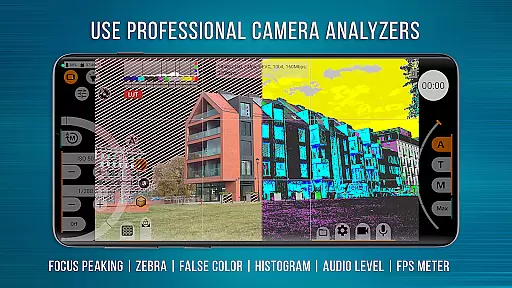
The application supports multiple cameras, various frame rates like 24 fps and 60 fps, and codecs such as AVC (h264) and HEVC (h265). Videographers can enjoy complete creative control with features like Focus Peaking, Expo Peaking, and Spectral Zebra for exposure management. mcpro24fps is suitable for creating festival films, music videos, live reports, and commercials, making it an indispensable tool for professional content creation.
One of the standout aspects of mcpro24fps is its comprehensive feature set tailored for professional use. The app allows videographers to shoot in 10-bit color depth and record HDR video using HLG or HDR10 standards. Its ability to record in Log mode without engaging the GPU mimics the functionality of larger, professional cameras, providing seamless post-production processes.
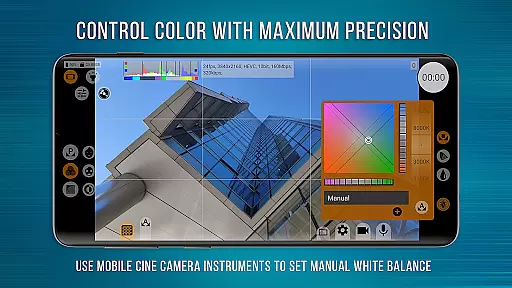
Additional features include programmable focus and zoom controls, technical LUTs for accurate Log interpretation, and precise white balance settings in Kelvins. The responsive interface ensures smooth operation even when utilizing advanced GPU resources. With support for different sound sources, sampling rates, and formats like AAC and WAV, mcpro24fps delivers unparalleled audio flexibility alongside its robust video capabilities.
Real-time capture and preview functionality is essential for any professional-grade camera application. mcpro24fps offers a responsive interface that ensures videographers can accurately frame and adjust their shots with precision.
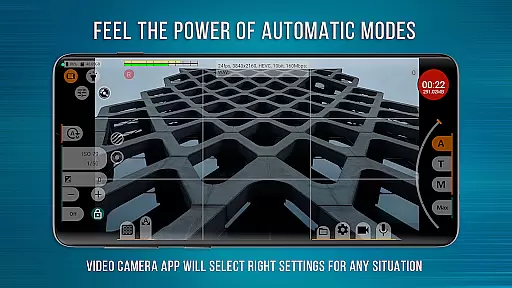
The app supports multiple cameras, preserving individual settings for each, thus streamlining the workflow for complex shoots. With options like optical and digital video stabilization, users can ensure smooth footage even in challenging conditions.
Moreover, the ability to shoot in 10-bit and record video in Log without engaging the GPU allows videographers to achieve cinema-quality visuals directly on their Android devices. This feature opens up post-production possibilities that were once exclusive to high-end camcorders.
By providing advanced controls such as Focus Peaking, Expo Peaking, Spectral, and Zebra for exposure, mcpro24fps empowers creators to have complete mastery over their image, ensuring every shot meets professional standards.
While primarily a tool for professional videography, mcpro24fps also incorporates features that enhance video quality through technological advancements akin to AI beauty enhancements seen in photography apps.
The application provides an extensive suite of tools for image adjustment via GPU filters, noise reduction, and sharpness correction. These features work together to produce clean, crisp visuals without compromising the natural essence of the captured scene.
With support for different sound sources and sampling rates, including AAC and WAV formats, mcpro24fps ensures audio fidelity matches the visual excellence. The option to integrate WAV into MP4 further simplifies the editing process.
Although not marketed as an AI-driven beauty app, mcpro24fps delivers enhancements that maintain authenticity while elevating the overall production value, making it a versatile choice for discerning content creators.
Advanced video settings
Professional Log modes
Responsive user interface
Flexible audio options
Multiple camera support
Complex for beginners
High device requirements
Paid application
No built-in editor
Limited manufacturer support

Effortlessly organize, view and share your photos & videos with Gallery app!
 4.40
4.40
AI portrait generator and polaroid AI selfie, fun AI generated AI photo creator!
4.30
Photo Album Watch Face shows your favorite pictures as a Watchface.
1.90
How would you look like with a differently shaped nose, chin or lips?
3.90
An interval timer to automate photo taking process for timelapse
2.90
Automatically backup your photos and videos to computer, NAS and Cloud services
4.60
Create AI photos & videos with Enhancer; restore, fix, beautify, enhance photos
4.50
RAW video capture with advanced controls
4.40
Edit photos with the picture generator: PS2 & AI Clay filters, cartoon effects.
4.50
Create funny photos and videos with the popular Time Warp Scan filter.
4.90
Perfect body tune & face app - photo retouch, makeup, slim body & beautify face.
4.80
Amazing Photo Effects - The most fun you can have with your photos!
4.70
Light-weight Media Gallery app for Android made with Jetpack Compose
4.60
Discover & download millions of art for The Frame TV or Hisense CanvasTV
4.60
Cut and paste photo editor & eraser to customize photos easy and swap faces fun
4.50
Turn your phone into a professional camera - full DSLR manual photography
4.30
Smart, light, and fast photo and video gallery
4.30
Remote control of the phone camera from your Wear OS smartwatch
3.70
Application for remote controlling DSLR
3.00


User Reviews