
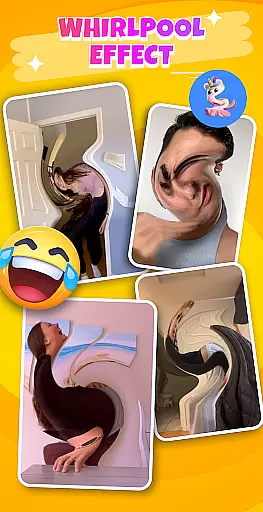
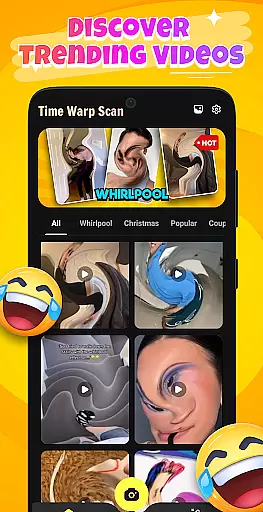
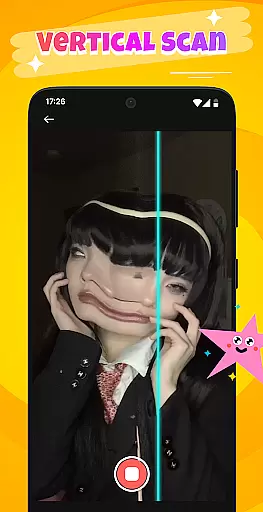
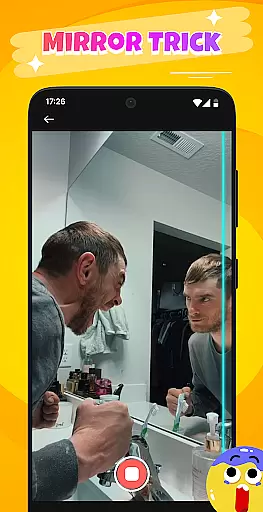
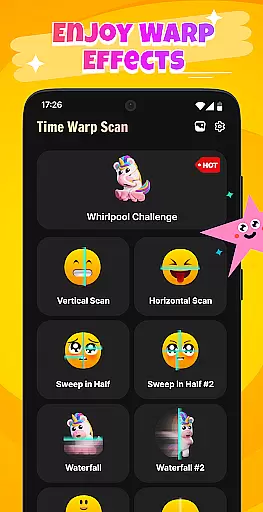
Time Warp Scan: Scanner Filter is a creative photography app that specializes in real-time image distortion effects and magical face filters. The app's core functionality revolves around its unique time warp scanning feature, where a moving scan line creates impressive 'virtual but real' visual effects. Users can transform ordinary images into extraordinary creations by applying features like the Whirlpool Filter, which swirls and twists space in the frame.
In addition to static images, the app supports video recording with these special effects, making it easy to create trendy, viral content for social media platforms. Whether you're looking to enhance your eyebrows, elongate legs, or add flowing water-like effects to facial features, this app provides a variety of tools to inspire creativity. It's perfect for users who want to capture unique moments and share them with friends worldwide.
The value of Time Warp Scan lies in its ability to turn simple photos and videos into visually stunning pieces of art. With intuitive controls and a user-friendly interface, both amateur photographers and social media influencers can benefit from the app's innovative features to produce content that stands out in the crowded digital landscape.
One of the standout features of Time Warp Scan: Scanner Filter is its diverse range of creative filters and effects. The app includes the popular Whirlpool Filter, which manipulates the image by stretching, twisting, and swirling objects into surreal forms. This effect works in real-time as the scan line moves across the screen, offering users an interactive experience while capturing their photos or videos.
Beyond static images, the app allows users to record videos with these unique scanning effects applied. This makes it possible to create dynamic, eye-catching clips that are perfect for sharing on social networks. The app also suggests various trending ideas such as 'magical' leg lengthening, squinting eyes, or shimmering sunsets, giving users inspiration for their next viral video.
Another key aspect is the app's ease of use. With just one touch, users can capture moments with impressive filter effects. The combination of fun, entertainment, and simplicity ensures that anyone can pick up the app and start creating without needing advanced photography skills. These features collectively make Time Warp Scan a powerful tool for those looking to push creative boundaries in photography and videography.
Real-time capture and preview functionality is essential for any photography app, allowing users to see the effects applied to their images or videos instantly. This immediate feedback ensures that users can make necessary adjustments on the fly, enhancing their creative process.
Time Warp Scan: Scanner Filter excels in this area by providing unique scanning effects that distort images as the scan line moves across the screen. The Whirlpool Filter adds an extra layer of creativity, transforming objects into flexible forms that stretch and twist, offering a magical visual experience.
With just one touch, users can capture these mesmerizing moments in videos, thanks to the app's support for video recording with its distinctive filters. This seamless integration of real-time effects into the capture process allows for the creation of viral content that stands out on social networks.
The ability to preview such innovative effects before capturing ensures that users can fully express their creativity, leading to more engaging and entertaining content. This feature not only enhances user satisfaction but also encourages sharing and interaction within the app's community.
AI beauty and enhancement features have become a staple in modern photography apps, aiming to improve the aesthetic appeal of photos while maintaining a natural look. The challenge lies in ensuring that these enhancements do not appear artificial or overly processed.
Time Warp Scan: Scanner Filter addresses this by offering creative video capture and recording options that focus on unique effects rather than traditional beautification. Its AI-driven filters, such as the Whirlpool Effect, prioritize artistic expression over conventional beauty standards, resulting in visually striking yet authentic content.
Users can experiment with various imaginative ideas suggested by the app, like magical eyebrows or flowing mouths, which add an element of fun without compromising the natural essence of the subject. These effects are designed to inspire creativity and encourage users to explore new ways of self-expression.
By focusing on novelty and entertainment, Time Warp Scan ensures that its enhancements remain fresh and exciting, appealing to those who seek to create memorable and share-worthy content without sacrificing authenticity.
Real-time effects
User-friendly interface
Viral video creation
Creative filter options
Social sharing integration
Limited free features
High battery usage
Occasional glitches
Subscription required
Ads between uses

All-in-One Editor & AI Photo Enhancer, Beautify & Retouch, Collage, Cartoonify
 4.20
4.20
Search, tag and rate your way to an organized image gallery
4.40
Application for remote controlling DSLR
3.00
Photobooth mini FULL app will allow you to add more fun to your parties
4.00
Amazing Photo Effects - The most fun you can have with your photos!
4.70
Easily create custom gifts, cards, photo books & more on the Shutterfly app!
4.60
Transform Photos: Edit, Beautify and Craft Memories & Make Collages!
4.10
Snap photos remotely using your Garmin watch as the camera trigger
4.1
Solocator stamps photos you take with GPS location, Compass Direction, Date/Time
3.80
Gallery show photo, video, slideshow, is perfect 3D effect private photo albums.
4.80
AI Photo Editor with 100+ Filters, Effects! Remove BG, Retouch & Photo Enhancer.
4.80
Automatically backup your photos and videos to computer, NAS and Cloud services
4.60
Create Business Headshots, Polaroid Filter, Retake Photos,Profile Pics,AI Photos
4.50
Photo editor & gallery. Crop pictures & edit photos offline, no wifi!
4.50
Virtual makeup, hair filters & body tuner—edit from face to full body!
4.20
AI-powered video creator by MiniMax - Where ideas meet cinema
4.20
Astrophotography with your smartphone, photo live stacking and much more!
3.90
USB Storage Access for Photos, Videos, Music and Documents
3.80
Raw Image Viewer. Gallery with support of raw images (.cr3, .cr2, .nef, .raf).
2.00


User Reviews