
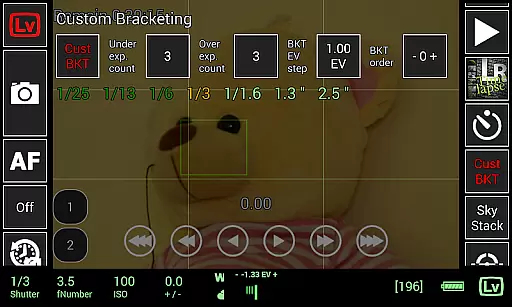
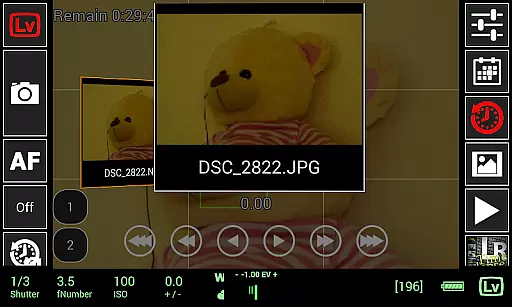
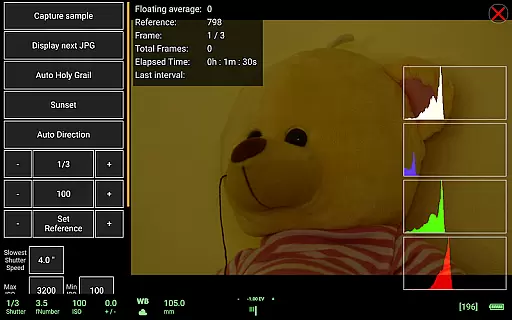
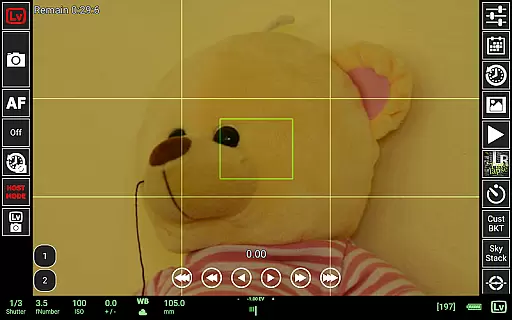
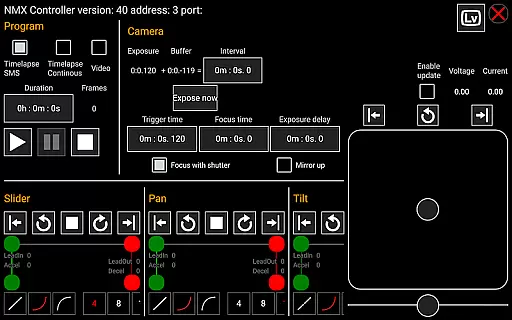
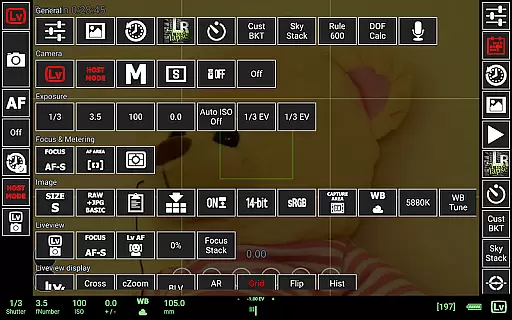
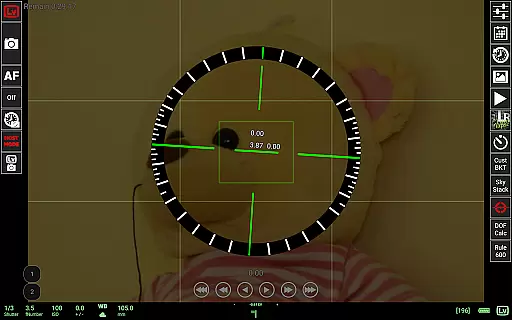
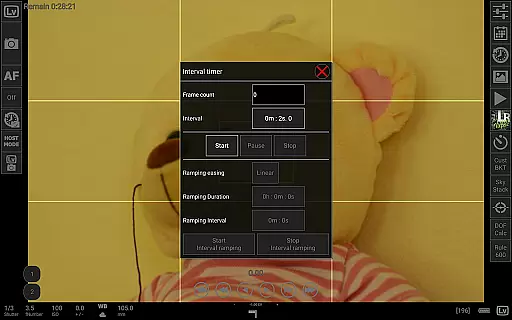
qDslrDashboard is a powerful photography application designed for DSLR camera enthusiasts. This app allows users to control Nikon, Canon DSLR, and Sony mirrorless cameras remotely from their Android devices. With the use of a USB OTG adapter, photographers can connect their cameras directly to their mobile devices, enabling them to adjust settings, capture images, and transfer files with ease.
The app offers advanced functionalities such as synchronized capture, live view with histogram, manual focus adjustment, and even movie recording initiation on supported models. It also supports wireless connectivity through portable routers or adapters like WU-1a/1b, making it versatile for various shooting environments. Whether you're a professional photographer or an amateur looking to enhance your photography experience, qDslrDashboard provides comprehensive tools that streamline your workflow and expand creative possibilities.
qDslrDashboard stands out with its extensive feature set tailored for photography professionals. One of its key strengths is multiple camera support, allowing users to manage several cameras simultaneously. The remote capture function enables photographers to take pictures without physically touching the camera, reducing shake and improving shot stability. Additionally, the synchronized capture feature ensures that all connected cameras fire at the exact same moment, perfect for creating 3D images or panoramic shots.
Another notable feature is the ability to browse and transfer images directly from the camera to the Android device. Users can preview both JPG and RAW files, check live view histograms, and even perform manual focus adjustments while in live view mode. For time-lapse enthusiasts, the app offers simple and advanced modes with options to move focus incrementally and send commands to Arduino devices. These capabilities make qDslrDashboard an indispensable tool for anyone seeking precise control over their photographic process.
Real-time capture and preview functionality is essential for photographers who need precise control over their shots. qDslrDashboard offers a comprehensive solution that allows users to connect their Nikon, Canon DSLR, or Sony mirrorless cameras via USB OTG adapters or wireless routers.
The application enables live view with histogram analysis, ensuring accurate exposure and composition. Photographers can remotely adjust camera settings, initiate captures, and even start movie recordings on supported models. This real-time feedback loop is invaluable for achieving the desired shot without physically interacting with the camera.
Users benefit from synchronized capture across multiple cameras, making it ideal for 3D photography or event coverage. The ability to browse and transfer images directly to an Android device enhances workflow efficiency, allowing immediate review and sharing of photos.
While qDslrDashboard focuses primarily on professional-grade camera control, it also incorporates features that enhance image quality through advanced processing. Although not traditionally categorized as an AI beauty tool, its capabilities extend to improving photo naturalness and clarity.
The application supports raw file previews and manual focus adjustments during live view sessions. These features contribute to producing high-quality images with minimal post-processing requirements. Users can achieve superior results by leveraging the built-in depth of field calculator and rule600 calculator for astrophotography.
Additionally, qDslrDashboard's focus stacking and custom bracketing functions enable photographers to create images with extended dynamic range and sharpness. These tools help produce naturally enhanced photographs while maintaining the authenticity of the original scene, providing professionals with the means to deliver exceptional work consistently.
User-friendly interface
Wide camera compatibility
Advanced remote control
Comprehensive file management
Innovative time-lapse tools
Requires USB OTG adapter
Complex setup process
Limited to Android devices
No iOS version available
Some features model-specific

Viewfinder, Light meter, Reciprocity failure time, DOF & Bellows Extension
 4.60
4.60
AI photo editor with hair editor, retouch tools, hair color changer & filters!
4.50
Take videos and pictures with the popular TikTok TIME WARP SCAN filter.
4.60
Turn your phone into a professional camera - full DSLR manual photography
4.30
Raw Image Viewer. Gallery with support of raw images (.cr3, .cr2, .nef, .raf).
2.00
Future baby face generator: AI kids generator, kid face! What my baby look like?
4.40
Fit multiple photos on one post. Create carousels & scroll layouts for Instagram
4.50
RAW video capture with advanced controls
4.40
A unique animation app. Powerful, easy to use, and lots of fun.
4.30
Gallery show photo, video, slideshow, is perfect 3D effect private photo albums.
4.80
Enhance, upscale, and transform your images — on your device, without limits
4.70
Search, tag and rate your way to an organized image gallery
4.40
Edit like a pro with Hypic. Apply filters, AI effects, & magic touch.
4.40
All-in-One Editor & AI Photo Enhancer, Beautify & Retouch, Collage, Cartoonify
4.20
AI-powered video creator by MiniMax - Where ideas meet cinema
4.20
Photobooth mini FULL app will allow you to add more fun to your parties
4.00
Gallery Slideshow is slideshow maker app for slideshow from your gallery photos.
3.90
Remote control the phone camera shutter from your smartwatch and take a picture
1.60
Add a dreamy vibe to your selfies and videos with soft style filters
4.1


User Reviews