
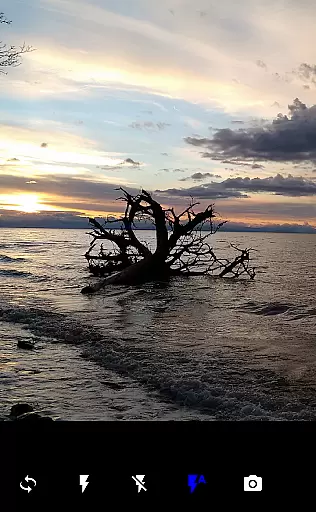

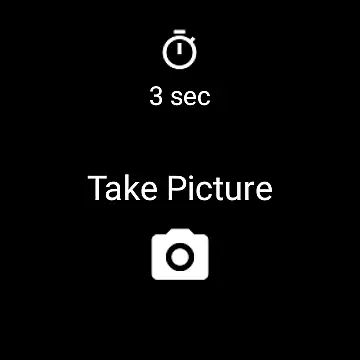
Camera Remote Watch is a smart photography tool designed to enhance your mobile photography experience. This app allows you to remotely control your phone's camera shutter directly from your smartwatch, eliminating the need to physically interact with your phone. Perfect for capturing spontaneous moments or group photos without the hassle of handling your device, it ensures your shots are steady and well-timed.
The app supports both Android and Wear OS smartwatches, providing flexibility across different devices. After setting up the Camera Remote Watch app on your phone and watch, you can easily adjust the camera view on your phone while triggering the shutter from your watch. The captured images are saved in your phone's gallery, with a copy displayed on your watch for instant review. This seamless integration offers convenience and efficiency, making it an ideal choice for photography enthusiasts who value precision and ease-of-use.
One of the standout features of Camera Remote Watch is its ability to facilitate hands-free photography. By simply tapping the Camera button on your smartwatch, you can trigger the camera shutter on your phone, allowing you to capture photos effortlessly. This feature is particularly useful in situations where you want to include yourself in the picture or avoid any movement that might blur the shot.
In addition to remote shutter control, the app provides a preview function on your smartwatch. After taking a photo, a copy is sent to your watch, enabling you to quickly check the quality of the image. If the shot isn't perfect, you can easily retake it. Another notable feature is its compatibility with both Android and Wear OS devices, broadening its usability. However, please note that some unofficial Android phones may not support this app fully, so checking device compatibility is recommended before use.
Real-time capture and preview functionality is essential for ensuring that every photo taken meets your expectations without delay. Camera Remote Watch offers this by enabling users to remotely control their phone's camera from a smartwatch, allowing for instant shutter activation.
This application ensures that as soon as you tap the Camera button on your watch, the phone captures the image immediately. This seamless interaction provides an uninterrupted photography experience, making it ideal for situations where touching the phone could cause unwanted movement or blur.
The real-time aspect of this app is further enhanced by the immediate display of the captured image on the smartwatch screen. This feature allows users to quickly assess the quality of the photo and decide whether another shot is necessary, streamlining the process of taking pictures.
While Camera Remote Watch does not focus heavily on AI beauty and enhancement features, it still delivers value through its straightforward approach to photography. The app emphasizes naturalness and authenticity, capturing images exactly as they are seen without excessive digital manipulation.
For users who prefer genuine representations over heavily edited photos, this app offers a refreshing take on mobile photography. By concentrating on accurate and unaltered image capture, Camera Remote Watch caters to those who appreciate the raw beauty of the moment.
Although there may not be advanced AI enhancements, the ability to review photos directly on the smartwatch ensures that any necessary adjustments can be made immediately. This practical approach prioritizes usability and reliability, ensuring that each photo reflects a true-to-life experience.
User-friendly interface
Instant photo preview
Wide device compatibility
Hands-free operation
Efficient photo capture
Limited to compatible devices
Slower photo download
Requires stable connection
No advanced editing tools
Potential battery drain

Remote control of the phone camera from your Wear OS smartwatch
 3.70
3.70
[3DSteroid Pro] is a stereoscopic application for Android.
4.30
Safe & smart flight with Go Fly drone controller for 40+ drone camera, zone map
4.50
Amazing Photo Effects - The most fun you can have with your photos!
4.70
Use AI Video Generator to turn your words to ai generated videos.
4.50
Professional camera app that brings DSLR manual photography controls to Android.
4.20
A unique animation app. Powerful, easy to use, and lots of fun.
4.30
Welcome to ProShot, the most powerful camera app on Android.
4.20
Try an anime version, cartoon yourself, and generate AI hug or aging videos!
3.70
Collage your moments in one tap: 1000+ layouts, filters, stickers, and texts.
4.90
A collection of tools and reference tables for DPs, ACs, DITs and Operators.
4.70
Automatically backup your photos and videos to computer, NAS and Cloud services
4.60
Search, tag and rate your way to an organized image gallery
4.40
AI portrait generator and polaroid AI selfie, fun AI generated AI photo creator!
4.30
Natural Beauty, Selfie Retouch
4.30
Create AI Photos, Improve and restore quality of blurry, old or damaged pics.
4.20
Photo editor: face & body editor, beauty cam, filters and quality enhancer.
4.00
Hair color changer, AI haircut app, fun hair editor and buzz cut filter for all!
3.80
Photo Album Watch Face shows your favorite pictures as a Watchface.
1.90


User Reviews