
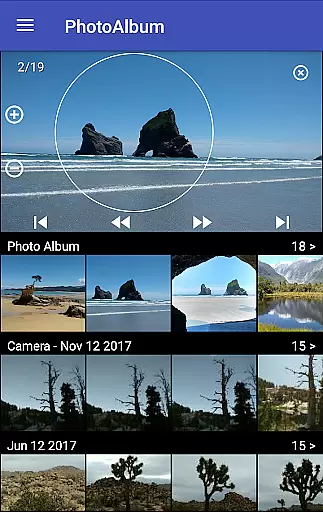
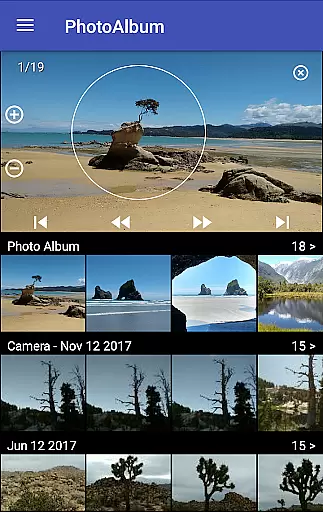
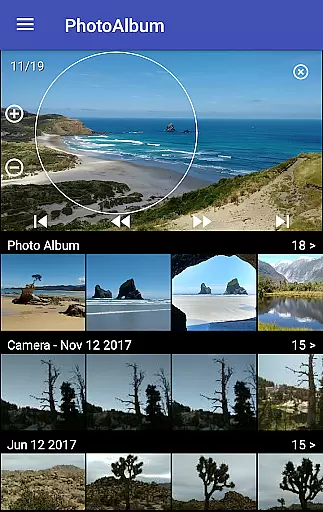
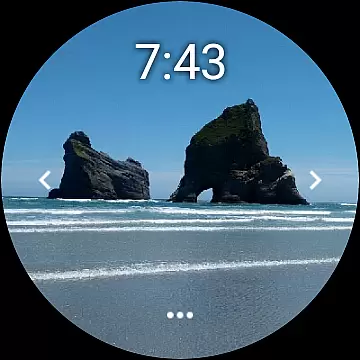
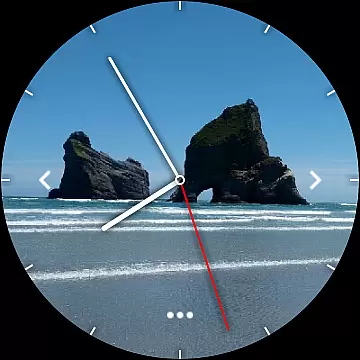
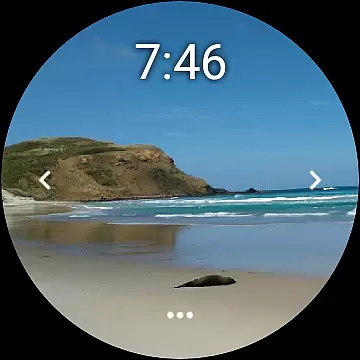

Photo Album Watch Face is a unique photography app that allows users to personalize their smartwatch faces with favorite pictures from their phone. This app bridges mobile and wearable technology, enabling seamless synchronization of photo albums between devices.
The core functionality includes automatic picture cycling on the smartwatch or manual navigation through taps. It supports Wear OS smartwatches and offers offline usage while requiring the paired mobile app for new photo downloads. This creates an enhanced, customized user experience for tech-savvy individuals who value personalization and convenience.
This app stands out with its innovative approach to watch face customization. Users can select any image from their phone's gallery, transforming their smartwatch into a dynamic photo album that reflects personal memories and styles.
A key feature is the intuitive control system - users can either let the watch automatically cycle through images or manually swipe left/right for navigation. The tap-based interface on the watch allows for easy downloading of new images. Additionally, the app maintains functionality without constant phone connection, providing flexibility for users with different connectivity needs.
For broader compatibility, Photo Album Watch Face works seamlessly with Wear OS devices, expanding its reach beyond traditional smartwatches. This cross-platform support, combined with detailed FAQ resources and video tutorials, demonstrates the developer's commitment to accessibility and user education.
Real-time capture and preview functionality is essential for ensuring that users can see exactly what their smartwatch face will look like before finalizing their selection.
Photo Album Watch Face offers a seamless experience where users can select their favorite pictures on their phone, which are then automatically cycled through on the smartwatch face. This real-time synchronization allows users to instantly view changes without delay.
The ability to tap left or right to see the next picture provides an interactive element, enhancing user engagement and satisfaction. This feature ensures that users have complete control over how their watch face appears at any given moment.
By offering this instant feedback loop, Photo Album Watch Face not only simplifies the customization process but also makes it more enjoyable, allowing users to express their personal style effortlessly.
AI beauty and enhancement features are increasingly important in photography apps, providing users with tools to improve image quality while maintaining a natural look.
Photo Album Watch Face leverages AI technology to enhance images displayed on your smartwatch, ensuring they look vibrant and clear without appearing overly processed. The app achieves this by intelligently adjusting brightness, contrast, and color balance.
Users benefit from these enhancements as their selected photos gain a polished yet authentic appearance, making their smartwatch faces stand out. These subtle improvements ensure that memories remain vivid and true-to-life.
With its focus on natural enhancement, Photo Album Watch Face delivers a superior visual experience, striking the perfect balance between aesthetic appeal and authenticity.
User-friendly interface
Offline functionality
Automatic image cycling
Tap navigation controls
Cross-platform support
Requires mobile app
Limited editing tools
Phone connection needed
Basic customization options
Watch storage limitations

Natural Beauty, Selfie Retouch
 4.30
4.30
Edit like a pro with Hypic. Apply filters, AI effects, & magic touch.
4.40
Photo prints, cards, & gifts at Walgreens. Easy ordering & fast local pickup !
4.80
Automatically backup your photos and videos to computer, NAS and Cloud services
4.60
A reflected light meter with spot metering and incident light metering.
4.40
Professional photography on your mobile phone
4.20
AI Photo Editor with 100+ Filters, Effects! Remove BG, Retouch & Photo Enhancer.
4.80
AI photo enhancer with Sora 2! Enhance, descratch, and colorize your old photos.
4.50
Enhance, retouch & create your story - Share the moment with Photoshop Express.
4.60
Gallery show photo, video, slideshow, is perfect 3D effect private photo albums.
4.80
Photo editor: AI filters, photo enhancer, pic collage maker, AI art generator.
4.80
Your personal guide to the sun and moon. Plan ahead, visualize and predict!
4.70
Add Watermark - Sign your pictures with a text or logo. Effective, quick, easy!
4.50
Use AI Video Generator to turn your words to ai generated videos.
4.50
Future baby face generator: AI kids generator, kid face! What my baby look like?
4.40
Shooting photos and records video easily and efficient with professional Camera
4.30
Turn your phone into a professional camera - full DSLR manual photography
4.30
Perfect photos with body shaping, BG changer and object remover.
3.70
Remote control the phone camera shutter from your smartwatch and take a picture
1.60


User Reviews