

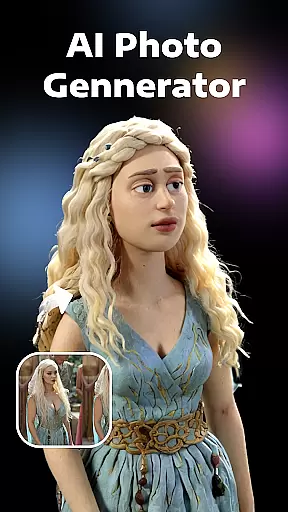


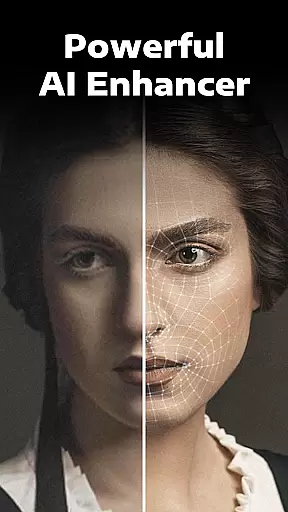
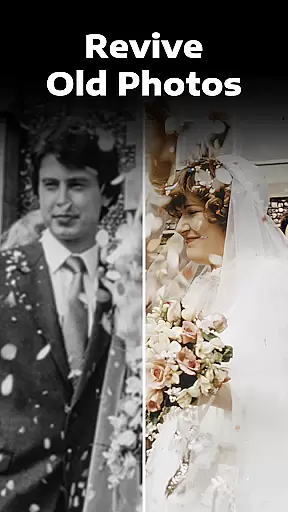
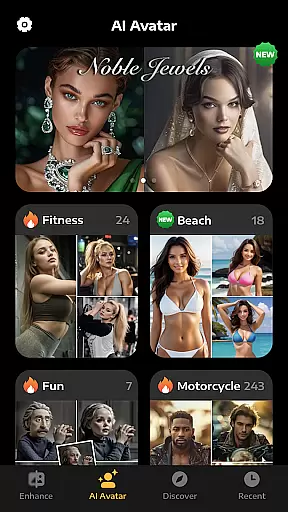
Evoke - AI Photo Enhancer is a cutting-edge photography app designed to breathe new life into your old and damaged photos. Using advanced AI technology, this app specializes in restoring faded, scratched, or blurred images to their original clarity and vibrancy. The app's powerful algorithms can also colorize black-and-white photos and repair imperfections with remarkable precision.
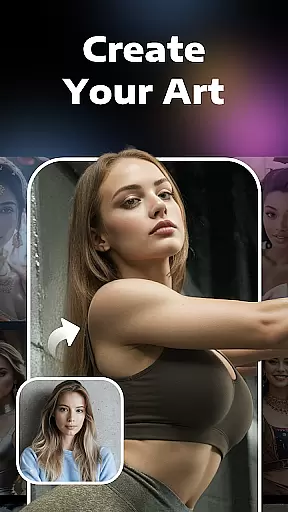
Beyond photo restoration, Evoke offers creative features like AI Portraits, which allow users to explore alternate versions of themselves in various roles and scenarios. Whether you're looking to preserve cherished memories or experiment with fun visual transformations, this app provides an intuitive and efficient solution for all your photo enhancement needs.
The standout feature of Evoke - AI Photo Enhancer is its use of state-of-the-art AI models such as Gemini 2.5 Flash Image and Kling AI 2.5. These technologies ensure consistent detail preservation and natural-looking enhancements, making it one of the most reliable tools for photo restoration on the market today.
In addition to its core enhancement capabilities, the app includes specialized functions like Descratch, Colorize, and AI Portraits. The Descratch tool intelligently repairs scratches and wrinkles, while the Colorize feature adds vibrant colors to monochrome images. With AI Portraits, users can generate imaginative visuals that transform their appearance into different personas, from professional roles to whimsical characters.
Each feature is designed to be fast, efficient, and user-friendly, ensuring that even beginners can achieve professional-quality results with minimal effort.
Real-time capture and preview functionality is essential for photography applications as it allows users to see exactly what the camera is capturing before taking a shot. This ensures that the framing, lighting, and composition are perfect before committing to a photo.
AI Photo Enhancer leverages advanced AI algorithms to provide an instantaneous and accurate preview of images. The app processes visual data in real time, giving users a precise representation of the final image quality. This feature is particularly useful when enhancing or restoring photos, as users can immediately see the improvements.
With this capability, users gain greater control over their photography. They can make informed decisions about adjustments such as brightness, contrast, and color balance, ensuring that every photo meets their expectations. This immediate feedback loop enhances the overall user experience.
The value of real-time capture and preview extends beyond convenience. It empowers photographers to experiment with different settings and styles confidently, knowing they can rely on the preview to reflect the final output. This leads to higher-quality images and more satisfying results.
AI beauty and enhancement features have become increasingly popular in photography apps, allowing users to refine and beautify their images while maintaining a natural look. Striking the right balance between enhancement and authenticity is crucial for delivering professional-quality results.
AI Photo Enhancer employs cutting-edge AI models like Gemini 2.5 Flash Image to ensure that enhancements are subtle yet effective. The app intelligently recognizes facial features and applies enhancements that preserve skin texture, hair details, and other elements, avoiding the artificial appearance often associated with heavy editing.
This approach benefits users by providing them with tools to elevate their photos without compromising their authenticity. Whether restoring old family pictures or refining modern portraits, the app ensures that every image retains its original charm while achieving a polished finish.
By focusing on natural enhancement, AI Photo Enhancer caters to both amateur and professional photographers who seek realistic results. The app's ability to deliver high-definition, vivid, and colorful images makes it an invaluable tool for anyone looking to enhance their photographic projects.
Advanced AI restoration
Fast processing speed
User-friendly interface
Versatile editing tools
Creative AI portrait options
Limited free features
Subscription required
Occasional glitches
High system requirements
Privacy concerns

Long exposure camera with computational photography
 2.60
2.60
1M influencer's special filter
4.60
HD Photo gallery and photo manager to edit, hide private photos, videos & albums
4.4
Automatically backup your photos and videos to computer, NAS and Cloud services
4.60
Gallery Slideshow is slideshow maker app for slideshow from your gallery photos.
3.90
A reflected light meter with spot metering and incident light metering.
4.40
Collage your moments in one tap: 1000+ layouts, filters, stickers, and texts.
4.90
Transform Photos: Edit, Beautify and Craft Memories & Make Collages!
4.10
A unique animation app. Powerful, easy to use, and lots of fun.
4.30
Cartoon and artistic effects for your photos and videos
4.70
Discover & download millions of art for The Frame TV or Hisense CanvasTV
4.60
Fit multiple photos on one post. Create carousels & scroll layouts for Instagram
4.50
Use AI Video Generator to turn your words to ai generated videos.
4.50
Turn your phone into a professional camera - full DSLR manual photography
4.30
How old age camera Gender Swap App Face Shape Hairstyle App Hair Styler App fun!
4.00
Professional quality photo edits with the new Snapseed.
4.00
live datamoshing
4.00
Astrophotography with your smartphone, photo live stacking and much more!
3.90
An interval timer to automate photo taking process for timelapse
2.90


User Reviews