
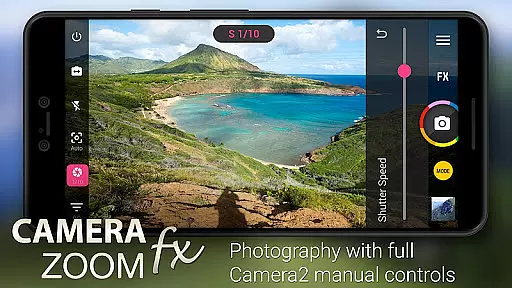
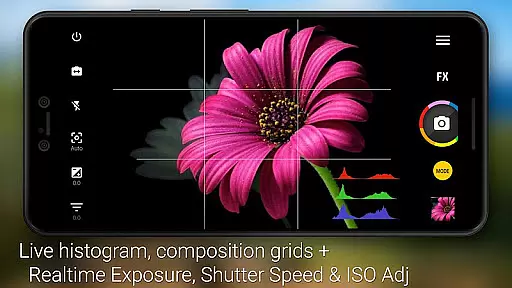
Camera ZOOM FX Premium is a feature-rich photography app that transforms your Android device into a professional-grade camera. With advanced manual controls and Camera API2 integration, it offers DSLR-like functionalities including ISO adjustment, shutter speed control, and RAW capture on supported devices.
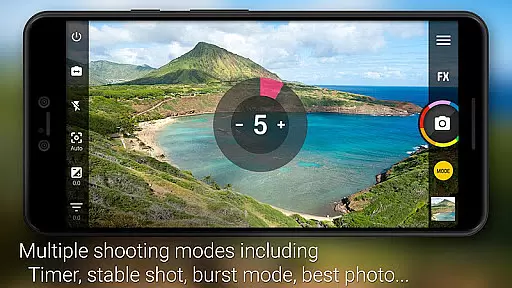
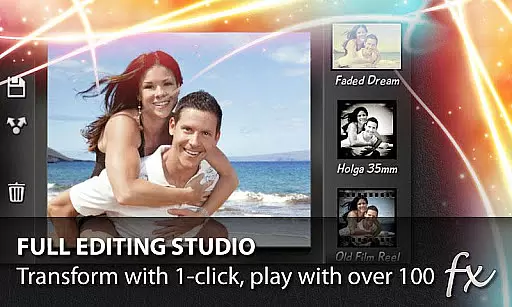
The app stands out with its powerful shooting modes and creative tools. Users can combine features like timer and HDR, create collages, or experiment with over 100 effects such as Vignette, Retro, and Holga. The intuitive interface allows tapping anywhere to shoot while providing essential tools like grid overlays, horizon leveling, and multiple flash modes.
Perfect for both amateur and professional photographers, Camera ZOOM FX Premium enables capturing high-quality images in various conditions. Whether you need stable shots, time-lapse sequences, or artistic compositions, this app provides the necessary tools to elevate your mobile photography experience.
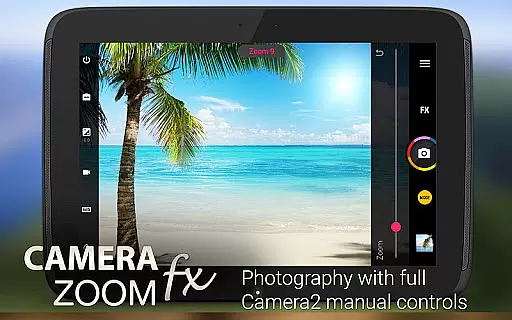
Camera ZOOM FX Premium boasts an impressive array of features designed to enhance mobile photography. The app's standout capability is its full manual DSLR controls using Camera API2, allowing users to adjust ISO, focus distance, exposure, and shutter speed with precision.
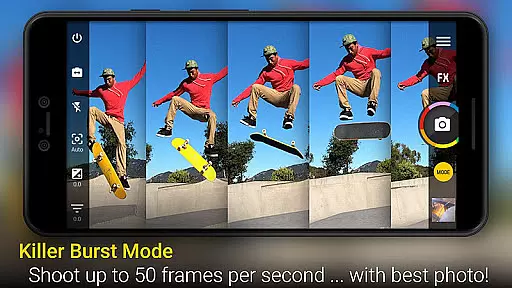
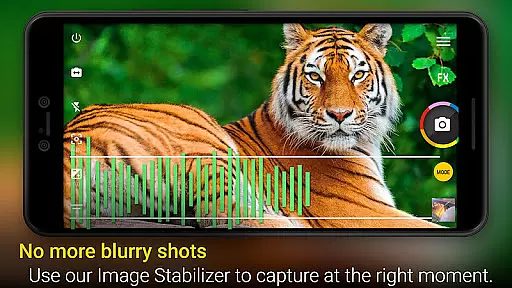
Beyond manual controls, the app offers innovative shooting modes and creative options. Users can leverage burst mode for rapid-fire shots, utilize Stable Shot for sharper images, or experiment with professional-grade features like HDR Mode Pro and Time Lapse. The inclusion of over 100 effects, including popular filters like Bokeh and lomo, provides endless creative possibilities.
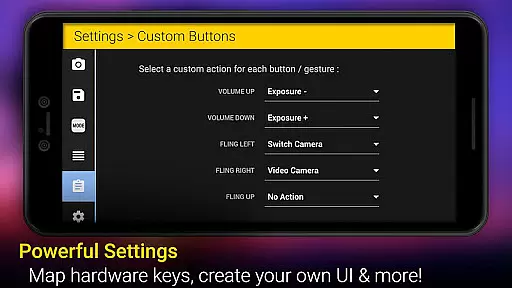
Additional features include customizable UX elements, hardware button mapping, and practical tools like grid overlays and horizon leveling. The app also supports external storage, offers photo widgets, and includes free downloadable content packs for extended functionality, making it a comprehensive solution for mobile photographers.
Real-time capture and preview functionality is essential for ensuring that every photo taken with Camera ZOOM FX Premium meets the user's expectations. This feature allows photographers to see exactly what the camera sees, adjusting settings on the fly to achieve the perfect shot.
Camera ZOOM FX leverages advanced Camera2 API controls to provide users with a live view of their subject, enabling them to make real-time adjustments to ISO, focus distance, exposure, and shutter speed. This ensures that even the most demanding photographers can fine-tune their images before capturing the final result.
The benefits of this feature are numerous. Users can experiment with different settings, such as manual controls and shooting modes, without any lag or delay. Whether it's action shots, stable shots, or intricate photo compositions, the ability to preview changes instantly enhances the overall photography experience.
Ultimately, the real-time capture and preview capabilities of Camera ZOOM FX Premium empower users to take full control of their photography. By providing a seamless interface between the photographer and the camera, it ensures that every shot counts, making it an indispensable tool for both amateur and professional photographers alike.
AI Beauty & Enhancement Naturalness in Camera ZOOM FX Premium offers users the ability to enhance their photos with natural-looking effects. This feature utilizes sophisticated algorithms to automatically adjust and improve image quality while maintaining the authenticity of the original photo.
With a plethora of effects available, including Vignette, Retro, Holga, Bokeh, Lomo, and Hipster styles, users can transform their images into works of art. The AI-driven enhancements ensure that modifications such as skin smoothing, blemish removal, and color correction appear subtle and true to life.
This functionality not only elevates the aesthetic appeal of photographs but also simplifies the editing process. Users can achieve professional-grade results without extensive knowledge of photo editing techniques. The intuitive interface allows for easy application of these enhancements, making high-quality photo retouching accessible to everyone.
By integrating AI beauty and enhancement features, Camera ZOOM FX Premium sets itself apart from other photography apps. It delivers a harmonious blend of technology and artistry, allowing users to express their creativity while preserving the natural essence of their subjects. This makes it an ideal choice for those seeking to enhance their photos effortlessly and effectively.
Advanced manual controls
Extensive effect library
Fast burst mode
User-friendly interface
Professional shooting modes
Paid premium version
Complex for beginners
Device compatibility issues
Occasional stability problems
Large app size

Search, tag and rate your way to an organized image gallery
 4.40
4.40
Application for remote controlling DSLR
3.00
Create amazing frames with up to five photos. Rounded corners, effects and more!
3.60
USB Storage Access for Photos, Videos, Music and Documents
3.80
Collage your moments in one tap: 1000+ layouts, filters, stickers, and texts.
4.90
Pro version: AR sun/moon tracker for any date. Tool for photographers & planners
4.90
Catch sunlight, sunrise sunset times and sun phases with the AR sun tracker.
4.10
Unlock the full potential of your DJI drone with Litchi
4.50
Try an anime version, cartoon yourself, and generate AI hug or aging videos!
3.70
Safe & smart flight with Go Fly drone controller for 40+ drone camera, zone map
4.50
Create Business Headshots, Polaroid Filter, Retake Photos,Profile Pics,AI Photos
4.50
Transform photos into videos! Create realistic or anime-style images easily!
4.50
Photo Exif Editor allows to view, add and modify EXIF data of multiple photos
4.50
Photo editor & gallery. Crop pictures & edit photos offline, no wifi!
4.50
AI photo enhancer with Sora 2! Enhance, descratch, and colorize your old photos.
4.50
Smart, light, and fast photo and video gallery
4.30
AI-powered video creator by MiniMax - Where ideas meet cinema
4.20
Create & Edit with AI: AI Remove, Enhance, Retouch, Filter
4.10
live datamoshing
4.00


User Reviews