
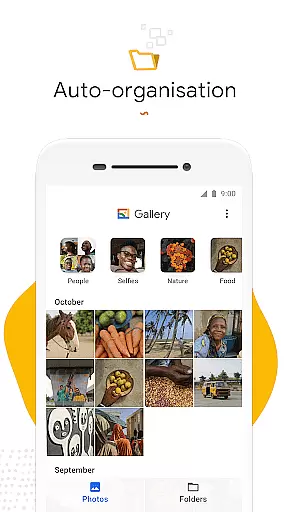
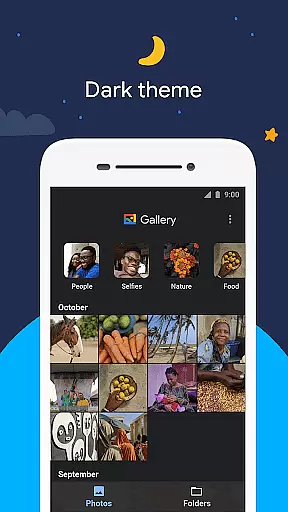
Gallery is a smart photo and video gallery app developed by Google, designed to provide users with an efficient way to manage their media files. The app automatically organizes photos and videos into categories such as People, Selfies, Nature, Animals, Documents, Videos, and Movies, making it easier to find specific images without endless scrolling. This automatic organization feature saves time and enhances the user experience by grouping media based on content type.
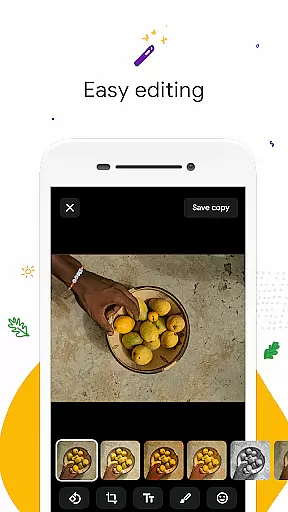
In addition to its organizational capabilities, Gallery offers powerful editing tools like auto-enhance, allowing users to improve their photos with just one tap. The app also supports folders and SD card functionality, enabling flexible file management. With its small file size and offline capabilities, Gallery ensures optimal performance without consuming excessive device memory or mobile data. These features make it an ideal choice for users seeking a lightweight yet powerful gallery solution.
Gallery stands out with its comprehensive set of features tailored for efficient media management. The automatic organization function categorizes photos and videos nightly, grouping them by content types such as People, Selfies, Nature, and more. This intelligent system helps users quickly locate specific images, reducing the time spent searching through their collections. Additionally, the face grouping feature (available in select regions) allows for even more precise organization based on individuals in the photos.
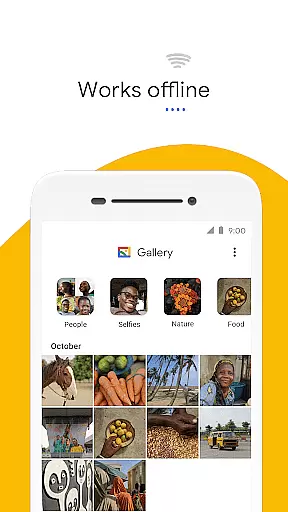
The app's editing tools are equally impressive, particularly the auto-enhance feature that optimizes photo quality with a single tap. Users can also create custom folders for personalized organization and easily transfer files to and from SD cards. Performance-wise, Gallery is optimized for minimal resource consumption, featuring a small installation size and low memory usage. Its offline functionality ensures users can manage their media library without relying on an internet connection, making it perfect for areas with limited connectivity.
Real-time capture and preview functionality is essential for ensuring that users can take photos with confidence. Gallery by Google offers a seamless experience where what you see in the frame is what you get in your photo.
The app's interface provides immediate feedback on your shot, allowing you to adjust settings such as exposure and focus before capturing the moment. This ensures that each photo taken meets your expectations without surprises.
Moreover, the real-time preview feature works efficiently even when offline, which means you don't have to worry about data usage while taking pictures. Itu2019s designed to be fast and responsive, giving you the ability to capture fleeting moments effortlessly.
With this capability, Gallery empowers users to take high-quality photos that look great, thanks to instant previews that help refine composition and framing on the go.
Gallery incorporates advanced AI beauty and enhancement features that automatically improve photo quality while maintaining a natural look. The auto-enhance tool is engineered to make subtle adjustments that bring out the best in every picture.
This feature intelligently detects faces and scenes, applying enhancements that are contextually appropriate. For instance, it might brighten up a dimly lit portrait or enhance colors in a landscape shot, all while preserving authenticity.
Users benefit from these sophisticated algorithms without needing any technical expertise. With just one tap, their photos can achieve professional-level polish, making memories stand out more vividly.
By focusing on naturalness, Gallery ensures that edited images retain their original charm and character, offering an editing experience that feels both effortless and genuine.
User-friendly interface
Automatic photo organization
Powerful editing tools
SD card support
Offline functionality
Limited face grouping availability
Fewer features than full Google Photos
No built-in cloud backup
Basic video editing tools
Occasional syncing issues

Add Watermark - Sign your pictures with a text or logo. Effective, quick, easy!
 4.50
4.50
HD Photo gallery and photo manager to edit, hide private photos, videos & albums
4.4
Pet Camera
3.70
Photo Exif Editor allows to view, add and modify EXIF data of multiple photos
4.50
Automatically backup your photos and videos to computer, NAS and Cloud services
4.60
A reflected light meter with spot metering and incident light metering.
4.40
Unlock the full potential of your DJI drone with Litchi
4.50
Welcome to ProShot, the most powerful camera app on Android.
4.20
Photo & Video Gallery app to manage albums and save WA Status easily.
4.70
Gallery show photo, video, slideshow, is perfect 3D effect private photo albums.
4.80
A collection of tools and reference tables for DPs, ACs, DITs and Operators.
4.70
The original Rarevision VHS look seen everywhere!
4.70
Viewfinder, Light meter, Reciprocity failure time, DOF & Bellows Extension
4.60
Unblur, enhance & restore photos with powerful AI photo enhancer tools.
4.60
Photo editor & gallery. Crop pictures & edit photos offline, no wifi!
4.50
Shooting photos and records video easily and efficient with professional Camera
4.30
Photo editor: face & body editor, beauty cam, filters and quality enhancer.
4.00
An interval timer to automate photo taking process for timelapse
2.90
Long exposure camera with computational photography
2.60


User Reviews