
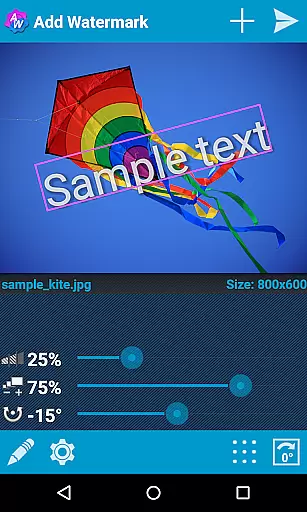
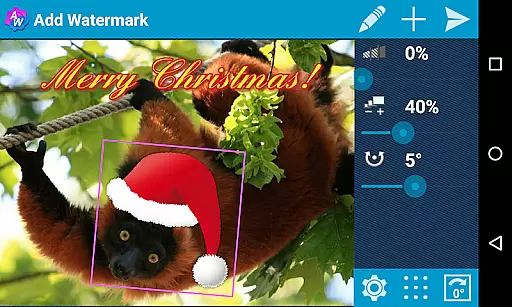
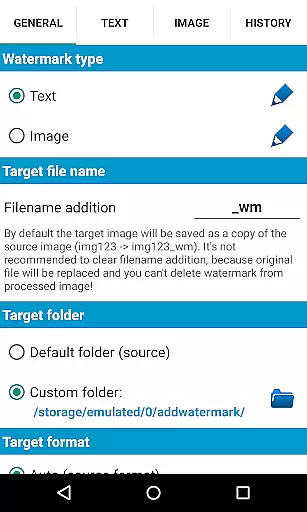
Add Watermark is a powerful photography tool that allows users to protect their images by adding customizable watermarks. The app supports both text and logo watermarks, offering extensive customization options including size, transparency, rotation, and alignment adjustments.
Designed for professional photographers and bloggers, the app features batch processing capabilities, auto-processing through sharing, and advanced text formatting options. With support for EXIF metadata, 360° panoramas, and various saving formats, it serves as an essential utility for managing digital image rights and branding.
The application's automatic processing and comprehensive feature set make it particularly valuable for users who need to process large volumes of images while maintaining consistent branding across their portfolio.
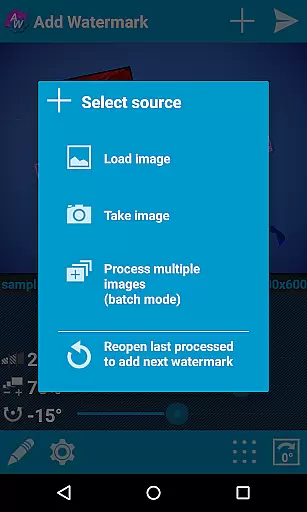
The app offers an impressive array of features that cater to professional image protection needs. Its batch processing mode enables users to watermark multiple images simultaneously, significantly improving workflow efficiency.
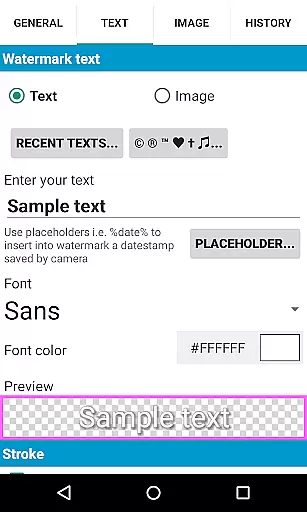
Advanced text formatting capabilities include 72 built-in fonts, custom font import, and various text effects. Users can create complex watermarks using timestamp data, GPS information, and other image properties. The app also supports transparent PNG images as watermarks and maintains EXIF/XMP metadata integrity.
Additional features include cloud backup options, quick sharing to social media platforms, and specialized support for 360° panorama images. These capabilities ensure that users can maintain professional standards while streamlining their image processing workflow.
Real-time capture and preview functionality is essential for ensuring that the watermark you add to your images appears exactly where you want it. Add Watermark excels in this area by providing users with a dynamic interface that allows them to see changes as they are made.
The application offers precise control over the placement, size, transparency, and rotation of both text and image watermarks. This real-time feedback enables photographers and bloggers to adjust their watermark settings accurately before saving the final image, thus preserving the quality and presentation they desire.
With features like automatic processing and batch mode, users can apply these real-time adjustments across multiple images efficiently. This saves time and effort, allowing professionals to focus more on their creative work rather than getting bogged down by repetitive tasks.
Ultimately, the real-time capture and preview feature in Add Watermark ensures that users have complete control over how their watermarked images will look, enhancing both the security and branding of their visual content.
While primarily focused on watermarking, Add Watermark also includes features that touch upon AI beauty and enhancement naturalness. These features ensure that even after adding watermarks, the overall aesthetic and quality of the original image remain intact.
The app supports various effects in text mode, including different fonts, colors, and other stylistic options. This flexibility allows users to create watermarks that complement the visual elements of their photos without detracting from them. The availability of 72 built-in fonts and the option to import up to 20 custom fonts further enhance this capability.
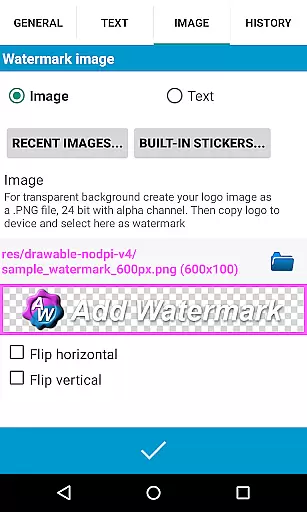
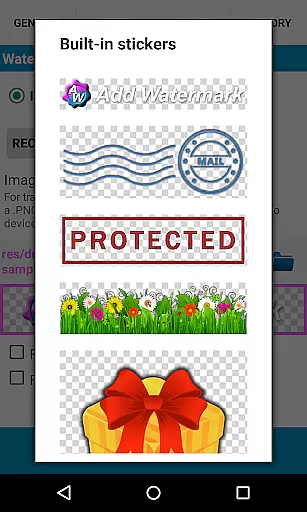
Additionally, the support for transparent PNG images as watermarks means that users can overlay intricate logos or signatures seamlessly onto their photos. This maintains the natural appearance of the image while still providing the necessary protection and branding.
In summary, Add Watermark's attention to detail and emphasis on maintaining the natural beauty of enhanced images make it an invaluable tool for professionals who need to protect their work without compromising on quality.
User-friendly interface
Batch processing
Extensive customization
Professional features
Cloud backup
Free version limited
Complex for beginners
Occasional bugs
Premium cost
Learning curve

All-in-One Editor & AI Photo Enhancer, Beautify & Retouch, Collage, Cartoonify
 4.20
4.20
Professional video recording application with manual controls for filmmakers!
2.80
How old age camera Gender Swap App Face Shape Hairstyle App Hair Styler App fun!
4.00
All-in-One Editor & AI Photo Enhancer, Collage, Cartoonify, Funny Stickers & BGS
4.10
Cartoon and artistic effects for your photos and videos
4.70
Light-weight Media Gallery app for Android made with Jetpack Compose
4.60
USB Storage Access for Photos, Videos, Music and Documents
3.80
Use AI Video Generator to turn your words to ai generated videos.
4.50
Effortlessly make high-quality GIFs from images & videos without any watermarks.
4.70
Pro version: AR sun/moon tracker for any date. Tool for photographers & planners
4.90
See your baby AI baby face generator AI baby maker Face generator babymaker fun!
4.70
Create AI photos & videos with Enhancer; restore, fix, beautify, enhance photos
4.50
Effortlessly organize, view and share your photos & videos with Gallery app!
4.40
Turn your phone into a professional camera - full DSLR manual photography
4.30
Create AI Photos, Improve and restore quality of blurry, old or damaged pics.
4.20
Photo editor: face & body editor, beauty cam, filters and quality enhancer.
4.00
Turn photos into cartoons & avatars! - Photo Editor, Cartoon Face!
3.90
GCamera allows all GCam features on all phone models! Better photos with GCamera
3.30
Superimpose one photo on top of another using the original Superimpose app!
3.20


User Reviews