

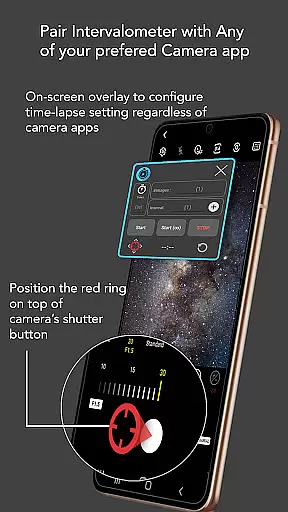
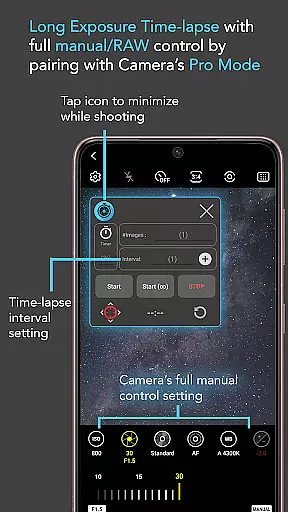
Intervalometer for TimeLapse is a powerful photography tool designed to automate the process of capturing time-lapse sequences. This app allows photographers to configure specific time intervals between shots, enabling precise control over exposure settings and camera modes that are typically unavailable in standard smartphone time-lapse features.
The application works seamlessly with any camera app on Android 7 and above, utilizing AccessibilityService API to trigger the shutter automatically. It supports various advanced shooting modes such as HDR, night mode, and manual settings, making it possible to create stunning low light, long exposure, and even Holy Grail time-lapses that transition from day to night.
Whether you're an amateur photographer looking to experiment with creative techniques or a professional needing consistent results for image stacking, Intervalometer for TimeLapse provides the flexibility and reliability required for high-quality time-lapse photography.
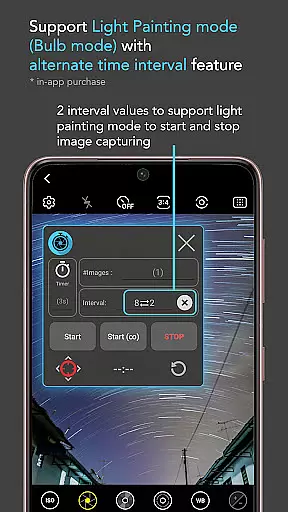
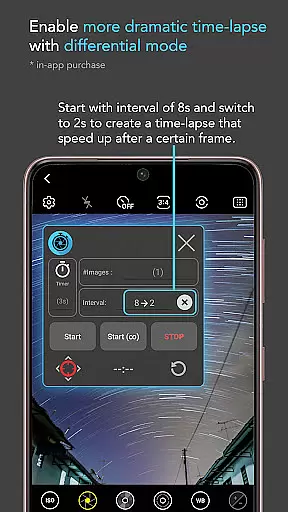
One of the standout features of Intervalometer for TimeLapse is its extensive customization options. Users can set delay timers, choose interval times, and specify the number of shots, giving them full control over their time-lapse configurations. The infinite mode allows for continuous shooting until manually stopped, while bulb mode is perfect for extended exposures needed in astrophotography.
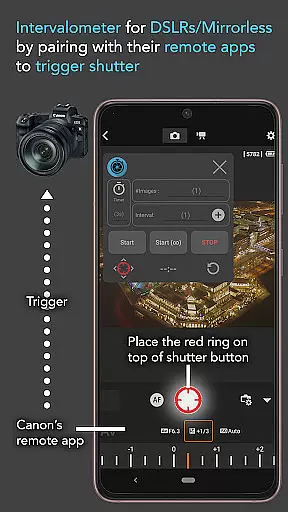
This app's compatibility with dedicated camera remote apps from brands like Canon, Sony, and Nikon further extends its utility. Photographers can use it to trigger shutters on professional cameras, effectively turning their smartphones into sophisticated intervalometers for DSLRs and mirrorless systems.
Additional functionalities include support for ultra-wide angle and telephoto lenses, light painting effects, and specialized modes for capturing star trails and lightning strikes. These capabilities ensure that users can achieve exceptional results across a wide range of photographic scenarios.
Real-time capture and preview functionality is essential for photographers who need precise control over their time-lapse sequences. Intervalometer for TimeLapse offers this by integrating seamlessly with any camera app, allowing users to configure and trigger the shutter at specific intervals.
This app uses Android's AccessibilityService API to automate the photo-taking process without being restricted to a particular camera mode. Whether you're using light-painting mode, HDR, night mode, or manual settings, the app ensures that each frame of your time-lapse is captured exactly as intended.
Users benefit from the ability to create diverse types of time-lapses such as low light, long exposure, and even star trails. The real-time aspect means immediate feedback on shots taken, ensuring that adjustments can be made on-the-fly for optimal results.
While Intervalometer for TimeLapse does not focus on AI beauty enhancements typically found in portrait or selfie apps, it excels in delivering natural and unaltered image captures which are crucial for professional photography work. This app automates the camera shutter triggering but leaves the image processing to other specialized applications.
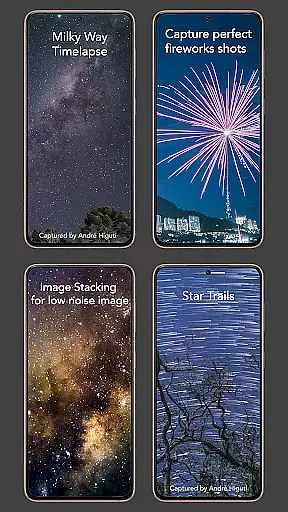
The flexibility of Intervalometer allows it to support advanced photographic techniques like image stacking, star trails, and lightning stacking. These methods rely on capturing multiple authentic frames that can later be processed for higher quality images.
By concentrating on accurate interval timing rather than post-processing effects, Intervalometer ensures that every photograph remains true to the original scene. Photographers value this authenticity when creating stunning visual narratives through time-lapse photography.
User-friendly interface
Wide compatibility
Advanced customization
Supports professional equipment
Versatile shooting modes
Requires Accessibility permissions
May not work on all devices
No built-in camera functionality
Limited to Android 7+
Occasional touch input issues

A collection of tools and reference tables for DPs, ACs, DITs and Operators.
 4.70
4.70
Find time and duration of different sunlight phases at any location
4.90
Edit like a pro with Hypic. Apply filters, AI effects, & magic touch.
4.40
Android Native system HD camera app. Never been so simple and faster.
4.70
Cartoon and artistic effects for your photos and videos
4.70
Future baby face generator: AI kids generator, kid face! What my baby look like?
4.40
Professional camera app that brings DSLR manual photography controls to Android.
4.20
The original Rarevision VHS look seen everywhere!
4.70
Your Family Calendar + Photos. Manage your Skylight Calendar and Skylight Frame.
4.40
Photo editor: AI filters, photo enhancer, pic collage maker, AI art generator.
4.80
Create Business Headshots, Polaroid Filter, Retake Photos,Profile Pics,AI Photos
4.50
RAW video capture with advanced controls
4.40
Natural Beauty, Selfie Retouch
4.30
All-in-One Editor & AI Photo Enhancer, Beautify & Retouch, Collage, Cartoonify
4.20
AI-powered video creator by MiniMax - Where ideas meet cinema
4.20
Perfect photos with body shaping, BG changer and object remover.
3.70
Superimpose one photo on top of another using the original Superimpose app!
3.20
Application for remote controlling DSLR
3.00
Long exposure camera with computational photography
2.60


User Reviews