






MotionCam Pro is a revolutionary photography and videography application designed to bring professional-grade tools to smartphone users. The app stands out as the first to enable RAW video capture on mobile devices, allowing photographers and videographers to achieve exceptional quality in their work. With its advanced computational photography algorithms, MotionCam Pro replaces standard smartphone camera software, delivering stunning photos with enhanced detail and clarity.
Whether you're an amateur photographer looking to elevate your skills or a professional seeking a portable solution for high-quality captures, MotionCam Pro offers the tools you need. Its innovative features cater to both photo and video enthusiasts, making it a versatile choice for creative projects. By leveraging this app, users can unlock the full potential of their smartphone cameras while enjoying a seamless and intuitive user experience.
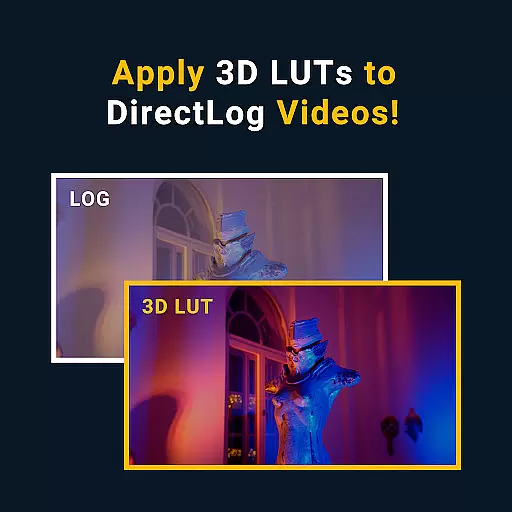
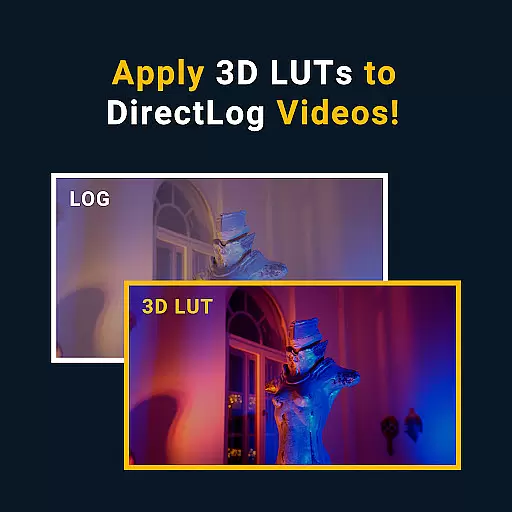
MotionCam Pro boasts an impressive array of features tailored for photography and videography enthusiasts. One of its standout capabilities is RAW video capture, which allows users to record videos with minimal compression and maximum detail retention. This feature is particularly beneficial for post-production editing, giving creators greater flexibility in color grading and other adjustments.
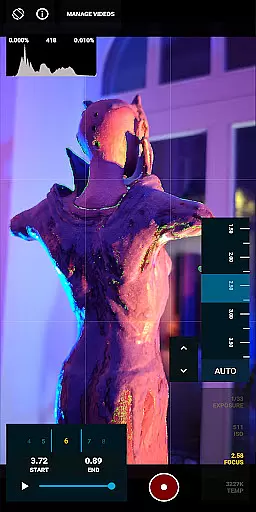
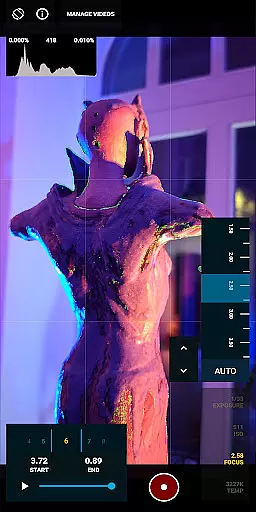
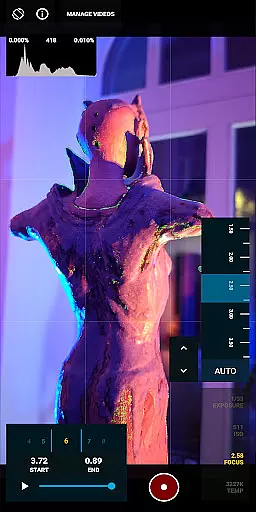
In addition to its groundbreaking video functionality, MotionCam Pro incorporates advanced computational photography algorithms. These algorithms enhance image quality by optimizing various parameters such as exposure, contrast, and sharpness. As a result, users can capture breathtaking photos that rival those taken with dedicated cameras. The app also provides manual controls for ISO, shutter speed, focus, and white balance, empowering users to fine-tune their shots according to specific requirements.
Furthermore, MotionCam Pro fosters a vibrant community through its dedicated Discord channel. Here, users can connect with like-minded individuals, share their work, and exchange tips and tricks. This sense of community adds significant value to the overall user experience, making MotionCam Pro not just an app but a platform for creative collaboration.
Real-time capture and preview functionality is essential for photographers who need to see the exact image they are capturing. MotionCam Pro excels in this area by providing users with a live view of their shot before taking it, ensuring precision and control over the final output.
The app's advanced computational photography algorithms process images instantly, offering a seamless preview experience that reflects the adjustments made in real time. This allows users to fine-tune settings such as exposure, white balance, and focus with confidence.
By replacing the default smartphone camera software, MotionCam Pro ensures that what you see on the screen is exactly what you get in your final photo or video. This level of accuracy empowers both amateur and professional photographers to achieve their desired results without any guesswork.
MotionCam Pro incorporates AI beauty and enhancement features that elevate mobile photography to new heights. The app uses sophisticated artificial intelligence to enhance natural beauty while maintaining authenticity in every shot captured.
Unlike traditional filters that can distort reality, MotionCam's AI technology intelligently adjusts skin tones, smoothens imperfections, and enhances facial features without compromising the subject's true appearance. This approach creates stunning yet believable portraits that resonate well with viewers.
Photographers using MotionCam Pro benefit from its ability to produce high-quality images that require minimal post-processing. With an emphasis on natural enhancement, the app delivers professional-grade photos directly from the device, saving time and effort in editing workflows.
First app for RAW video
Advanced photo algorithms
Manual camera controls
Vibrant user community
Professional-grade tools
Premium pricing model
Steep learning curve
Limited device support
High storage demands
Occasional bugs

AI portrait generator and polaroid AI selfie, fun AI generated AI photo creator!
 4.30
4.30
Long exposure camera with computational photography
2.60
Search, tag and rate your way to an organized image gallery
4.40
Create funny photos and videos with the popular Time Warp Scan filter.
4.90
Transform photos into videos! Create realistic or anime-style images easily!
4.50
HD Camera Pro with HD Video shooting, Panorama, Photo editor , Beauty Camera.
4.50
Movie camera, supports pro recording settings for filming. Try it and be amazed!
4.50
AI Photo Editor with 100+ Filters, Effects! Remove BG, Retouch & Photo Enhancer.
4.80
Unblur, enhance & restore photos with powerful AI photo enhancer tools.
4.60
Find time and duration of different sunlight phases at any location
4.90
Perfect body tune & face app - photo retouch, makeup, slim body & beautify face.
4.80
Photo prints, cards, & gifts at Walgreens. Easy ordering & fast local pickup !
4.80
Take videos and pictures with the popular TikTok TIME WARP SCAN filter.
4.60
Add Watermark - Sign your pictures with a text or logo. Effective, quick, easy!
4.50
Edit like a pro with Hypic. Apply filters, AI effects, & magic touch.
4.40
Shooting photos and records video easily and efficient with professional Camera
4.30
Create AI Photos, Improve and restore quality of blurry, old or damaged pics.
4.20
USB Storage Access for Photos, Videos, Music and Documents
3.80
An interval timer to automate photo taking process for timelapse
2.90


User Reviews