
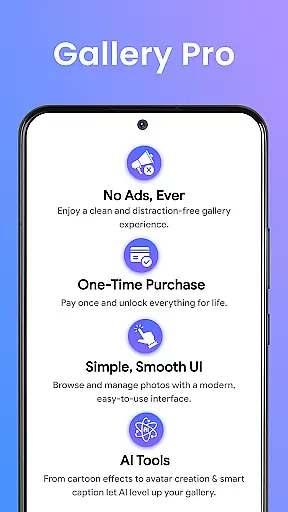
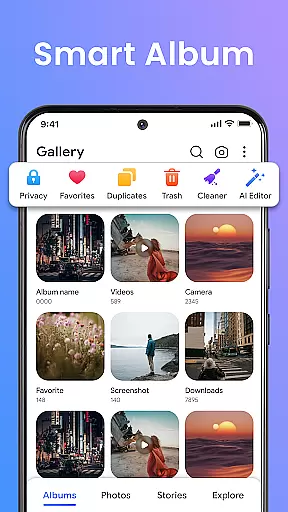


Gallery Pro is a comprehensive HD photo gallery app designed to help users organize, manage, and secure their photos and videos. With its clean and intuitive interface, the app offers effortless media management through features like a gallery vault, intelligent photo organizer, and seamless slideshow creator. Whether you need to sort your albums, view high-quality images, or protect private content, Gallery Pro provides all the necessary tools in one place.
The app stands out with its advanced security features, particularly the encrypted vault that keeps sensitive media safe. It also includes practical functionalities such as smart tagging, advanced search, and built-in editing tools. These features make it an ideal solution for both everyday users and privacy-conscious individuals who want to maintain complete control over their digital memories.
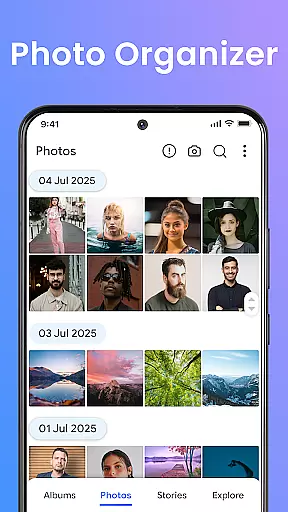
Gallery Pro boasts an impressive array of features that cater to various user needs. The app's clean and fast HD interface allows for quick browsing and organizing of photos, videos, and GIFs. Its smart photo organizer lets users create albums, add tags, and use advanced search to find specific memories instantly.
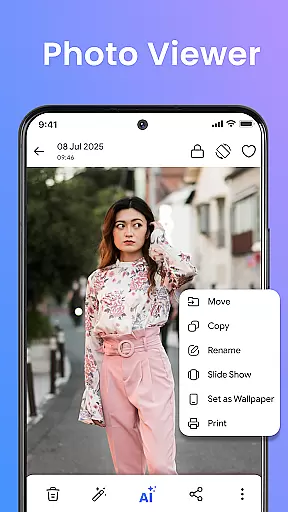
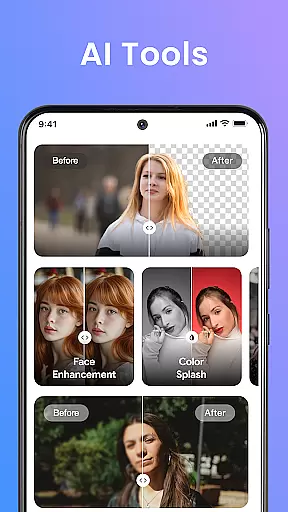
One of the standout features is the built-in photo editor, which offers simple yet powerful tools like crop, rotate, and AI-powered enhancements such as object removal and background blur. Additionally, the app includes a story memories feature that helps users relive past moments by showing what happened on a particular day in previous years. For those interested in creative presentations, the HD slideshow creator transforms favorite memories into stylish slideshows.
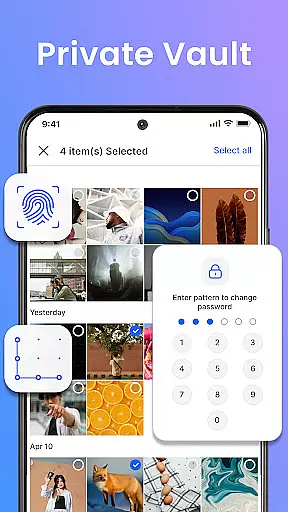
Security is another major focus, with the app providing a private vault to store sensitive media securely. This ensures that even after reinstallation, hidden files remain accessible only to the user. Overall, these features combine to offer a robust and versatile photo management experience.
Real-time capture and preview functionality is essential for any photography app, ensuring that users can instantly see the results of their shots before finalizing them. Gallery Pro offers a seamless experience in this aspect by providing an intuitive interface where users can quickly browse, sort, and organize their photos with a clean and responsive HD viewer.
The app's advanced features include creating albums, adding tags, and using the advanced search feature to instantly find favorite memories. This smart photo organizer allows photographers to manage large collections of images efficiently, making it easier than ever to maintain an organized gallery.
Additionally, built-in editing tools such as crop, rotate, and AI-powered enhancements like object removal or background blur ensure that each captured moment can be perfected. These capabilities not only enhance image quality but also provide creative freedom, allowing users to express themselves fully through their photography.
AI beauty and enhancement features are becoming increasingly popular in photography apps, offering users the ability to refine and perfect their images with natural-looking results. Gallery Pro stands out by integrating powerful AI tools that assist in creating avatars, enhancing photos, and performing smart cleanups directly within its HD gallery interface.
These AI-driven enhancements are designed to be subtle yet effective, ensuring that edits appear genuine and do not detract from the original essence of the photograph. Users can effortlessly apply these enhancements, resulting in polished images that retain their authenticity while showcasing improved aesthetics.
Furthermore, the app prioritizes user privacy and security, especially when handling sensitive media files. With encrypted vault storage and secure permissions management, Gallery Pro ensures that all enhanced images remain private and protected, giving users peace of mind while they explore creative possibilities.
User-friendly interface
Advanced security options
Comprehensive editing tools
Efficient organization features
HD quality display
Requires storage permission
Premium features may cost extra
Limited cross-platform support
Occasional performance lags
Complex setup for beginners

Search, tag and rate your way to an organized image gallery
 4.40
4.40
Photobooth mini FULL app will allow you to add more fun to your parties
4.00
Create & Edit with AI: AI Remove, Enhance, Retouch, Filter
4.10
Photo editor: AI filters, photo enhancer, pic collage maker, AI art generator.
4.80
Take videos and pictures with the popular TikTok TIME WARP SCAN filter.
4.60
Smart, light, and fast photo and video gallery
4.30
Collage your moments in one tap: 1000+ layouts, filters, stickers, and texts.
4.90
Astrophotography with your smartphone, photo live stacking and much more!
3.90
A unique animation app. Powerful, easy to use, and lots of fun.
4.30
Photo prints, cards, & gifts at Walgreens. Easy ordering & fast local pickup !
4.80
1M influencer's special filter
4.60
Viewfinder, Light meter, Reciprocity failure time, DOF & Bellows Extension
4.60
Enhance, retouch & create your story - Share the moment with Photoshop Express.
4.60
PhotoSync Bundle Add-On License. Enables all features and services in PhotoSync.
4.60
AI photo enhancer with Sora 2! Enhance, descratch, and colorize your old photos.
4.50
AI portrait generator and polaroid AI selfie, fun AI generated AI photo creator!
4.30
All-in-One Editor & AI Photo Enhancer, Beautify & Retouch, Collage, Cartoonify
4.20
Professional camera app that brings DSLR manual photography controls to Android.
4.20
live datamoshing
4.00


User Reviews