
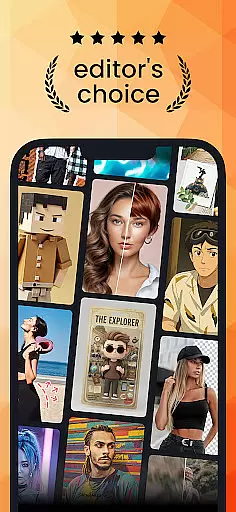
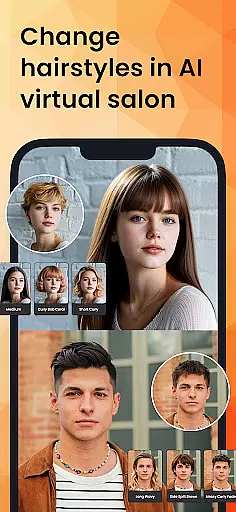
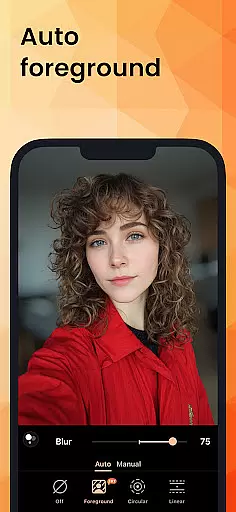
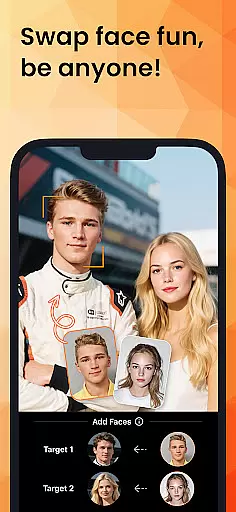
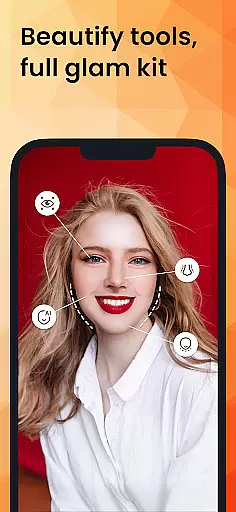
PhotoDirector is an intuitive AI-powered photo editor that empowers users to create and enhance stunning images effortlessly. With hundreds of styles, effects, templates, and tools at your disposal, this app transforms photography into an art form. Whether you're a beginner or a professional, PhotoDirector offers groundbreaking features like AI Removal, AI Expand, and AI Hairstyle, enabling limitless creativity.
The app's standout capabilities include Image to Video, which brings portraits to life, and AI Art, allowing users to turn photos into cartoonized artwork or aesthetic styles. Additionally, the AI Face Swap and AI Outfit features let users experiment with different looks virtually. PhotoDirector also simplifies routine tasks with Quick Actions and Collage tools, making it easy to produce high-quality edits in seconds.
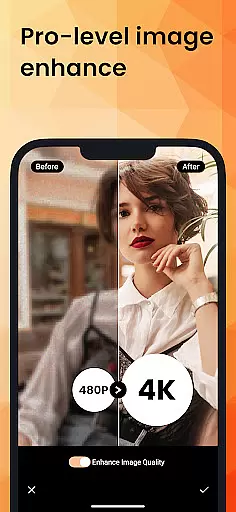
For those seeking advanced functionality, the PREMIUM version unlocks unlimited content packs, Ultra HD 4K resolution saving, and a distraction-free editing experience. Suitable for both casual users and professionals, PhotoDirector ensures your creativity knows no bounds.
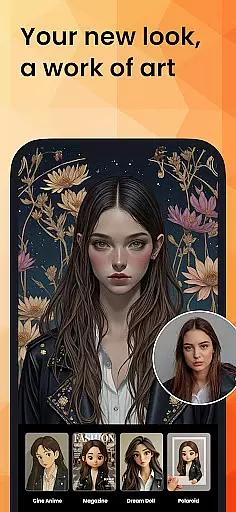
PhotoDirector stands out with its powerful AI-driven features designed to revolutionize photo editing. The AI Art tool allows users to transform images into well-known characters, Japanese animation, sketches, or cartoon styles, offering endless creative possibilities. The AI Face Swap feature lets users mix up their style by swapping faces seamlessly, while AI Hairstyle provides virtual salon experiences to explore perfect hairstyles.
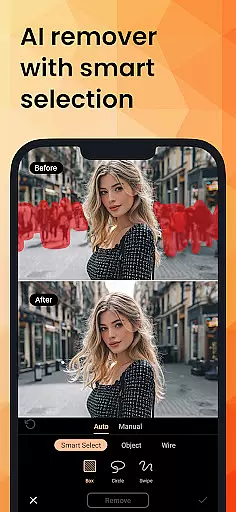
In addition to creative tools, PhotoDirector excels in practical editing solutions. The AI Removal tool automatically detects and erases unwanted objects or wires from photos, streamlining the editing process. AI Replace enables users to change or add elements within images effortlessly. Meanwhile, AI Expand helps adjust aspect ratios by turning close-ups into long shots with a single click.
For routine tasks, PhotoDirector offers Quick Actions for instant image enhancement and Collage tools for creative compositions. Users can also enjoy thousands of stickers, text styles, frames, and effects to personalize their creations. With PREMIUM access, users unlock all-you-can-use content, including filters, backgrounds, and Ultra HD 4K resolution saving, ensuring a smooth and high-quality editing experience.
Real-time capture and preview functionality is essential for ensuring that every photo taken meets the user's expectations without delay. PhotoDirector offers an intuitive interface where users can see adjustments and effects applied instantly, allowing them to make real-time decisions about their photography.
This application leverages advanced processing capabilities to provide a seamless experience when applying filters or making edits while capturing images. Users can experiment with different styles and settings, seeing the results immediately on their screen, which significantly enhances the creative process.
The value of real-time capture and preview in PhotoDirector lies in its ability to save time and improve the quality of photos. By visualizing changes instantly, photographers can focus more on the artistic aspects rather than technical adjustments, leading to more satisfying and professional outcomes.
AI Beauty and Enhancement features in PhotoDirector are designed to naturally enhance portraits without compromising the authenticity of the original image. Using sophisticated algorithms, the app intelligently applies enhancements that complement the subject's features, ensuring that edits look realistic and not over-processed.
Users have access to tools like AI Face Swap, AI Hairstyle, and AI Outfit, which allow for creative yet natural modifications. These features enable users to experiment with different looks and aesthetics while maintaining a lifelike appearance, thanks to the appu2019s intelligent detection and enhancement technologies.
The true advantage of these AI-powered enhancements is the balance between beautification and realism. PhotoDirector ensures that all alterations enhance the user's natural beauty, providing a polished but genuine result that boosts confidence without appearing artificial.
User-friendly interface
Extensive AI tools
Versatile editing options
Premium content unlocked
High-resolution support
Premium subscription required
Some features complex
Heavy on storage
Occasional bugs
Limited free resources

Trendy TikTok time warp scan funny filter app brings you unique photos & videos.
 4.40
4.40
AI photo editor with hair editor, retouch tools, hair color changer & filters!
4.50
The #1 app for B&W film developing featuring an advanced darkroom timer.
4.10
Movie camera, supports pro recording settings for filming. Try it and be amazed!
4.50
Raw Image Viewer. Gallery with support of raw images (.cr3, .cr2, .nef, .raf).
2.00
Luminar: Photo Editor - easy picture editing with AI
4.20
Unblur, enhance & restore photos with powerful AI photo enhancer tools.
4.60
Catch sunlight, sunrise sunset times and sun phases with the AR sun tracker.
4.10
A unique animation app. Powerful, easy to use, and lots of fun.
4.30
Collage your moments in one tap: 1000+ layouts, filters, stickers, and texts.
4.90
Amazing Photo Effects - The most fun you can have with your photos!
4.70
Easily view, share, delete photos with Gallery.
4.70
Transform photos into videos! Create realistic or anime-style images easily!
4.50
RAW video capture with advanced controls
4.40
Turn your phone into a professional camera - full DSLR manual photography
4.30
Virtual makeup, hair filters & body tuner—edit from face to full body!
4.20
AI-powered video creator by MiniMax - Where ideas meet cinema
4.20
USB Storage Access for Photos, Videos, Music and Documents
3.80
Superimpose one photo on top of another using the original Superimpose app!
3.20


User Reviews