
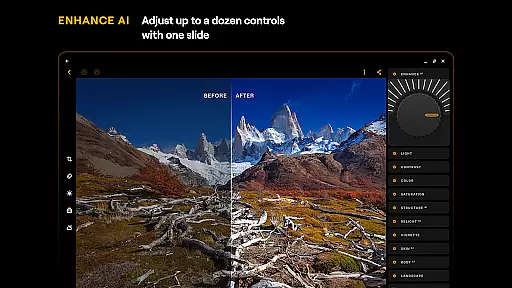
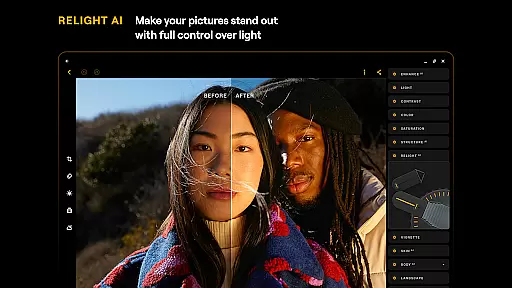
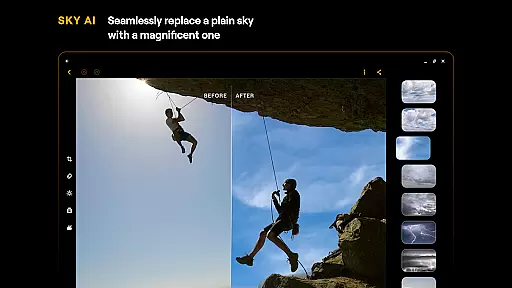
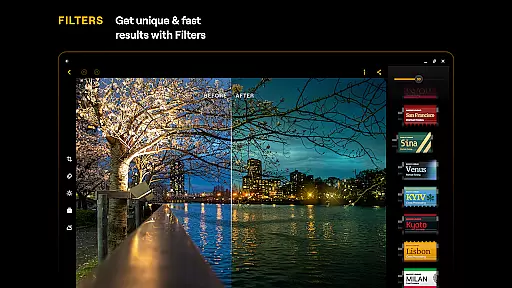
Luminar: Photo Editor is a comprehensive mobile photo editing solution designed for both Android and ChromeOS users. This application combines powerful AI-driven tools with an intuitive, interactive interface that responds to touch gestures, providing users with a seamless editing experience. The app features smoothly gliding sliders and spinning dials that make photo adjustments feel natural and engaging.
With Luminar, you gain access to advanced AI enhancements such as SkyAI, EnhanceAI, StructureAI, RelightAI, SkinAI, and BodyAI. These tools allow you to replace skies, enhance image quality, unlock hidden details, control lighting, retouch skin, and adjust body shapes with professional precision. Additionally, the app offers all-in-one editing capabilities including Curves, Details, Crop, Landscape, Monochrome, Erase, and Photo Filters, ensuring every aspect of your photo can be perfected.
Designed for devices running Android 11 or later, and compatible with ChromeOS, Luminar: Photo Editor brings professional-grade tools to your fingertips. Whether you're a beginner or a seasoned photographer, this app provides a range of features from detail enhancement to color adjustment, making it an essential creative companion for on-the-go photo editing.
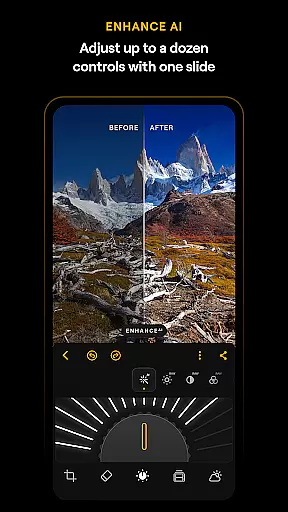
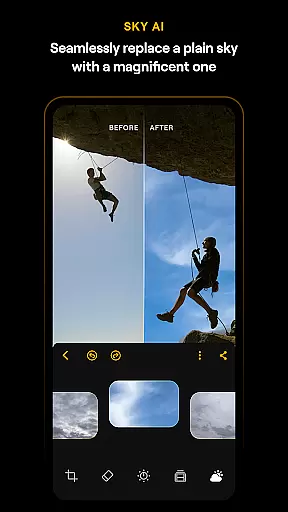
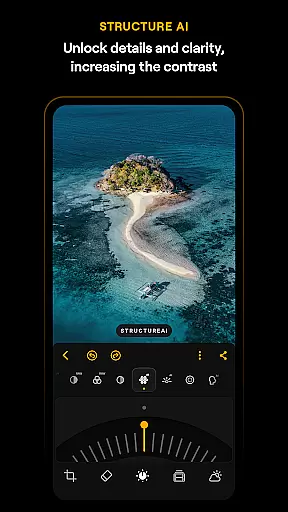
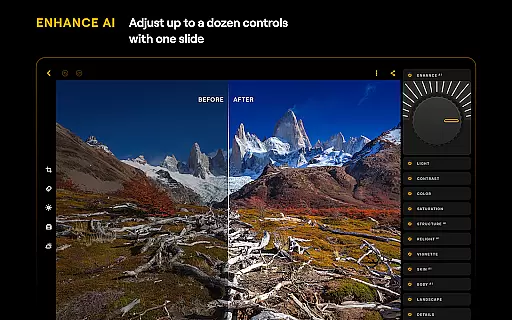
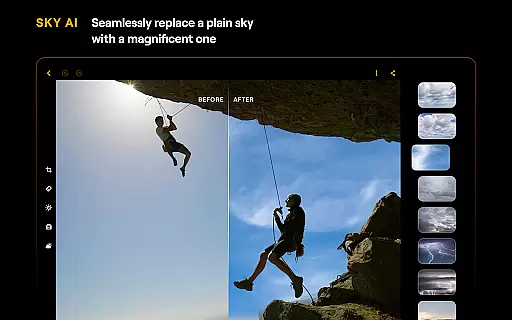
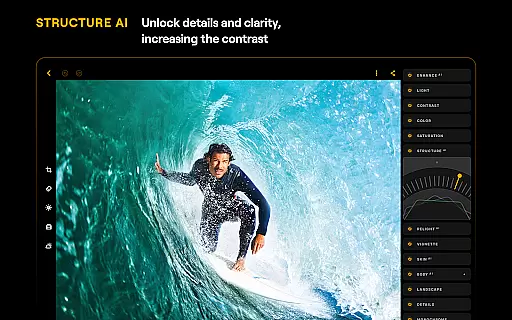
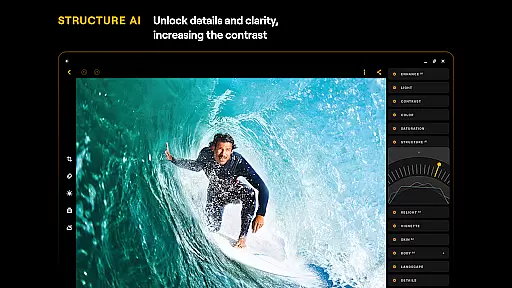
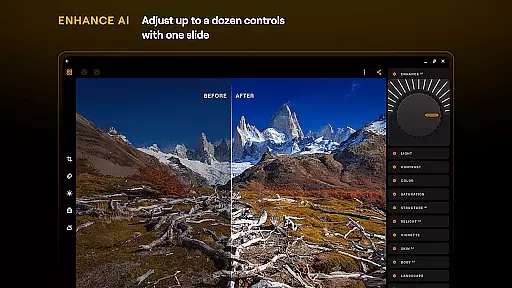
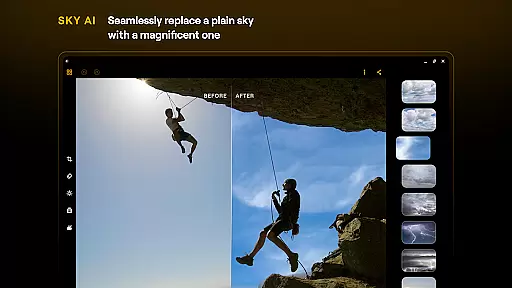
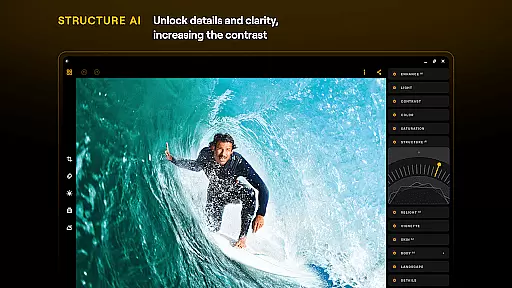
Luminar: Photo Editor stands out with its innovative AI-powered features that cater to various photo editing needs. The app's SkyAI allows users to replace dull skies with vibrant ones, creating stunning backdrops instantly. EnhanceAI simplifies the enhancement process by adjusting color, tone, and clarity with a single slide, delivering professional results in seconds. StructureAI helps reveal hidden details and textures, adding striking visual impact to images.
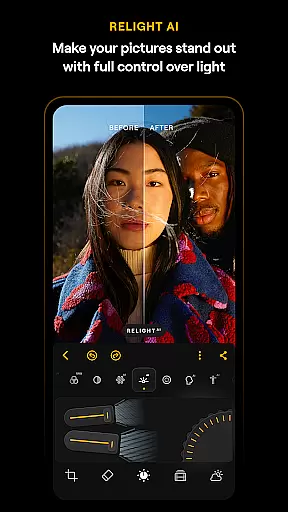
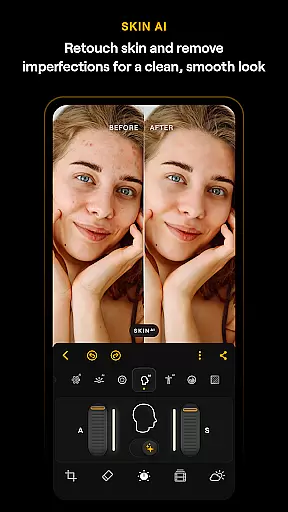
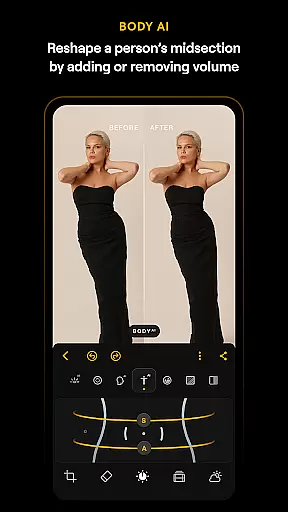
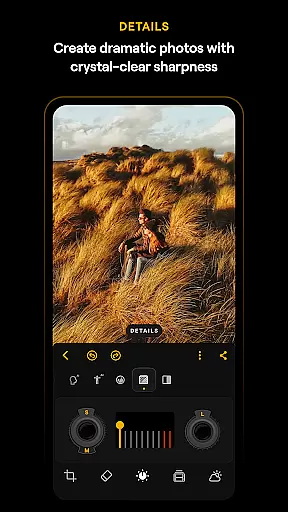
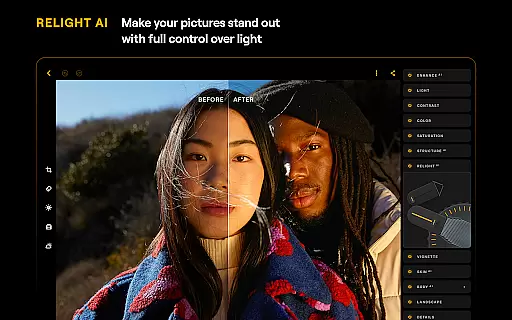
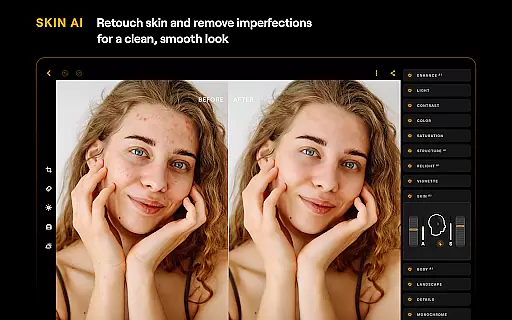
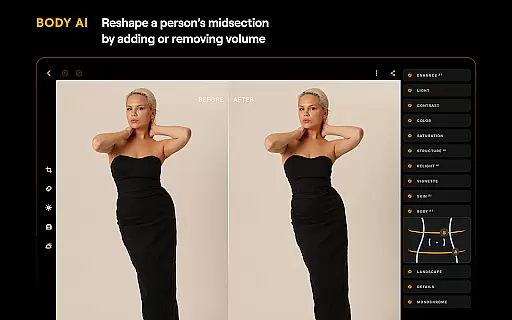
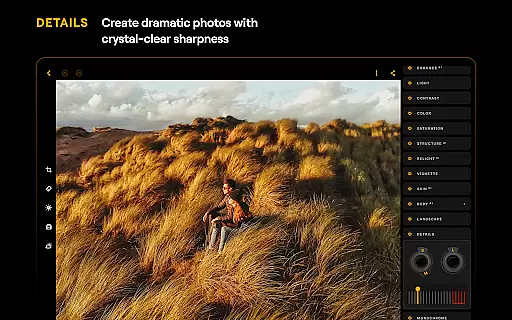
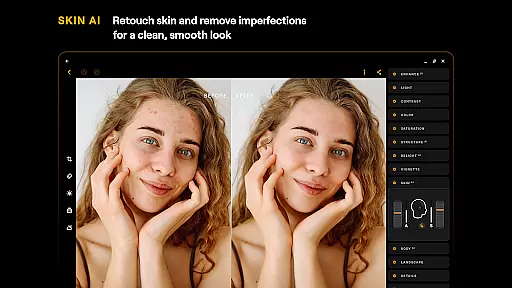
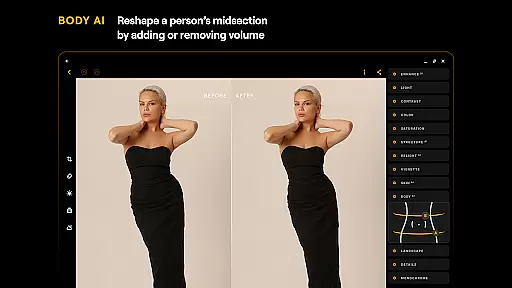
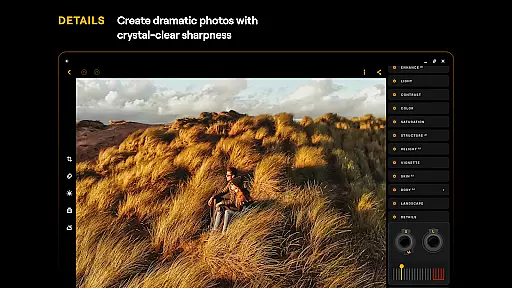
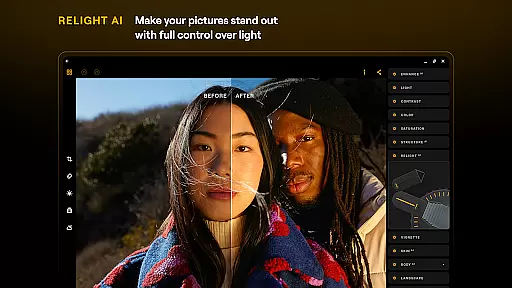
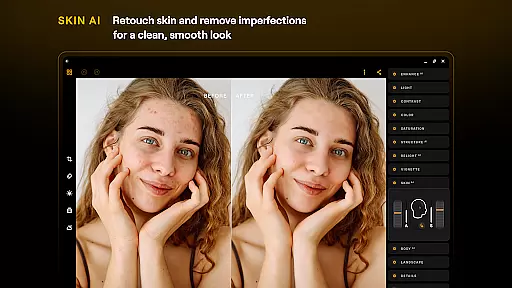
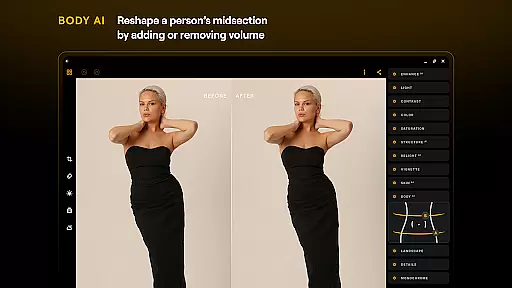
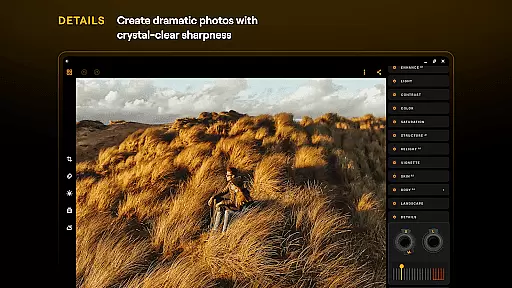
RelightAI gives users full control over exposure and light sources, enabling dynamic lighting adjustments to match artistic visions. SkinAI automatically retouches skin, removing imperfections for a polished look, while BodyAI realistically adjusts a subject’s midsection volume. Beyond AI tools, Luminar includes traditional editing features like Curves for precise color adjustments, Details for enhancing sharpness, and Crop for perfect compositions.
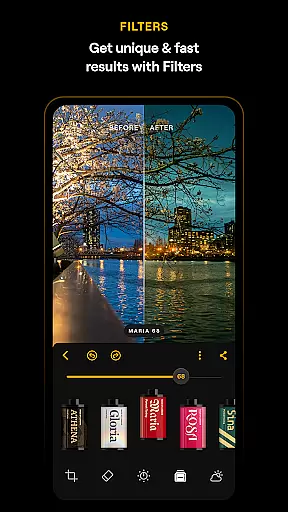
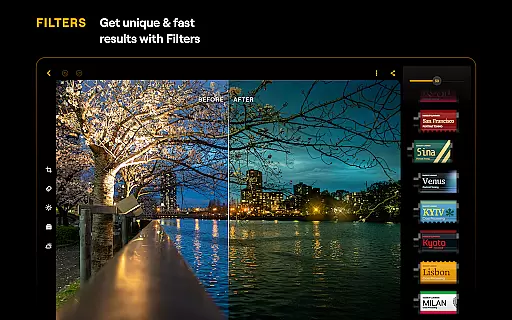
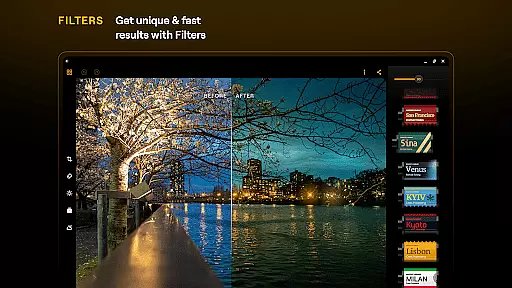
The app also supports RAW file editing, allowing photographers to maintain maximum image quality during post-processing. With additional tools such as Landscape, Monochrome, Erase, and diverse Photo Filters, Luminar: Photo Editor ensures every user can achieve their desired aesthetic. Its compatibility with Android 11+ and ChromeOS makes it accessible for a wide range of devices, offering a streamlined and responsive interface built for creativity.
Real-time capture and preview functionality is essential for ensuring that photographers can accurately frame and adjust their shots before taking the final image. Luminar: Photo Editor offers a streamlined design with unparalleled control, allowing users to edit photos using intuitive gestures.
The application's interface includes smoothly gliding sliders and spinning dials that respond realistically to touch with motion and sound. This responsive design ensures that users can see the effects of their adjustments instantly, providing an engaging photo editing experience.
With Luminar's real-time capabilities, there are no complicated functions or processes to hinder creativity. Users can effortlessly enhance photo quality, adjust color, tone, and clarity, and dynamically control exposure and light sources, all in real time.
This instant feedback loop empowers both beginners and professionals to make precise edits, ensuring that the final photograph meets their artistic vision without any guesswork. The result is a more efficient and satisfying editing process.
AI beauty and enhancement features have become a cornerstone of modern photo editing, allowing users to retouch images while maintaining a natural look. Luminar: Photo Editor leverages cutting-edge AI-driven tools like SkinAI and BodyAI to automatically retouch skin and adjust body proportions realistically.
SkinAI removes imperfections and creates a clean and smooth result by recognizing and enhancing the natural texture of the skin. Similarly, BodyAI allows for realistic shaping of a subjectu2019s midsection by adding or removing volume, ensuring edits are subtle and lifelike.
These smart AI enhancements ensure that every picture edit looks professional yet retains authenticity. By adjusting elements such as skies, lighting, and hidden details, Luminar delivers striking visual impact without compromising the original essence of the photo.
Ultimately, these AI-powered tools enable users to achieve polished and aesthetically pleasing results, making Luminar: Photo Editor an indispensable creative companion for on-the-go photo editing.
Powerful AI tools
User-friendly interface
Wide feature set
RAW file support
Cross-platform compatibility
Paid subscription required
Auto-renewal by default
Advanced features may overwhelm beginners
Limited free trial period
High system requirements

HD Photo gallery and photo manager to edit, hide private photos, videos & albums
 4.5
4.5
Cut and paste photo editor & eraser to customize photos easy and swap faces fun
4.50
Photo prints, cards, & gifts at Walgreens. Easy ordering & fast local pickup !
4.80
Amazing Photo Effects - The most fun you can have with your photos!
4.70
Create amazing frames with up to five photos. Rounded corners, effects and more!
3.60
Smart, light, and fast photo and video gallery
4.30
Fit multiple photos on one post. Create carousels & scroll layouts for Instagram
4.50
Transform Photos: Edit, Beautify and Craft Memories & Make Collages!
4.10
Your personal guide to the sun and moon. Plan ahead, visualize and predict!
4.70
Gallery show photo, video, slideshow, is perfect 3D effect private photo albums.
4.80
Cartoon and artistic effects for your photos and videos
4.70
Automatically backup your photos and videos to computer, NAS and Cloud services
4.60
Discover & download millions of art for The Frame TV or Hisense CanvasTV
4.60
AI photo enhancer with Sora 2! Enhance, descratch, and colorize your old photos.
4.50
A reflected light meter with spot metering and incident light metering.
4.40
All-in-One Editor & AI Photo Enhancer, Beautify & Retouch, Collage, Cartoonify
4.20
Virtual makeup, hair filters & body tuner—edit from face to full body!
4.20
Professional quality photo edits with the new Snapseed.
4.00
Snap photos remotely using your Garmin watch as the camera trigger
4.0


User Reviews