
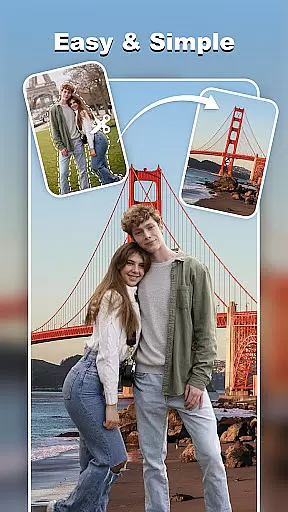
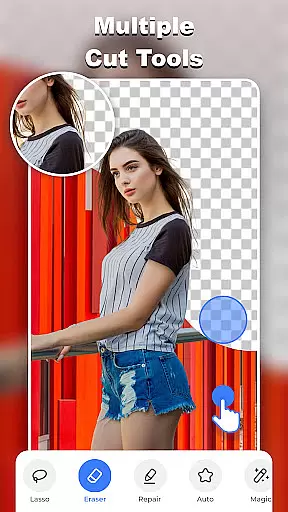
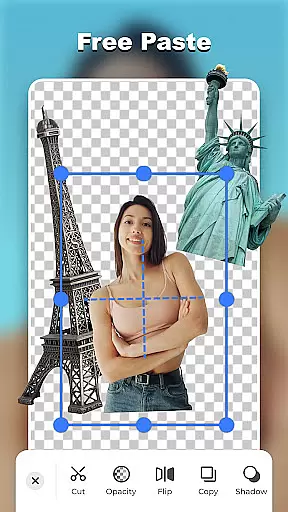
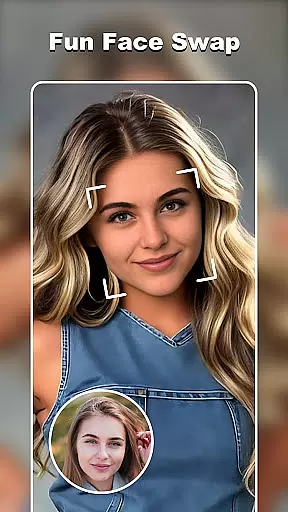

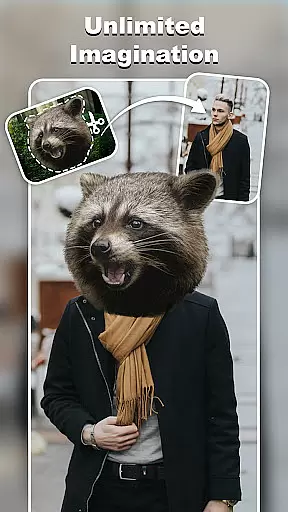

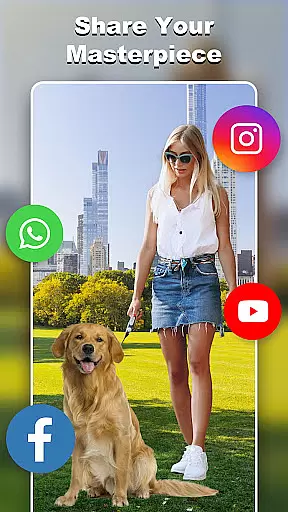
Cut and Paste Photo Editor is a versatile photography app that allows users to effortlessly cut, paste, and edit images with precision. The app's AI-powered tools enable users to create high-quality cutouts, perform face swaps, and remove backgrounds with ease. Whether you're looking to create stunning photo collages or prepare professional product photos for e-commerce platforms like Amazon and Etsy, this app provides the necessary tools.
With additional features such as an online background library, ready-made templates, and colorful decorations, users can enhance their photos with artistic flair. The powerful photo editor supports pixel-level editing, fast background erasing, and unleashing limitless creativity, making it suitable for both casual and professional use.
The Cut and Paste Photo Editor stands out with its comprehensive set of features tailored for creative photo editing. Users can take advantage of the magic cutting tools, including lasso, smooth, repair, auto-cut, and magic cut, to precisely cut out objects from images. The app also offers smooth pasting capabilities, allowing users to merge multiple elements seamlessly and adjust colors, add neon backgrounds, or flip cutouts.
Beyond basic editing, the app includes fun functionalities such as face swap and AI photo generation, which transforms selfies into various art styles. With an extensive online background library and ready-to-use templates, users have endless possibilities for customizing their photos. Moreover, the inclusion of text magic with 20+ unique fonts adds personality to any image, while e-commerce-ready features cater to sellers needing professional-looking product photos.
Real-time capture and preview functionality is essential for ensuring that users can see the results of their edits instantly. In Cut and Paste Photo Editor, this feature allows users to visualize changes as they happen, providing immediate feedback on their photo editing actions.
The app employs advanced processing techniques to deliver a seamless experience when users cut, paste, or apply effects to their images. This ensures that even complex edits like face swaps or background removals are previewed without delay, maintaining the creative flow.
For users, this means no more guesswork or waiting for previews to render. They can make precise adjustments and see the outcomes instantly, which enhances the overall editing process and saves valuable time.
This instant feedback loop not only boosts productivity but also makes photo editing more intuitive and enjoyable. Users can experiment with confidence, knowing exactly how each change will look, leading to more satisfying and professional results.
AI beauty and enhancement features in photo editors aim to improve aesthetic appeal while maintaining a natural look. Cut and Paste Photo Editor leverages sophisticated AI algorithms to enhance facial features, skin texture, and overall image quality without making the results appear artificial.
The app's AI technology intelligently identifies facial landmarks and applies enhancements that complement the user's natural appearance. Whether it's smoothing skin, whitening teeth, or enhancing eye brightness, the modifications are subtle and personalized, preserving authenticity.
Users benefit from this approach by achieving polished yet genuine-looking edits. The enhancements blend seamlessly with the original photo, avoiding the over-processed look that can occur with less advanced tools.
Ultimately, the AI beauty features empower users to create stunning images that retain their unique character. This balance between enhancement and naturalness sets Cut and Paste Photo Editor apart, offering professional-grade results accessible to everyone.
User-friendly interface
AI-powered editing tools
Versatile template options
High-quality results
Fun and creative features
Limited advanced tools
Occasional ads
Premium feature costs
Learning curve for new users
Some features require internet

Gallery show photo, video, slideshow, is perfect 3D effect private photo albums.
 4.80
4.80
How old age camera Gender Swap App Face Shape Hairstyle App Hair Styler App fun!
4.00
Android Native system HD camera app. Never been so simple and faster.
4.70
Automatically backup your photos and videos to computer, NAS and Cloud services
4.60
Add a dreamy vibe to your selfies and videos with soft style filters
4.5
Create AI photos & videos with Enhancer; restore, fix, beautify, enhance photos
4.50
Smart, light, and fast photo and video gallery
4.30
Discover & download millions of art for The Frame TV or Hisense CanvasTV
4.60
Your Family Calendar + Photos. Manage your Skylight Calendar and Skylight Frame.
4.40
Viewfinder, Light meter, Reciprocity failure time, DOF & Bellows Extension
4.60
Safe & smart flight with Go Fly drone controller for 40+ drone camera, zone map
4.50
Photo Exif Editor allows to view, add and modify EXIF data of multiple photos
4.50
Movie camera, supports pro recording settings for filming. Try it and be amazed!
4.50
Shooting photos and records video easily and efficient with professional Camera
4.30
Professional photography on your mobile phone
4.20
Photo editor: face & body editor, beauty cam, filters and quality enhancer.
4.00
Create amazing frames with up to five photos. Rounded corners, effects and more!
3.60
Superimpose one photo on top of another using the original Superimpose app!
3.20
Photo Album Watch Face shows your favorite pictures as a Watchface.
1.90


User Reviews