
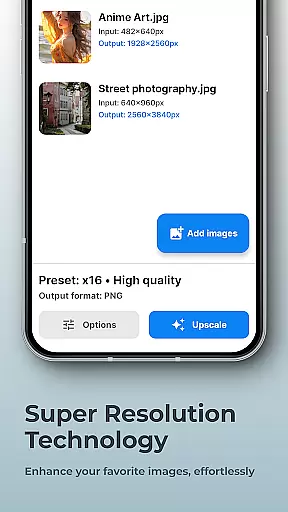
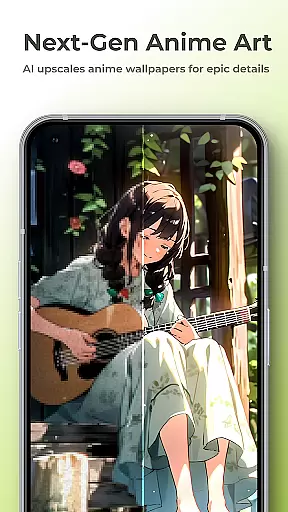
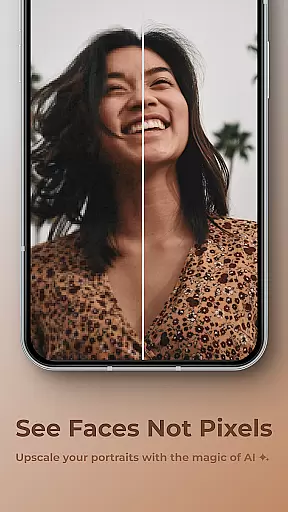
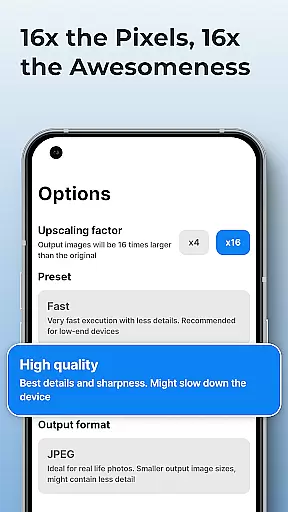
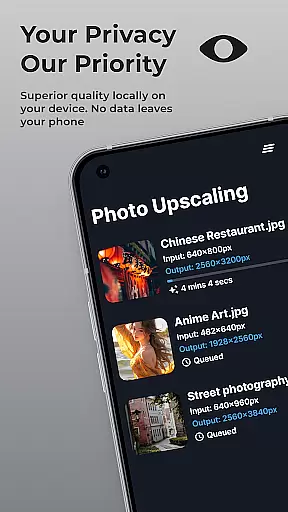
SuperImage Pro is a comprehensive AI-powered photo editing application designed for photography enthusiasts and professionals alike. This app offers an extensive suite of tools to enhance, transform, and upscale images directly on your device. With features like background removal, portrait enhancement, and image upscaling up to 16x resolution, it caters to users seeking high-quality results without compromising privacy.
The application leverages advanced on-device AI processing, ensuring all transformations occur locally without the need for an internet connection. This approach not only guarantees faster processing speeds but also prioritizes user privacy by keeping all data securely on the device. Whether you're refining facial features in portraits or creating transparent cutouts, SuperImage Pro delivers professional-grade results while maintaining complete control over your content.
Ideal for creative projects, this app is particularly valuable for photographers, designers, and marketers who require versatile image editing capabilities. Its ability to load custom AI models in various formats makes it adaptable to specific workflow requirements, offering a tailored experience that meets diverse professional needs.
SuperImage Pro stands out with its robust feature set that combines powerful AI technology with user-friendly functionality. The app's core strength lies in its on-device AI processing capabilities, which utilize optimized machine learning models to deliver fast and accurate image transformations. This ensures that all enhancements, from background removal to resolution upscaling, happen instantly and securely without ever leaving your device.
One of the most notable features is its unlimited creative potential. Users can enhance, upscale, and modify images without worrying about subscription limits or credit systems. The app supports advanced functionalities like portrait refinement, where facial details are sharpened and background clarity is improved, producing studio-quality results. Additionally, the ability to import custom AI models in PyTorch, ONNX, and MNN formats provides unparalleled flexibility for power users seeking specialized editing capabilities.
Privacy remains a top priority, with all processing occurring locally on the device. This architecture not only protects sensitive data but also enables offline functionality, making it perfect for professionals working in environments where internet access might be limited or restricted. The combination of these features creates a powerful yet accessible tool that empowers users to achieve exceptional results while maintaining complete control over their creative process.
Real-time capture and preview functionality is essential for photography applications as it allows users to see exactly what the camera is capturing before taking a shot. This ensures that the framing, lighting, and composition are all perfect before the shutter is pressed.
SuperImage Pro excels in this area by utilizing advanced AI models optimized for modern hardware. The app processes images directly on the device, providing instantaneous feedback without any lag. Users can adjust settings and instantly see how these changes affect the final image, ensuring optimal results every time.
The benefit of real-time capture and preview is significant. It empowers photographers to make informed decisions quickly, saving time and improving the quality of their work. With SuperImage Pro, you can trust that your photos will look exactly as intended, thanks to its fast and private processing capabilities.
AI beauty and enhancement features have become increasingly popular in photography apps, offering tools to refine facial features, enhance background clarity, and improve overall image quality. However, maintaining naturalness while enhancing images is crucial to avoid artificial-looking results.
SuperImage Pro addresses this need by employing sophisticated AI algorithms that sharpen details and refine facial features without compromising the authenticity of the original photo. Whether you're working with low-resolution portraits or high-quality images, the app ensures that enhancements are subtle yet effective, preserving the natural beauty of your subjects.
Users benefit from this approach by achieving professional-grade edits effortlessly. The app's ability to enhance images while keeping them looking genuine sets it apart from other photography tools. With SuperImage Pro, you can elevate your photography game without worrying about over-processing or losing the essence of your original shots.
Advanced AI processing
Complete privacy protection
Unlimited free usage
Custom model support
Professional-grade tools
Steep learning curve
High system requirements
Limited beginner guidance
No cloud backup option
Resource-intensive operations

Effortlessly organize, view and share your photos & videos with Gallery app!
 4.40
4.40
Photo Album Watch Face shows your favorite pictures as a Watchface.
1.90
Perfect photos with body shaping, BG changer and object remover.
3.70
What celebrity do you look like? Celebs will find your celebrity match!
4.10
Transform photos into videos! Create realistic or anime-style images easily!
4.50
Photo editor & gallery. Crop pictures & edit photos offline, no wifi!
4.50
Create AI photos & videos with Enhancer; restore, fix, beautify, enhance photos
4.50
Hair color changer, AI haircut app, fun hair editor and buzz cut filter for all!
3.80
Try an anime version, cartoon yourself, and generate AI hug or aging videos!
3.70
Create funny photos and videos with the popular Time Warp Scan filter.
4.90
Perfect body tune & face app - photo retouch, makeup, slim body & beautify face.
4.80
Light-weight Media Gallery app for Android made with Jetpack Compose
4.60
Easily create custom gifts, cards, photo books & more on the Shutterfly app!
4.60
Photo Exif Editor allows to view, add and modify EXIF data of multiple photos
4.50
Easily stitch panoramas from multiple photos or video.
4.40
All-in-One Editor & AI Photo Enhancer, Beautify & Retouch, Collage, Cartoonify
4.20
How would you look like with a differently shaped nose, chin or lips?
3.90
Remote control of the phone camera from your Wear OS smartwatch
3.70
Over 800 film simulation recipes for Fujifilm. Black Friday Offer!
4.0


User Reviews