
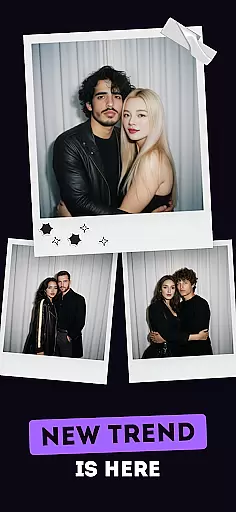
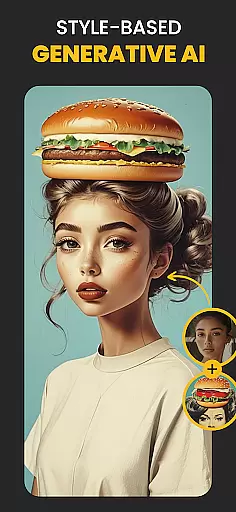
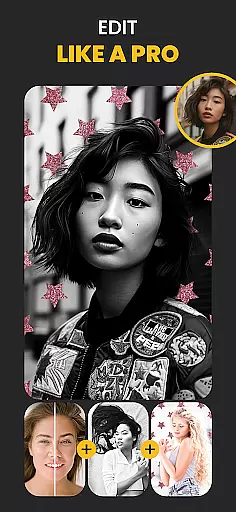
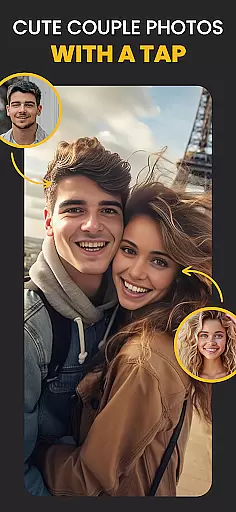
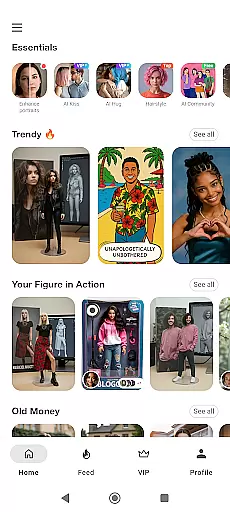
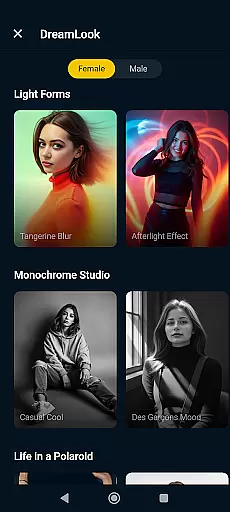
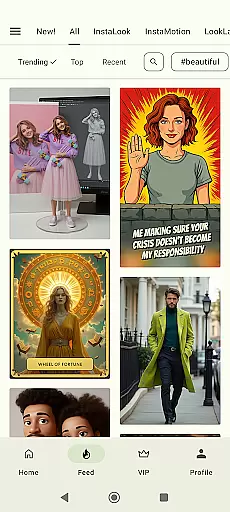
Photo Lab Picture Editor & Art is an advanced AI photo editing application that offers a comprehensive suite of tools for transforming ordinary photos into stunning works of art. With over 50 pre-set neural art styles, the app allows users to apply smart filters and effects powered by artificial intelligence.
The app includes realistic photo effects, face photo montages, and an easy-to-use photo background editor. Users can create captivating collages, apply stylish frames, and use various artistic filters such as 3D photo, cartoon, vintage, anime, and oil painting. These features ensure your photos stand out with professional-grade edits without requiring expert skills.
Ideal for social media enthusiasts and creative professionals, Photo Lab is perfect for enhancing profile pictures and sharing visually appealing content across platforms. The app's internet-based processing keeps devices free from resource-heavy files while delivering high-quality results.
Photo Lab stands out with its innovative AI-powered features that cater to diverse photo editing needs. The Neural Photo Art Styles function uses machine learning algorithms to automatically transform any image into an artwork resembling famous painting techniques or modern artistic styles.
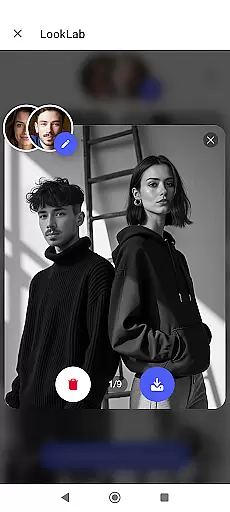
The app provides automatic face detection for creating fun montages where users can swap faces with celebrities, cartoons, or even inanimate objects. Its background editor simplifies complex tasks like removing and replacing photo backgrounds with creative templates. Additionally, the photo frames feature offers elegant borders and finishing touches to accentuate memorable moments.
With seamless integration of photo collages, various artistic filters, and user-friendly customization options, Photo Lab ensures both amateur and professional photographers can achieve their desired visual effects efficiently. The app's cloud-based architecture maintains device performance while enabling sophisticated editing capabilities.
Real-time capture and preview functionality is essential for ensuring that users can immediately see the results of their photo edits. In Photo Lab Picture Editor & Art, this feature allows users to witness transformations as they apply various filters and effects.
The app leverages advanced processing capabilities to deliver instantaneous previews of AI photo styles, face photo montages, and other effects. This ensures that users can experiment with different creative options without delay.
With real-time feedback, users gain the confidence to explore artistic choices, knowing exactly how each edit will look before finalizing their work. This immediate visual confirmation enhances the overall editing experience.
Ultimately, real-time capture and preview empower users to create polished and professional-looking images efficiently, making photo editing more accessible and enjoyable.
AI beauty and enhancement features are designed to improve the aesthetic appeal of photos while maintaining a natural look. Photo Lab Picture Editor & Art employs sophisticated algorithms to enhance facial features subtly and elegantly.
This app offers a variety of AI-driven tools that intelligently smooth skin, brighten eyes, and refine facial structures without creating an over-processed appearance. The emphasis on naturalness ensures that edited photos retain authenticity.
Users benefit from these enhancements by achieving professional-quality results effortlessly. Whether applying subtle touch-ups or dramatic changes, the app's AI respects the original character of the image.
By prioritizing natural beauty enhancement, Photo Lab enables users to produce stunning yet believable edits, elevating their photography while preserving genuine expressions and details.
User-friendly interface
AI-powered photo effects
Versatile frame options
Quick background removal
Multiple art styles
Internet connection required
Premium features locked
Ads between editing
Limited offline functions
Subscription costs

Shooting photos and records video easily and efficient with professional Camera
 4.30
4.30
HD Photo gallery and photo manager to edit, hide private photos, videos & albums
4.5
How old age camera Gender Swap App Face Shape Hairstyle App Hair Styler App fun!
4.00
Edit like a pro with Hypic. Apply filters, AI effects, & magic touch.
4.40
Photo prints, cards, & gifts at Walgreens. Easy ordering & fast local pickup !
4.80
Turn your phone into a professional camera - full DSLR manual photography
4.30
Enhance, retouch & create your story - Share the moment with Photoshop Express.
4.60
Astrophotography with your smartphone, photo live stacking and much more!
3.90
Try an anime version, cartoon yourself, and generate AI hug or aging videos!
3.70
Light-weight Media Gallery app for Android made with Jetpack Compose
4.60
Take videos and pictures with the popular TikTok TIME WARP SCAN filter.
4.60
Safe & smart flight with Go Fly drone controller for 40+ drone camera, zone map
4.50
Photo Exif Editor allows to view, add and modify EXIF data of multiple photos
4.50
Trendy TikTok time warp scan funny filter app brings you unique photos & videos.
4.40
Virtual makeup, hair filters & body tuner—edit from face to full body!
4.20
What celebrity do you look like? Celebs will find your celebrity match!
4.10
Perfect photos with body shaping, BG changer and object remover.
3.70
Superimpose one photo on top of another using the original Superimpose app!
3.20
Over 800 film simulation recipes for Fujifilm. Black Friday Offer!
4.5


User Reviews