
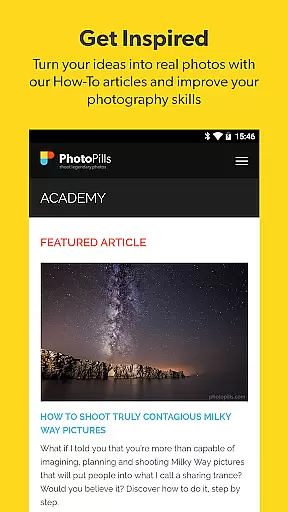


PhotoPills is an all-in-one photography planning app designed to unlock creative potential and turn imaginative scenes into reality. It offers comprehensive tools for planning shots involving the Sun, Moon, and Milky Way, making it invaluable for landscape and night sky photographers.
The app provides unique features such as 2D map-centric planning, augmented reality views, and a suite of calculators including long exposure and timelapse. These capabilities ensure users can effectively plan and capture legendary photos every time they shoot.
Whether capturing landscapes, immortalizing the night sky, or documenting special events like weddings, PhotoPills enhances artistic possibilities. Its intuitive interface and precise planning tools make it suitable for both amateur and professional photographers aiming to elevate their craft.
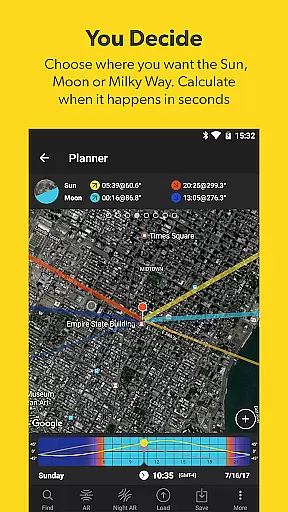
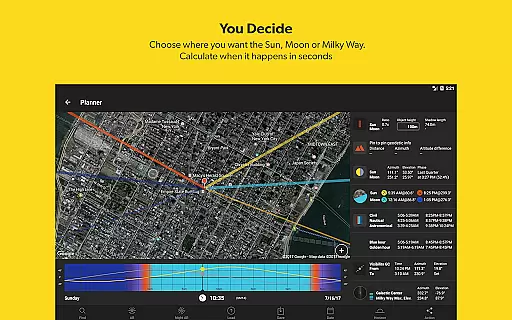
PhotoPills stands out with its innovative features tailored for photographers. The app includes a 2D map-centric planner for Sun, Moon, and Milky Way alignments, allowing users to visualize and plan their shots with precision.
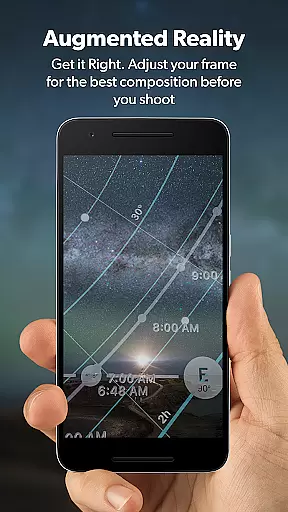
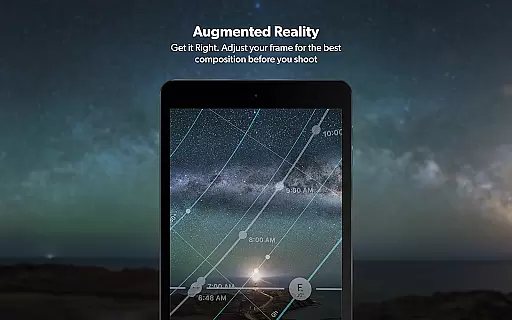
One of the key highlights is the 3D augmented reality feature, which overlays celestial objects onto the real-world view through the device's camera. This helps photographers adjust framing and composition before capturing the perfect shot.
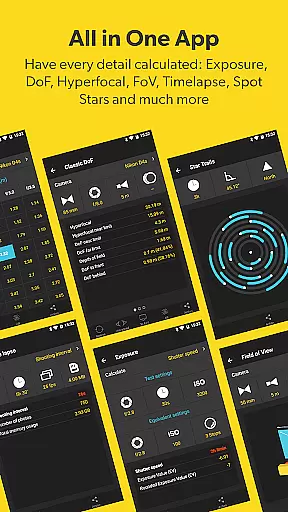
Additionally, PhotoPills offers a range of calculators and widgets that provide essential information such as sunrise/set times, golden hour, blue hour, and moon phases. These tools collectively empower photographers to execute their creative ideas flawlessly.
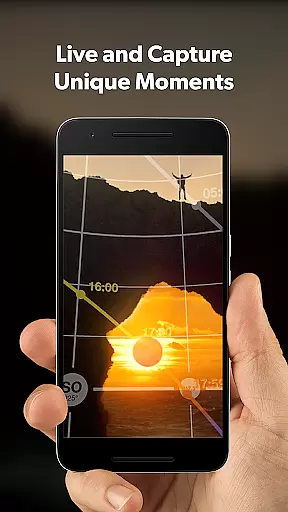
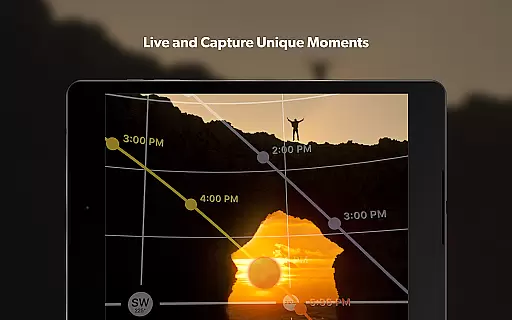
Real-time capture and preview functionality is essential for photographers who need to ensure their shots are perfectly composed before pressing the shutter. PhotoPills offers this feature through its advanced 3D Augmented Reality views, allowing users to visualize exactly where the Sun, Moon, and Milky Way will appear in their shots.
This innovative tool helps photographers adjust their framing with precision, ensuring that celestial bodies align perfectly within the desired composition. By providing an accurate preview of the scene, PhotoPills enables users to plan their shots down to the last detail, making every photo a masterpiece.
The real-time preview feature not only enhances creative control but also saves time by eliminating guesswork. Photographers can experiment with different angles and compositions, secure in the knowledge that the final image will match their vision. This capability is particularly valuable for capturing once-in-a-lifetime moments like a Supermoon or the Milky Way arching over a breathtaking landscape.
While PhotoPills does not focus on AI beauty enhancements typical in portrait photography apps, it excels in enhancing the natural beauty of landscapes and celestial phenomena. The app's augmented reality features allow photographers to envision how natural elements like sunlight, moonlight, and starlight will interact with their chosen environment.
PhotoPills provides detailed information on sunrise and sunset times, twilight periods, and the position of celestial bodies, enabling photographers to capture scenes at their most enchanting moments. This data empowers users to create images that highlight the inherent beauty of nature without artificial enhancements.
By focusing on natural beauty and authenticity, PhotoPills caters to photographers who value genuine artistry. The appu2019s comprehensive planning tools ensure that each shot is meticulously crafted to make the most of natural lighting and atmospheric conditions, resulting in stunningly beautiful and authentic photographs.
User-friendly interface
Comprehensive planning tools
Innovative augmented reality
Extensive calculator suite
Endorsed by photography masters
High learning curve
Premium pricing
Device compatibility issues
Complex for beginners
Limited offline functionality

Photo editor: face & body editor, beauty cam, filters and quality enhancer.
 4.00
4.00
Shooting photos and records video easily and efficient with professional Camera
4.30
HD Photo gallery and photo manager to edit, hide private photos, videos & albums
4.5
An interval timer to automate photo taking process for timelapse
2.90
Create & Edit with AI: AI Remove, Enhance, Retouch, Filter
4.10
Over 800 film simulation recipes for Fujifilm. Black Friday Offer!
4.3
Turn photos into cartoons & avatars! - Photo Editor, Cartoon Face!
3.90
Pro version: AR sun/moon tracker for any date. Tool for photographers & planners
4.90
Effortlessly make high-quality GIFs from images & videos without any watermarks.
4.70
Enhance, upscale, and transform your images — on your device, without limits
4.70
Create AI photos & videos with Enhancer; restore, fix, beautify, enhance photos
4.50
Use AI Video Generator to turn your words to ai generated videos.
4.50
Easily stitch panoramas from multiple photos or video.
4.40
All-in-One Editor & AI Photo Enhancer, Collage, Cartoonify, Funny Stickers & BGS
4.10
Gallery Slideshow is slideshow maker app for slideshow from your gallery photos.
3.90
Hair color changer, AI haircut app, fun hair editor and buzz cut filter for all!
3.80
Create amazing frames with up to five photos. Rounded corners, effects and more!
3.60
Superimpose one photo on top of another using the original Superimpose app!
3.20
Raw Image Viewer. Gallery with support of raw images (.cr3, .cr2, .nef, .raf).
2.00


User Reviews