
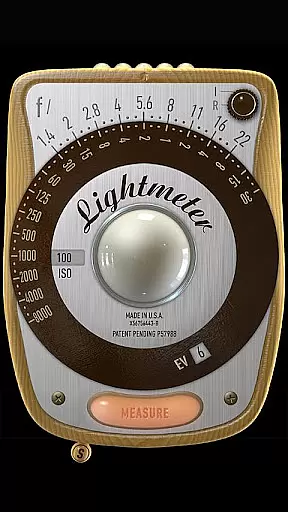
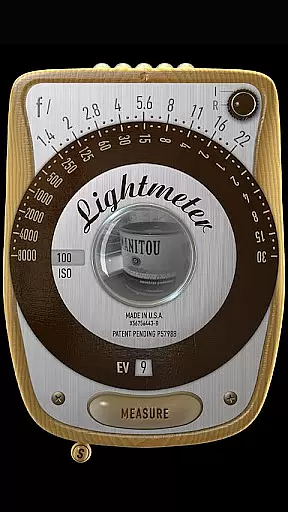
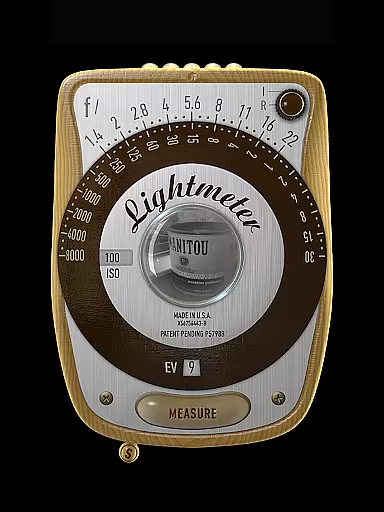
LightMeter is a specialized photography app designed for analog photographers who appreciate traditional techniques. This application provides both reflected and incident light metering capabilities, making it an essential tool for achieving accurate exposure settings. With support for ISO ranges from 3 to 6400 and compatibility with devices that can save exposure data to EXIF, LightMeter offers reliable solutions for professional and amateur photographers alike.
The app's unique features include low light alerts, camera muting functionality (where supported), and calibration options. These tools ensure users can adapt the app to various shooting conditions. Whether you're working in controlled studio environments or unpredictable outdoor settings, LightMeter delivers valuable assistance in capturing perfectly exposed images every time.
LightMeter stands out with its comprehensive feature set tailored specifically for photography enthusiasts. The app supports an extensive ISO range from 3 to 6400, catering to diverse lighting conditions. Its incident light metering function utilizes the device's light sensor, while the reflected light metering option works with compatible cameras to provide precise exposure readings.
Additional notable features include a low light alert system, optional EXIF and sensor information display, and vibration feedback during measurements. Users can also take advantage of the hold function for incident light readings, alternative ISO selectors, and spot measurement capabilities when using cameras with zoom functionality. These thoughtful additions make LightMeter a versatile companion for both casual and professional analog photography projects.
LightMeter offers a unique real-time capture and preview feature that caters specifically to analog photographers. This functionality allows users to accurately measure light conditions through their device's camera, provided it is compatible with saving exposure data to exif.
The app supports both incident and reflected light metering, giving photographers flexibility in how they assess lighting for their shots. Incident light metering relies on the device's light sensor, while reflected light metering uses the camera to evaluate the light reflecting off the subject.
With options like low light alerts, vibration feedback upon measurement, and the ability to mute the camera shutter sound, LightMeter ensures that photographers can operate discreetly and effectively in various shooting environments.
While LightMeter does not focus on AI beauty enhancements, it emphasizes precision and authenticity in light measurement, which is crucial for capturing images as intended without artificial alterations.
The calibration feature of LightMeter ensures that readings are as accurate as possible, considering the limitations imposed by the hardware of the user's device. This commitment to accuracy helps maintain the natural qualities of analog photography.
Additional functionalities such as holding incident light readings, alternative ISO selectors, and spot measuring with zoom further enhance the photographer's ability to capture scenes with fidelity, making every shot a true representation of the moment.
User-friendly interface
Wide ISO range support
Accurate light metering
Comprehensive feature set
Excellent customer support
Limited device compatibility
Requires light sensor
Precise calibration needed
Camera muting not global
Varied metering precision

A collection of tools and reference tables for DPs, ACs, DITs and Operators.
 4.70
4.70
Search, tag and rate your way to an organized image gallery
4.40
Be your best in every shot! Fix, edit and retouch your face in selfies & photos.
3.70
The #1 app for B&W film developing featuring an advanced darkroom timer.
4.10
Create amazing frames with up to five photos. Rounded corners, effects and more!
3.60
Luminar: Photo Editor - easy picture editing with AI
4.20
Fit multiple photos on one post. Create carousels & scroll layouts for Instagram
4.50
Turn photos into cartoons & avatars! - Photo Editor, Cartoon Face!
3.90
Discover & download millions of art for The Frame TV or Hisense CanvasTV
4.60
Pro version: AR sun/moon tracker for any date. Tool for photographers & planners
4.90
Gallery show photo, video, slideshow, is perfect 3D effect private photo albums.
4.80
Take videos and pictures with the popular TikTok TIME WARP SCAN filter.
4.60
Create Business Headshots, Polaroid Filter, Retake Photos,Profile Pics,AI Photos
4.50
Transform photos into videos! Create realistic or anime-style images easily!
4.50
AI portrait generator and polaroid AI selfie, fun AI generated AI photo creator!
4.30
Shooting photos and records video easily and efficient with professional Camera
4.30
live datamoshing
4.00
Remote control of the phone camera from your Wear OS smartwatch
3.70
Remote control the phone camera shutter from your smartwatch and take a picture
1.60


User Reviews