
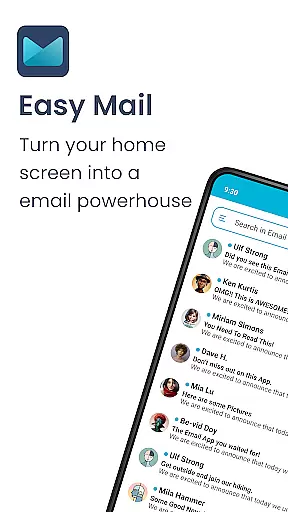
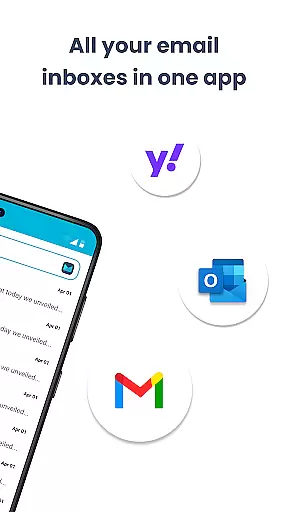
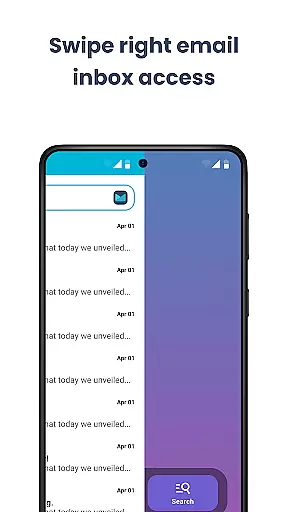
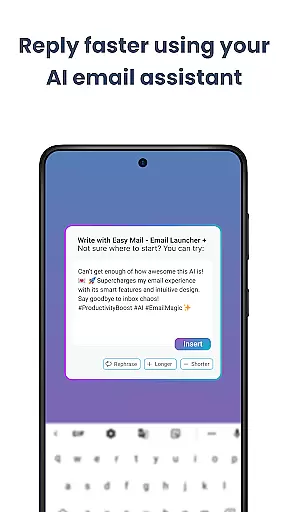
Easy Mail is a personalized email launcher designed to simplify and streamline your daily email management. This app transforms your homescreen into a productivity hub by offering an uncluttered interface focused solely on your email activities. With features like AI Email Assistance, you can effortlessly rephrase or polish your emails while maintaining your natural tone. The app supports unlimited email accounts, allowing you to integrate Gmail, Outlook, Yahoo, and more into a unified inbox.
Beyond its core functionality, Easy Mail enhances your workflow with easy web search capabilities powered by Yahoo Search, enabling you to find information quickly without leaving your email environment. Privacy is a top priority, ensuring that your data remains local and secure. Whether you're looking to reduce screen time or declutter your digital space, Easy Mail offers a comprehensive solution that combines essential launcher features with a user-friendly email experience.
Easy Mail stands out with its array of innovative features tailored for efficient email handling. The Easy Homescreen provides a minimalist design centered around productivity, removing unnecessary distractions. Its support for unlimited email accounts allows seamless integration of various providers into either a unified inbox or individual account views. The AI Email Assistance revolutionizes how you compose emails by offering instant suggestions to refine your writing style while preserving your personal tone.
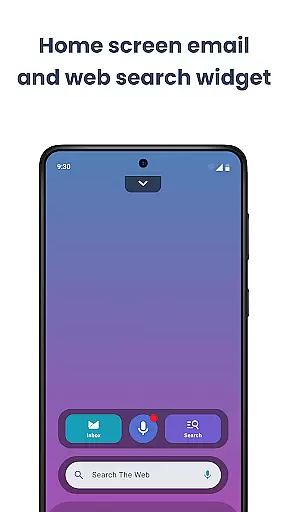
Additionally, the Easy Web Search function lets you browse the internet directly from your homescreen, using autocomplete and trending suggestions for faster results. Launcher Essentials such as an organized homescreen, quick access app drawer, widget support, and content feeds ensure that everything you need is easily accessible. These features collectively create an ecosystem where managing emails becomes intuitive and hassle-free, significantly boosting your overall productivity.
Customization is at the heart of Easy Mail, allowing users to tailor their email experience to fit their unique preferences and workflow. With a clean homescreen built around productivity, users can organize their email environment in a way that reduces clutter and enhances focus.
The app supports unlimited email accounts from various providers like Gmail, Outlook, and Yahoo, enabling users to manage all their emails from a unified inbox or separate them as needed. This flexibility ensures that both personal and professional communications are streamlined and efficient.
Easy Mail also offers AI Email Assistance, which helps users write emails more effectively by rephrasing, shortening, or polishing text while maintaining a natural tone. This feature not only saves time but also improves the quality of communication, making it easier for users to express themselves clearly and professionally.
In addition to email management, Easy Mail provides easy access to web search directly from the homescreen, powered by Yahoo Search. Autocomplete and trending suggestions make finding information quick and effortless, further enhancing the user's ability to customize their digital workspace according to their needs.
Theme compatibility in Easy Mail ensures that users can personalize the visual aspects of their email client to match their aesthetic preferences. Whether you prefer a minimalist design or something more vibrant, Easy Mail allows you to choose themes that resonate with your style, providing a visually pleasing and cohesive experience across your device.
Beyond just appearances, Easy Mail integrates seamlessly with launcher essentials such as an organized homescreen, quick email inbox, app drawer, widget support, and trending content. These elements work together to create a harmonious interface where everything is easily accessible and visually consistent.
Privacy is another crucial aspect of theme customization in Easy Mail. The app prioritizes user security by ensuring that all email data remains local and private. This commitment to privacy means that users can enjoy their customized themes without worrying about compromising sensitive information.
Finally, Easy Mail includes a content feed that pulls down on the homescreen for news and entertainment alongside your email. This feature adds another layer of personalization, allowing users to stay updated with relevant information while managing their emails, thus creating a balanced and engaging digital environment tailored to individual interests.
User-friendly interface
Unified inbox view
AI-powered assistance
Privacy-focused design
Integrated web search
Limited customization options
Occasional sync issues
No advanced filters
Basic widget support
Fewer third-party integrations

Only for Wear OS devices!
 4.90
4.90
Make your phone look simple & luxury, like iDevice
4.60
Bring adorable pets to life on your screen. Playful, interactive and full of fun
4.60
Stylish Pink Cute Hippo keyboard with 10000+ customized keyboard themes!
4.60
Unleash Your Creativity and Connect with Loved Ones with Lockscreen Drawing!
4.20
200+ Material Inspired Widgets
4.50
Your home screen, just the way you like it.
4.30
Fast SMS & group chat - use GIFs and emojis from your home screen launcher.
4.50
Transform your phone with stylish zipper lock themes and 4D live wallpaper
4.10
One 8 icons glass color version
4.80
Icons made of colorful linear lines
4.60
Customizable screen pets that play, climb, and keep you company.
4.50 4.50
4.50 4.50
4.50
Art & Emoji Keyboard with Cool Fonts, Cute Themes and Custom Designs.
4.40
Romantic Kiss Stickers App. Start romantic messaging now!
4.30
Adult video chat, dating, making friends, random matching
4.20
Organize and manage your photos and videos effortlessly with Photo Gallery
4.20
Create unique, fun emojis with Funny Emoji Maker! Unlimited creativity!
4.00


User Reviews