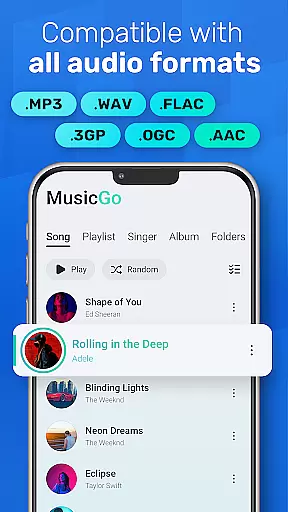
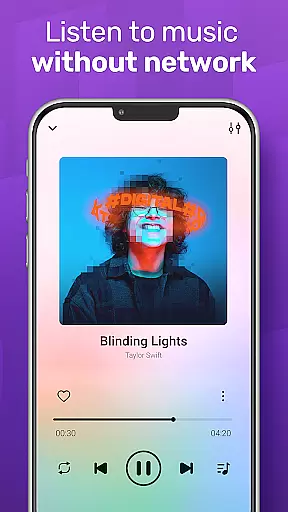
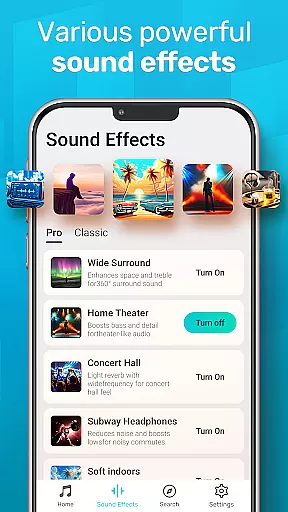
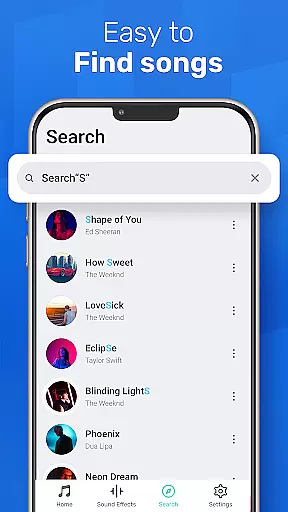
MusicGo is a versatile offline music player app designed for audiophiles who demand both quality and functionality. Supporting all major audio formats like MP3, FLAC, WAV, and more, it ensures optimal sound delivery across devices. With over 20 built-in equalizer presets tailored to various music genres, users can customize their listening experience with ease.
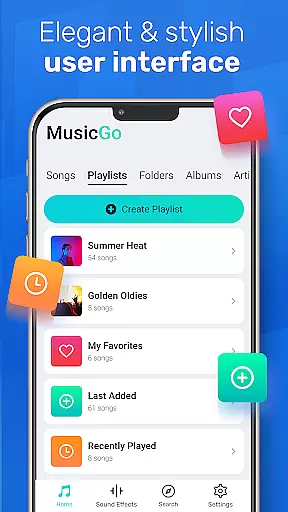
The app's intuitive interface combines style and usability, offering features such as smart playlists, automatic library scanning, and background playback. Whether you're commuting or relaxing at home, MusicGo provides seamless access to your favorite tunes while delivering an immersive audio experience.
MusicGo stands out with its comprehensive feature set tailored for music enthusiasts. The app supports all popular audio formats including MP3, FLAC, WAV, MIDI, AAC, and APE, ensuring no file is left behind. Its powerful equalizer offers over 20 presets, allowing users to fine-tune bass boosts, reverb effects, and other audio enhancements based on their preferences.
Additional functionalities include deep scanning of music libraries, auto-refresh capabilities, and multiple playback options such as shuffle, loop, and repeat modes. Smart auto-generated playlists like 'Most Played' and 'Recently Played' make song management effortless. Bluetooth and wired headphone compatibility further enhance user convenience, making MusicGo the ultimate choice for high-quality offline music playback.
MusicGo offers an extensive music library that supports all major audio formats including MP3, FLAC, WAV, MIDI, AAC, and APE. This ensures users have access to a wide variety of music options without worrying about format compatibility.
The app's deep scanning feature automatically refreshes and organizes your music library, making it easy to manage files directly from your device. With support for various playlists such as albums, artists, and smart auto playlists like Featured, Most Played, Recently Played, MusicGo provides a comprehensive and personalized music experience.
While MusicGo does not directly handle copyright issues due to its offline nature, it respects user freedom by allowing them to play legally acquired music files. The emphasis on supporting numerous formats underlines the appu2019s commitment to delivering high-quality audio experiences while giving users control over their personal collections.
One of MusicGo's standout features is its outstanding sound quality enhanced by over 20 built-in equalizer presets. These include settings tailored for genres such as classical, dance, folk, and rock, ensuring every track sounds perfect according to individual preferences.
Users can further customize their listening experience with bass boosts and reverb effects available at a single tap. This powerful equalizer capability allows for nuanced adjustments that significantly elevate audio playback, catering to audiophiles who demand the best sound performance from their devices.
In addition to superior sound customization, MusicGo supports high-definition audio formats which deliver optimal quality output. Whether using Bluetooth or wired headphones, listeners are guaranteed an immersive experience filled with rich details and clarity, making each session enjoyable regardless of genre or style.
User-friendly interface
Extensive format support
Powerful equalizer options
Smart playlist creation
Seamless background playback
Limited online streaming
No lyrics display feature
Occasional bugs reported
Ads in free version
Heavy on storage

Taal player that lets you sing any Indian & Western song with Tabla & Tanpura
 4.60
4.60
Full-featured, High-Quality Groovebox Workstation, perfect for Live Performance!
4.80
Background pads for your band
3.80
Walkout Song DJ is the most intuitive app to manage your sports music.
4.70
More downloads than any other metronome. Includes drum machine & tempo trainer.
4.80
Learn and play 2M+ music tabs & chords on guitar, ukulele, bass, and more
4.30
Help you quickly get started with Shokz headphones
4.40
Slow music down without changing pitch.
3.70
Offline Tunes, Unlimited Vibes
3.90
JBL PartyBox APP works with 110/310/710/120/320/520/Encore/Encore 2/Encore Ess 2
4.80
Play your hearts out on TouchTunes jukeboxes & connect with fellow music lovers.
4.80
A synth that really lets you shape your sounds!
4.50
Save hundreds of dollars for a physical strobe tuner and instead use this app.
4.50
Play KORG’s revolutionary touch-based instrument on a variety of devices.
4.40
Full featured mp3 and audio player with Chromecast and Android Auto support.
4.40
Advanced 10-Band Audio Graphic Equalizer Sound Booster Pro
4.30
Bass Booster Pro takes auto-equalizing to the next level!
4.30
Time Trainer: accurate metronome w tools to help you develop your internal time!
4.20
The alternative folder based music player.
4.20


User Reviews