
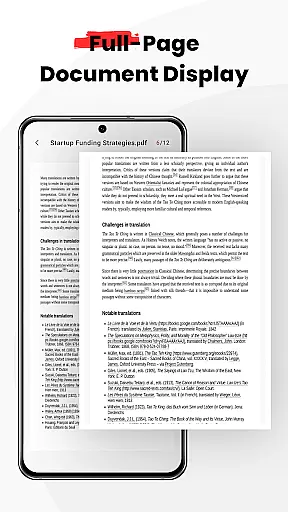
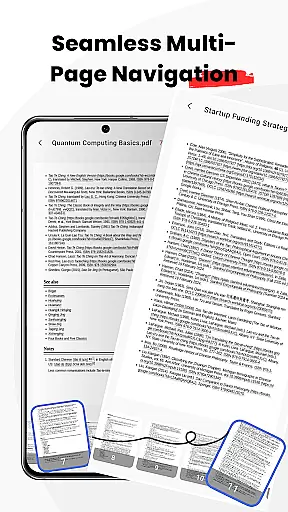
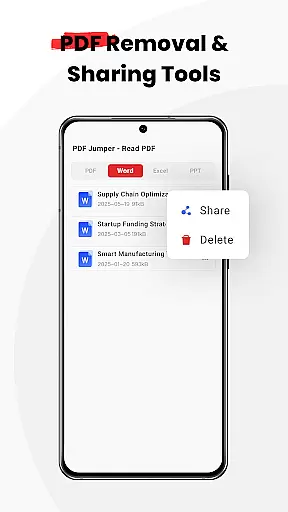
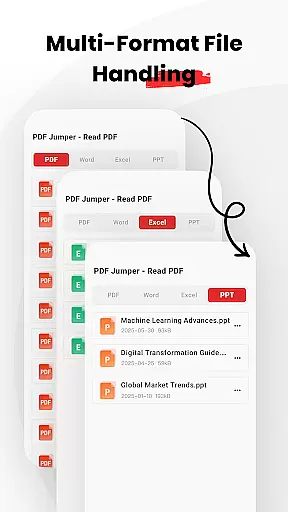
PDF Jumper is a versatile document management solution designed for seamless PDF reading and sharing across all devices. The app offers instant access to PDF files stored on your device, supporting multiple formats including PDF, DOC, PPT, and Excel. With intuitive swipe controls for smooth navigation and smart sharing options, users can effortlessly send documents in various formats. Additionally, the app provides full file management capabilities, allowing users to organize, share, or delete documents directly within the app.
This powerful yet easy-to-use PDF reader is perfect for professionals who need quick and reliable access to their documents while on the go. Its universal compatibility ensures that you can handle all your important files without any hassle, making it an essential tool for efficient business operations.
PDF Jumper stands out with its rich feature set tailored for business users. One of the key highlights is its instant access functionality, which allows users to open and read PDFs stored on their device within seconds. This is complemented by universal compatibility, supporting a wide range of formats such as PDF, DOC, PPT, and Excel, ensuring that no document is left unread.
The app also boasts smooth navigation through intuitive swipe controls, providing an effortless reading experience. Smart sharing features enable users to quickly send documents to colleagues or friends in any supported format. Moreover, the full file management capabilities allow users to organize, share, or delete documents directly from the app, streamlining document handling and enhancing productivity.
PDF Jumper offers robust collaborative work features that are essential for modern business environments. The app allows users to share documents quickly and efficiently, ensuring seamless communication between team members.
With its smart sharing functionality, users can send PDFs and other supported document formats directly from the app interface. This eliminates the need for external file-sharing services and streamlines the document exchange process.
The universal compatibility of PDF Jumper makes it an ideal solution for teams working across different platforms and devices. Whether your colleagues use Windows, macOS, or mobile operating systems, everyone can access and collaborate on the same documents without compatibility issues.
These collaborative features not only save time but also enhance productivity by keeping all team members aligned and up-to-date with the latest document versions, regardless of their location or device preference.
Beyond just viewing PDFs, PDF Jumper provides comprehensive task management capabilities that help users organize their workflow more effectively. The app's full file management system enables users to categorize, store, and retrieve documents with ease.
Users can create custom folders and subfolders within the app to keep their documents systematically arranged. This organizational structure makes it simple to locate specific files when needed, saving valuable time during busy workdays.
The ability to delete unnecessary documents directly from the app interface helps maintain a clutter-free workspace. This feature ensures that only relevant and important files remain accessible, reducing confusion and potential errors in document handling.
By integrating these task management features, PDF Jumper transforms from a simple PDF reader into a powerful productivity tool that supports efficient document handling and workflow organization across various business scenarios.
User-friendly interface
Multi-format support
Effortless navigation
Smart sharing options
Comprehensive file management
Requires many permissions
Limited advanced tools
No cloud integration
Occasional bugs
Ads in free version

Zoom built for Chrome OS
 3.90
3.90
GoTo Mobile is a simple & secure calling, messaging & meetings solution
4.80
FX Plus adds media, networking, and cloud capabilities to FX File Explorer.
4.10
ANDROID'S TOP MOBILE OFFICE - Word, Excel, PowerPoint and PDF at your fingertips
4.50
Earn crypto with secure cloud mining. Monitor, track & withdraw easily
4.40
The All-in-One File Manager for Phone, TV, Watch, Cars, XR / VR, Chromebook
4.10
Access to Paylocity, empowering employees with information they need 24/7.
4.70
Shop, deliver, and earn with the Spark Driver™ App
4.10
Earn money with the driver & delivery partner app for Uber, UberEats & Postmates
4.60
Job search app that finds jobs for you! Takes the work out of looking for a job!
4.90
Get instant construction estimates: accurate home repair & material calculator.
4.70
Grow your business and connect with more people with Meta Business Suite.
4.60
Collaborate seamlessly with Google Chat, part of Google Workspace
4.50
The revolutionary flexible staffing platform
4.40
Make money as a delivery driver with DoorDash and work when you want as a Dasher
4.30
Work happy with AI Companion
4.10
Windows App allows you to connect to remote PCs and virtual apps.
3.70
We are a dynamic team of creatives people of design, marketing, web & apps
3.00
Completed Course Lectures on how to use IBM Maximo in Maintenance issues
4.3


User Reviews