
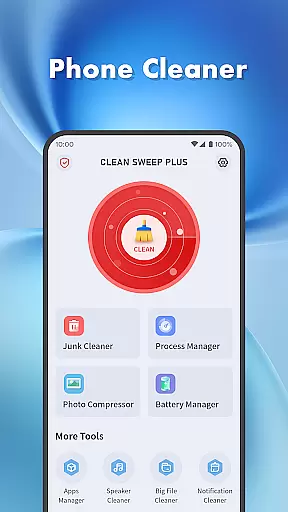
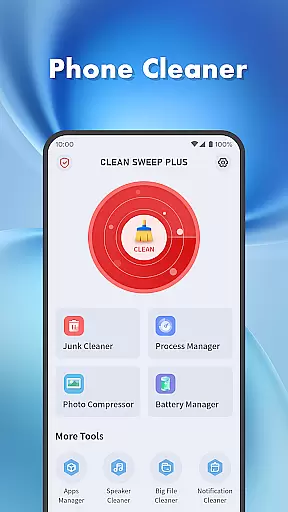
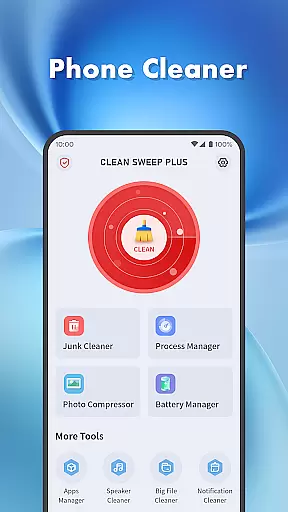
Clean Sweep Plus is a comprehensive mobile device management tool designed to optimize your phone's performance. The app focuses on four key areas: basic device management, app and process control, battery monitoring, and additional utility tools.
For daily maintenance, it offers junk cleaning, large file management, photo compression, and notification clearing. It also provides robust features for managing installed apps and background processes. Battery management tools give users detailed insights into power usage, while extra utilities like the speaker cleaner add to its versatility.
This application is particularly useful for individuals seeking an all-in-one solution for maintaining their Android devices. By combining essential maintenance tools in one package, Clean Sweep Plus helps users keep their phones running smoothly and efficiently.
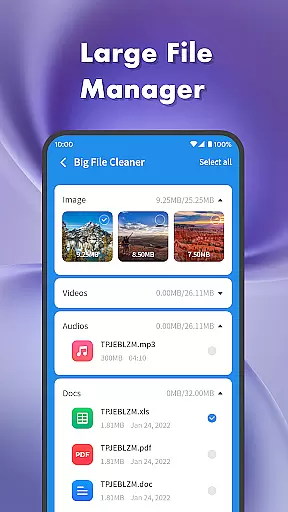
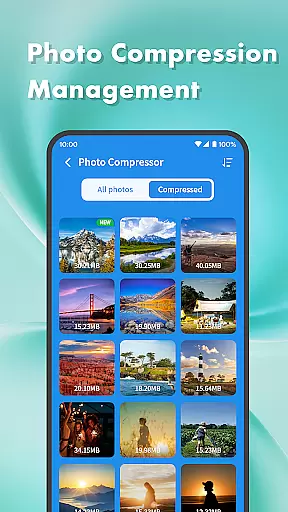
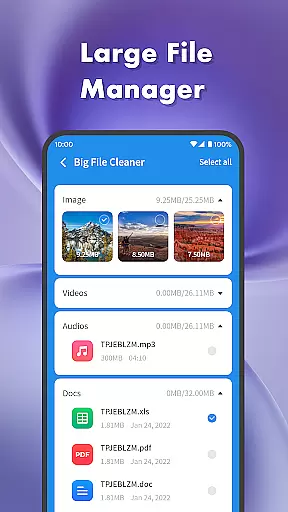
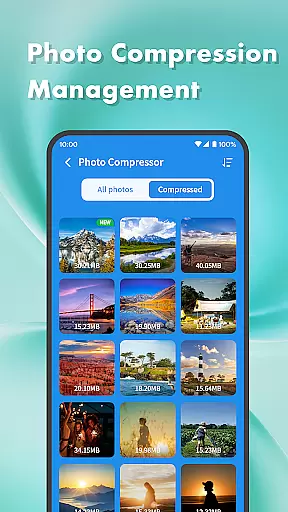
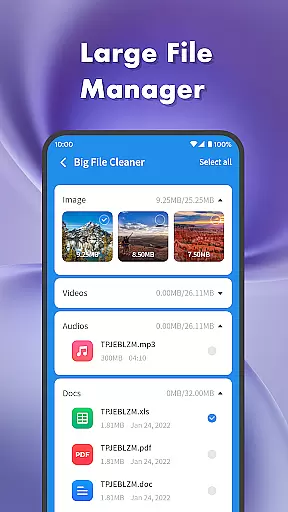
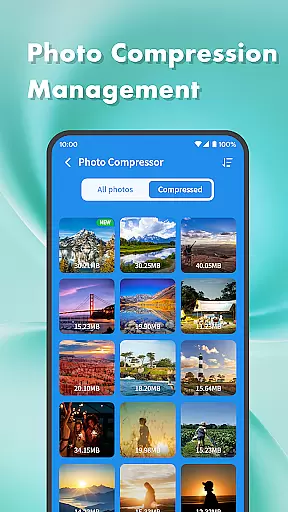
Clean Sweep Plus stands out with its diverse range of practical features. The junk cleaner and large file manager help users reclaim valuable storage space by identifying unnecessary files. The photo compression tool allows for efficient media management without compromising quality.
The app manager simplifies the process of uninstalling unwanted applications, while the process manager gives users control over background activities. These features work together to improve device responsiveness and performance.
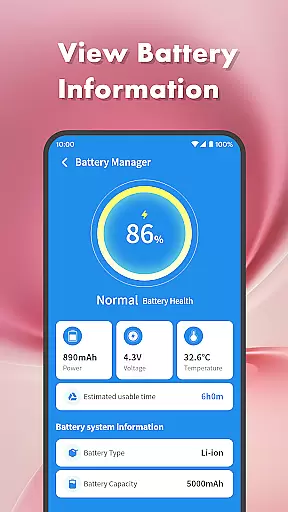
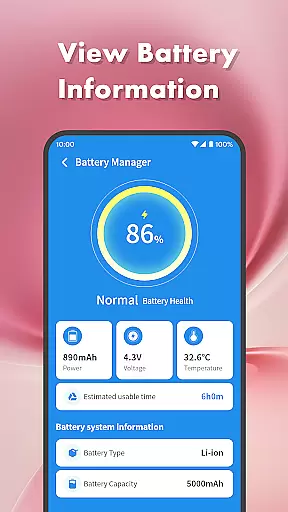
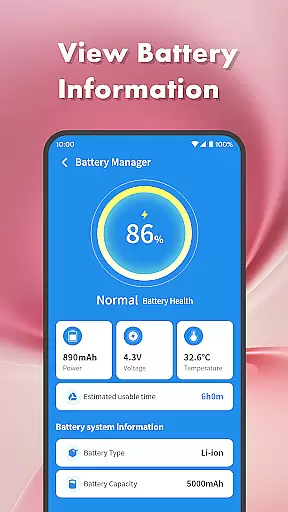
Battery management tools provide detailed analytics about power consumption and estimated usage time. Additional features like the notification cleaner and speaker cleaner demonstrate the app's attention to detail in addressing various user needs. This combination of essential tools makes Clean Sweep Plus a valuable asset for Android device owners.
When it comes to device management tools, the precision and effectiveness of core functions are paramount. Clean Sweep Plus excels in this area by offering a comprehensive suite of features that address common smartphone issues. The app's junk cleaner efficiently identifies and removes unnecessary files, while the large file manager helps users locate space-consuming media files.
The app manager simplifies the process of uninstalling infrequently used applications, ensuring that only essential apps remain on the device. Additionally, the battery management center provides accurate information about battery health and estimated usage time, empowering users to optimize their device's performance.
Each tool within Clean Sweep Plus is designed with user experience in mind. From photo compression to notification cleaning, every feature operates with high accuracy, delivering tangible results. This reliability makes the app an invaluable asset for anyone looking to maintain a well-organized and efficient mobile device.
A user-friendly interface is crucial for any tool-based application, and Clean Sweep Plus delivers an intuitive experience through its well-organized layout. The app presents its various functions in a clear, easy-to-navigate manner, allowing users to quickly find and utilize the tools they need without confusion or frustration.
The design emphasizes simplicity without sacrificing functionality. Each feature, from the process manager to the speaker cleaner, is accessible through a straightforward menu system that minimizes learning time. This approach ensures that even those who are less tech-savvy can effectively manage their devices.
By combining practical functions with an intuitive interface, Clean Sweep Plus creates a seamless user experience. The app's layout promotes efficiency, enabling users to perform essential phone management tasks with minimal effort, ultimately leading to a more enjoyable and stress-free interaction with their devices.
User-friendly interface
Comprehensive toolset
Effective storage management
Detailed battery analysis
Intuitive navigation
Limited iOS compatibility
Basic photo editing
Occasional performance lag
Ads in free version
Advanced features locked

Keep track of your Palia friendships, tasks, and inventory with Palia Notebook
 4.60
4.60
card-reader app
2.20
Best leveling tool for your Android device. Hang paintings like a pro.
4.90
Effortlessly run ADB commands directly on your device without a PC.
4.20
Powerful collection of electronics tools and reference.A must for any enthusiast
4.90
Screen Mirroring with sound for Samsung TV, LG TV, Sony TV, Smart TV and Browser
4.20
A simple app to back up and restore SMS & MMS messages and call logs.
4.10
Game Booster, GFX Tool is now compatible with newer game update
4.50
Enhance your Beats
3.70
Enjoy smooth gameplay with Game Booster
4.90
Small and simple app to Verify Root Access and BusyBox Install!
4.70
Fast Video Downloader, Movie Downloader, Torrent Downloader & Adblock Browser
4.70
NFC Tools can read and write NFC tags.
4.70
Mirror your screen to Chromecast and Android TV - Super fast and simple
4.60 4.50
4.50
Pro Emulator is an easy to use game console emulator for a range of consoles.
4.40
Complete kernel toolbox with features to manage and tweak your rooted device
4.30
Quickly check the frequency of the Earth
4.30 4.10
4.10


User Reviews