
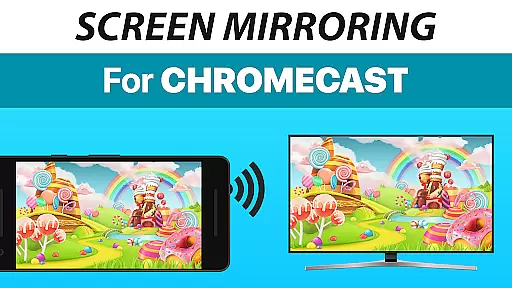
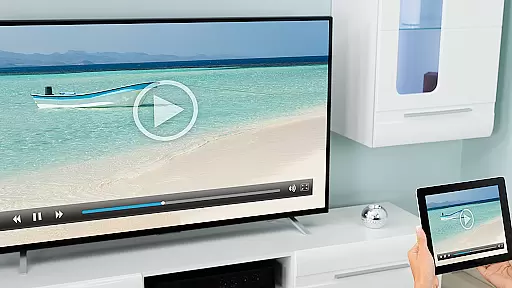
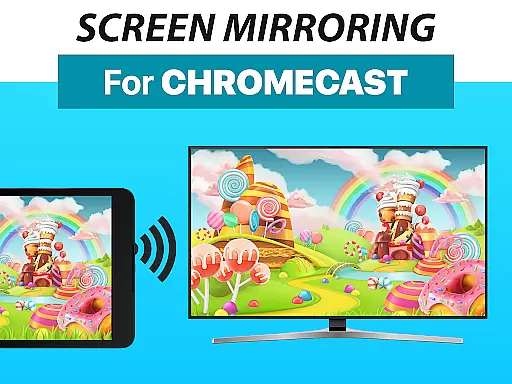
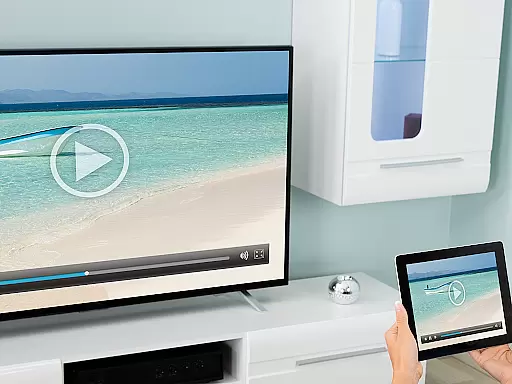
Screen Mirroring + Chromecast is a powerful tool designed for real-time HD screen sharing to Chromecast and Android TV devices. This app allows users to mirror their mobile screens effortlessly, bringing content like photos, videos, games, and presentations to larger displays.
Supporting all Android devices running Android 5.0 and above, the app ensures broad compatibility with various smart TVs including Xiaomi Mi TV, Sony Bravia TV, and others with Chromecast built-in. With an easy setup process that doesn't require changing Android settings or Wi-Fi options, it offers a seamless user experience.
Ideal for sharing media during family gatherings or business presentations, Screen Mirroring + Chromecast enhances connectivity and entertainment by leveraging good Wi-Fi network conditions, preferably 5Ghz, for optimal performance.
One of the standout features of Screen Mirroring + Chromecast is its extensive device support, working seamlessly with all Android devices (Android 5.0+) and a wide range of smart TVs. The unified setup across all Android devices eliminates the need for complex configurations, making it accessible even for non-tech-savvy users.
The app supports sound transmission on Android 10+, adding another layer of functionality for users who wish to share audio content. Its performance is notably enhanced when used with a robust 5Ghz Wi-Fi network, ensuring smooth and high-quality mirroring.
Developed by the creators of VIDEO & TV CAST, a globally recognized casting app with over 100 million downloads, Screen Mirroring + Chromecast inherits a legacy of reliability and innovation in the casting technology space.
Screen Mirroring + Chromecast delivers exceptional core functionality by enabling real-time HD screen sharing to Chromecast and Android TV devices. This app ensures that your content, including photos, videos, games, and presentations, is mirrored with precision and clarity.
The app supports all Android devices running Android 5.0 and above, ensuring broad compatibility and ease of use across various devices like smartphones and tablets. With unified setup procedures on all supported devices, users can start sharing their screens without the hassle of adjusting settings or Wi-Fi options.
Performance optimization is a key feature, particularly when utilizing a robust 5Ghz Wi-Fi network, which enhances the speed and reliability of screen mirroring. For devices running Android 10 and above, sound support further enriches the user experience by providing synchronized audio during screen sharing sessions.
Ultimately, Screen Mirroring + Chromecast offers an effective solution for anyone looking to share digital content effortlessly with friends and family on larger screens, making it a reliable tool for both personal and professional use.
One of the standout features of Screen Mirroring + Chromecast is its interface simplicity and intuitiveness, designed to make screen sharing as straightforward as possible. The app's user-friendly design ensures that even those who are not tech-savvy can easily navigate and utilize its powerful features.
With a super easy and unified setup process across all Android devices, users can quickly connect and start sharing their screens without needing to tweak Android settings or Wi-Fi configurations. This seamless integration reduces the complexity often associated with setting up similar tools.
The developers have prioritized an intuitive control scheme, allowing users to initiate and manage screen mirroring sessions with minimal effort. Clear instructions and feedback within the app guide users through each step, enhancing overall usability and satisfaction.
By focusing on simplicity and ease of use, Screen Mirroring + Chromecast ensures that users can enjoy a hassle-free experience, making it an ideal choice for anyone seeking an efficient and accessible screen sharing solution.
User-friendly interface
Broad device compatibility
High-quality HD mirroring
Easy and quick setup
Sound support on Android 10+
Requires good Wi-Fi for best results
No offline support
Limited to compatible devices
Premium version may be costly
Occasional connection issues

Easily install aab(Android App Bundle) files on your Android device with our app
 4.80
4.80
Just one-tap to easy translate in any language after calls within seconds.
4.20
Just swipe the edge to do something!
4.40
Create your own live wallpaper or check out thousands already made presets
3.90
Monitor car performance in real time and troubleshoot malfunctions.
4.80
Connect wirelessly to your computer to watch movies, browse the web, play games
5.00
NFC Tools can read and write NFC tags.
4.70
Screen recorder with audio to record high-quality videos and take screenshots.
4.40
Enhance your Beats
3.70
Small and simple app to Verify Root Access and BusyBox Install!
4.70
Connect instantly to a fast, encrypted VPN with one tap
4.60
Screen Mirroring for Roku Sticks, Roku TCL TV and Roku Hisense TV
4.50
Fluid navigation gestures for all of us!
4.30
Remote for Roku, Fire TV, Samsung TV, LG TV, Android TV, Chromecast and VIZIO TV
4.20 4.10
4.10
An open-source APK explorer for Android!
4.10
1-Click close all background apps on Android TV
3.90
Fun lie-detection pranks for friends and parties.
3.80
Undelete and recover your lost or deleted files with DiskDigger!
3.40


User Reviews