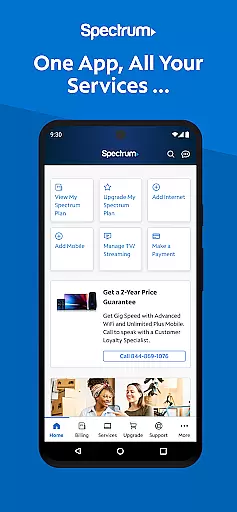
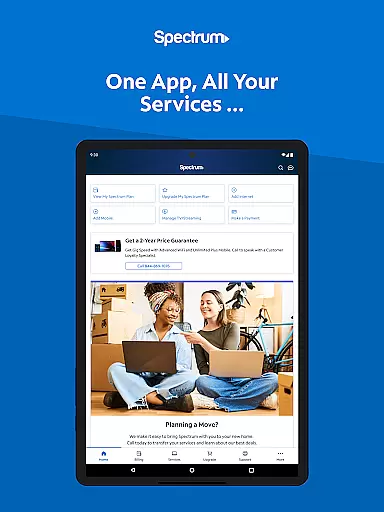
My Spectrum is a comprehensive service management app designed for residential customers of Spectrum. This all-in-one solution allows users to manage their Spectrum services including Mobile, Internet, TV, and Home Phone directly from their mobile devices. With its intuitive interface, the app simplifies bill payments, service management, and customer support.
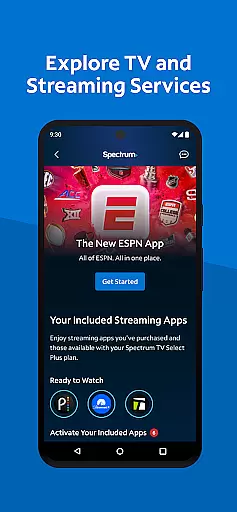
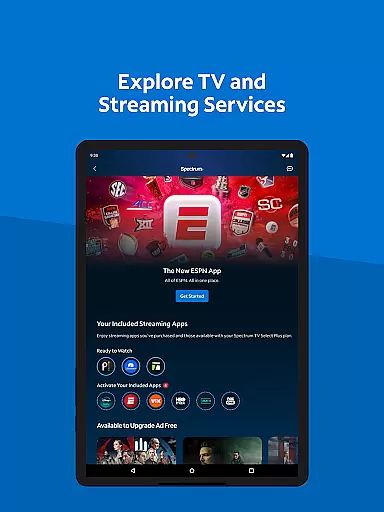
The app offers advanced features such as Auto Pay enrollment, data usage tracking, and outage notifications. Users can also explore TV and streaming services, customize channel lineups, and access nationwide WiFi hotspots. Whether you need to troubleshoot your internet connection or find the nearest Spectrum store, My Spectrum provides the tools you need to stay connected and informed.
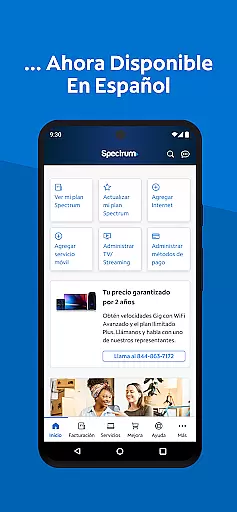
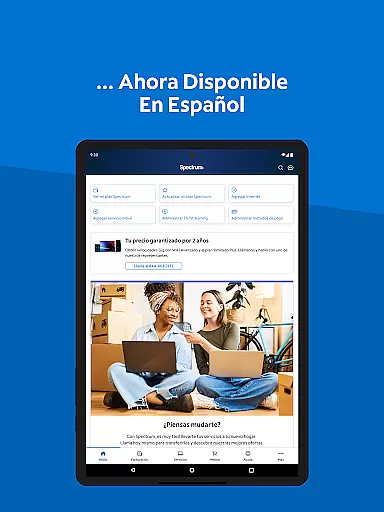
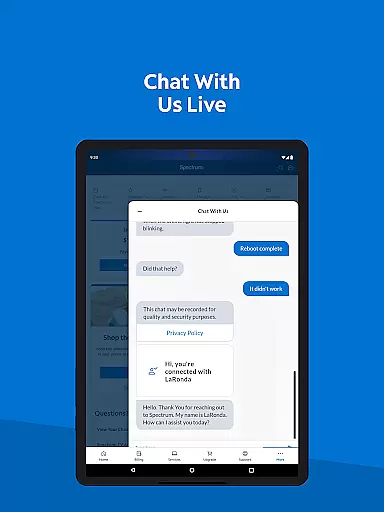
For Spanish-speaking customers, the app supports language toggling between English and Spanish. The app's simplified support section includes live chat with customer service and technician tracking. With regular updates based on user feedback, My Spectrum ensures a continually improving experience tailored to customer needs.
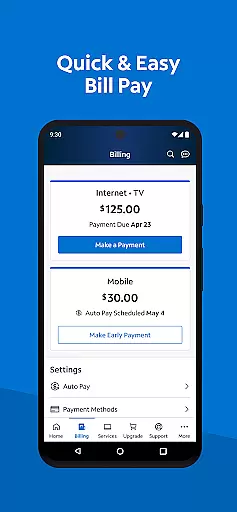
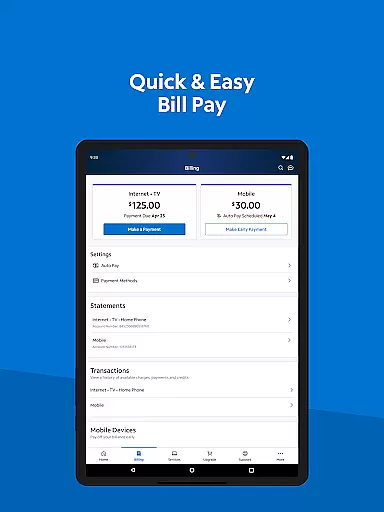
My Spectrum stands out with its extensive range of features designed to enhance user convenience. One of the key functionalities is the ability to pay bills for various Spectrum services, including Mobile, Internet, TV, and Home Phone. Users can enroll in Auto Pay to avoid missing due dates and opt for paperless billing to reduce clutter.
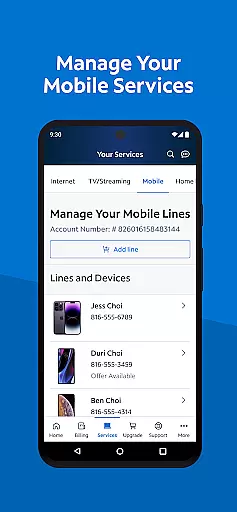
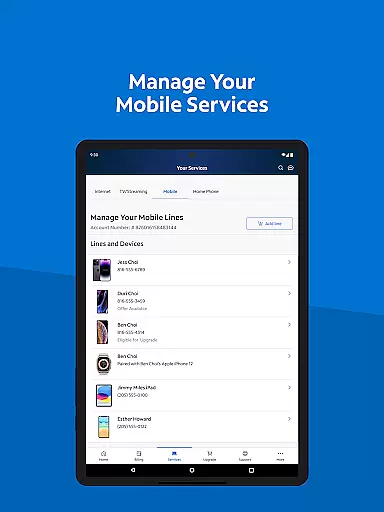
The app excels in managing mobile services by allowing users to check data usage and manage plans effortlessly. It also provides essential notifications about billing, equipment, and outages directly on the home screen. For those interested in TV and streaming, the app lets users view their channel lineup and manage streaming subscriptions seamlessly.
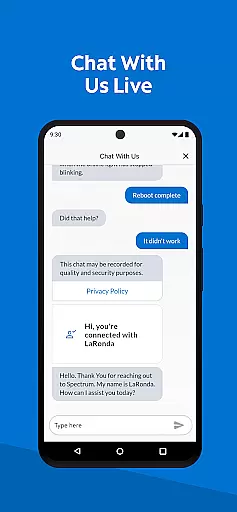
Customer support is streamlined through features like self-installation guides, live chat, and technician tracking. Additionally, users can switch the app's language between English and Spanish, making it accessible to a broader audience. These features collectively ensure that My Spectrum remains a versatile and indispensable tool for managing Spectrum services efficiently.
When it comes to managing your Spectrum services, the My Spectrum App excels in providing accurate and effective core functionalities. This app allows residential customers to handle their Spectrum Mobile, Internet, TV, and Home Phone bills with precision. You can enroll in Auto Pay to ensure you never miss a due date, schedule one-time payments, and even sign up for paperless billing. These features are designed to give users control over their financial transactions while ensuring that all actions are executed without errors.
The app also offers advanced tools for managing mobile services. Users can check their Spectrum Mobile data usage and manage plans with ease. Adding and activating new mobile lines is straightforward, making it simple to adjust services according to personal needs. The accuracy in tracking data usage and managing plans ensures that users are always informed about their service consumption and can make necessary adjustments promptly.
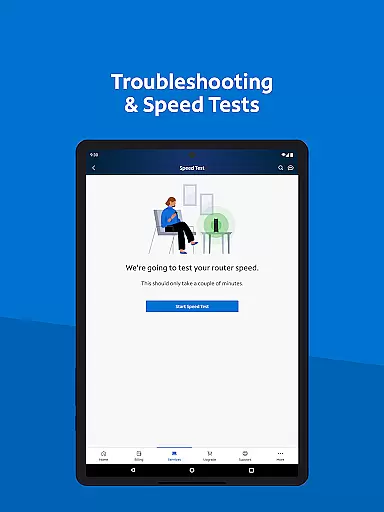
For those who require support, the app provides simplified solutions such as self-installation of modems and routers, live chat with customer service, and the ability to track techniciansu2014all within the app. These functions are crafted to offer real-time assistance and troubleshooting, enhancing the overall user experience by addressing issues quickly and efficiently.
The My Spectrum App stands out for its interface simplicity and intuitiveness, making it accessible for users of all technical backgrounds. Upon opening the app, you're greeted with a clean layout where essential features like bill payment, mobile service management, and support options are easily accessible. This design choice ensures that users can navigate through the app effortlessly, finding what they need without unnecessary complexity.
One of the key aspects of the app's intuitive design is the seamless transition between different services. Whether you're switching from managing your TV streaming subscriptions to checking mobile data usage, the flow is smooth and logical. The app also supports toggling language preferences from English to Spanish, catering to a broader audience and ensuring inclusivity. Such thoughtful design elements contribute to an engaging and frustration-free user experience.
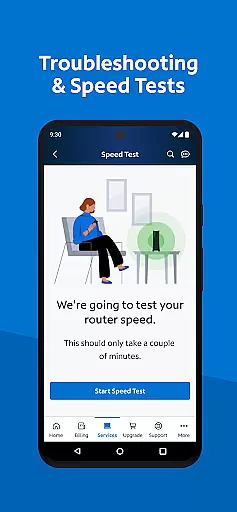
Moreover, the app incorporates enhanced features like dual Speed Test for troubleshooting WiFi and internet connections, and notifications for billing, equipment, activation, and outages directly on the home screen. By integrating these practical tools into an intuitive interface, the My Spectrum App not only simplifies daily tasks but also empowers users to stay informed and in control of their services at all times.
User-friendly interface
Comprehensive service management
Auto Pay and paperless billing options
Live customer support chat
Spanish language support
Limited to Spectrum customers
Occasional bugs reported
Advanced features require subscription
High data usage for streaming
Geographical limitations

Just one-tap to easy translate in any language after calls within seconds.
 4.20
4.20
HD Camera captures every special moment.
4.60
Learn the vast amount of system information about device and monitor it's state
4.70
Use your phone as a webcam on your computer over WiFi or USB.
4.40
Clean the junk files on your device
3.40
Enjoy smooth gameplay with Game Booster
4.90
App that Recover your pictures, videos or files after you delete them.
4.20
Keep track of your Palia friendships, tasks, and inventory with Palia Notebook
4.60
WiFi Signal Strength Meter help you detect WiFi Signal Strength in real time.
4.80
Unit and currency converter with easy and simple UI.
4.80
Monitor car performance in real time and troubleshoot malfunctions.
4.80
Creation, Learning, Entertainment & More — The All-in-One AI Search Engine
4.70
An easy-to-use calculator designed to save time calculating and bending conduit
4.30 4.10
4.10
Detect hidden spy camera with advanced scanning {{ Premium version }}
4.00
Amateur Radio app for APRS: Track friends, exchange messages, get tactical info.
3.90
A recovery soft,it features photo recovery, video recovery, file recovery.
3.40
card-reader app
2.20
Download any file easily and quickly with Downloader
4.0


User Reviews