
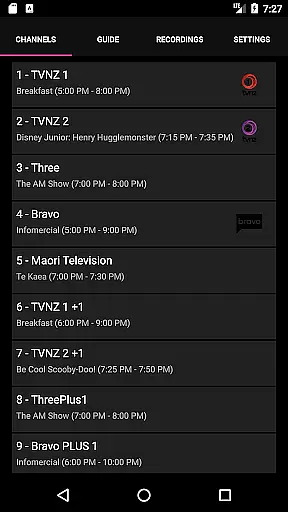
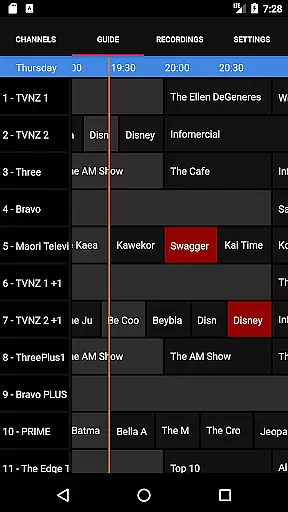
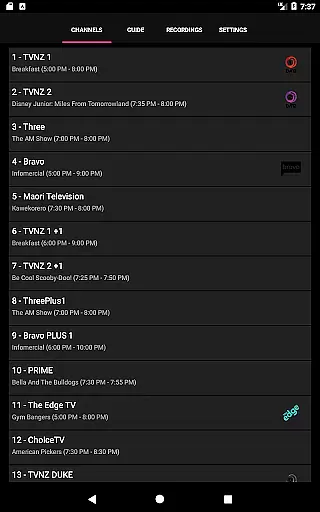
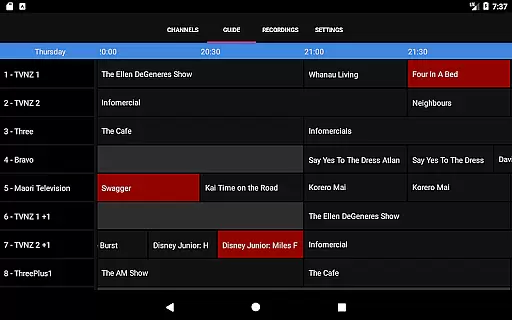
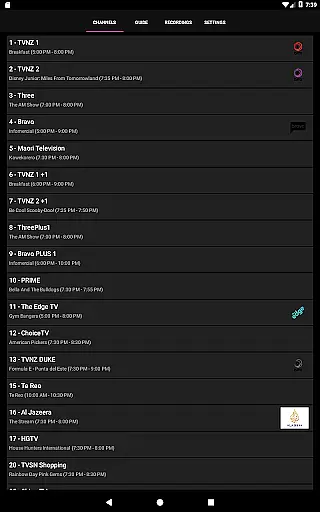
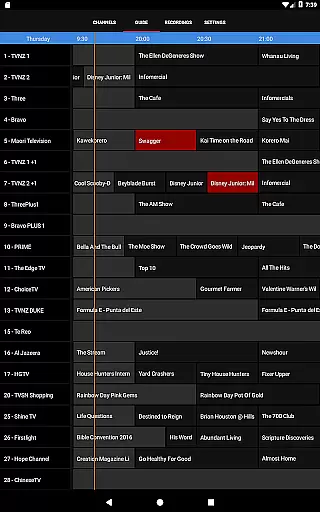
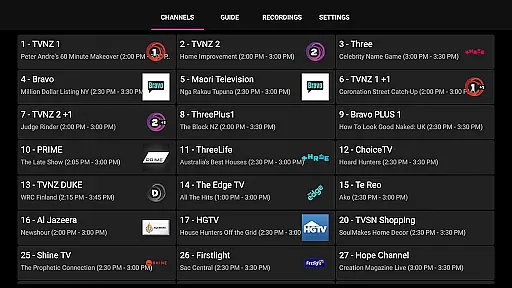
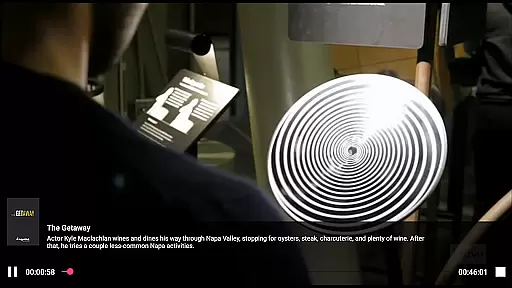
NextPVR is a versatile client application designed for users who want to extend their NextPVR media center experience to mobile devices. This app allows you to seamlessly interact with your NextPVR setup, provided you have version 4.1.0 or higher installed on your network. With this app, you can enjoy live TV streaming, access an intuitive TV guide, manage recording schedules, and watch recorded content from anywhere in your home.
The true power of NextPVR lies in its ability to integrate with ATSC, DVB, and Analog TV tuners, making it a comprehensive solution for managing your television needs through a Windows PC. Whether you're looking to catch up on your favorite shows or schedule recordings while you're away, this app provides the convenience and flexibility required for modern media consumption.
NextPVR offers a robust set of features tailored for seamless media management. The app supports live TV streaming directly to your mobile device, ensuring you never miss a moment of your favorite programs. Its integrated TV guide provides a clear overview of upcoming shows, allowing you to plan your viewing schedule efficiently.
One standout feature is the ability to manage your recording schedule remotely. You can browse the TV guide within the app, select programs to record, and even start playback of previously recorded content. Additionally, the app's compatibility with various video capture sources ensures that you can work with multiple tuner types, offering unparalleled versatility for TV enthusiasts.
These features collectively enhance user engagement by providing a centralized platform for all your TV viewing and recording needs, accessible anytime and anywhere within your network.
NextPVR offers extensive video format compatibility, ensuring users can enjoy a wide range of media content without worrying about format restrictions.
The app supports popular formats such as MP4, AVI, MKV, and more, allowing seamless playback of videos recorded from ATSC/DVB/Analog TV tuners or other capture sources.
This flexibility enables users to watch live TV, manage recordings, and view previously saved content with consistent quality across devices.
By supporting multiple formats, NextPVR enhances the user experience by providing reliable playback for various types of video files within its media center environment.
While primarily a media player, NextPVR incorporates AI-powered tools that enhance the viewing and management experience.
These features include smart recording schedules, which use AI algorithms to optimize recording times based on user preferences and viewing habits.
Additionally, the app provides intuitive sorting and tagging options for recorded content, making it easier to organize and retrieve specific videos.
Such innovations streamline the process of managing multimedia libraries, offering users an efficient way to interact with their favorite shows and live TV events.
User-friendly interface
Live TV streaming
Remote recording management
Comprehensive TV guide
Flexible tuner support
Requires Windows PC
Network dependency
No standalone functionality
Limited to NextPVR setup
Complex initial setup

HD Video player all format, HD Videos, Cast & Subtitle. No annoying ads.
 4.60
4.60
Video Player - Unlimited features, 30 days money back guarantee.
4.60
AirMirror is Receiver for Screen Mirroring and Casting from Apple Devices.
3.60
An easy-to-use and all-round screen recorder with audio
4.80
Add date and time watermark to photos and videos
4.50
The essential companion to your Blue Iris PC software
2.50
Screen recorder with audio to take live videos & Screenshot in high quality!
4.70
Viddo: Generate Action Figure, AI Anime, AI kiss, AI hug Video from image & text
4.40
convenient, safe and fast at Video Downloader & Player
4.60
Watch a large amount of high-definition short drama content
4.60
VLC Remote lets you control your VLC Media Player on Mac, PC or Linux.
4.60
Browser + Remote for Roku to stream webvideos, online movies and livestreams
4.60
Powerful Video Editor & Photo Editing App —— Quick Edits & Stunning Effects!
4.30
AI Video Editor:AI Music, Text to Video,Text to Speech,Auto Caption,Video Effect
4.00
Live TV, anywhere in your home
3.80
Livestream, news, & gaming content. Watch, chat, and upload. Join Rumble today!
3.80
A full editing room to accompany your Insta360 cameras and handheld gimbals.
3.30
Stream high quality video from your camera over NDI protocol
4.2
Play and download HD videos from all sources — fast, simple, and all-in-one.
4.2


User Reviews