
HD Video Player All Format is a versatile video player for Android devices, supporting all popular video formats including 4K and ultra HD resolutions. The app provides an ad-free experience with smooth playback and high-definition output, making it ideal for users who want to enjoy their favorite videos without interruptions.
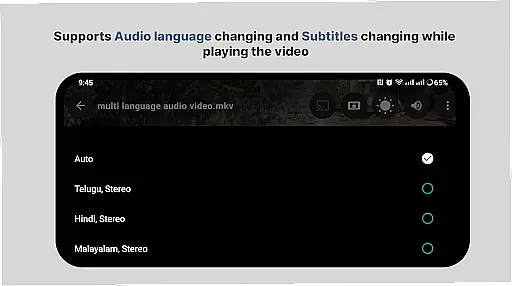
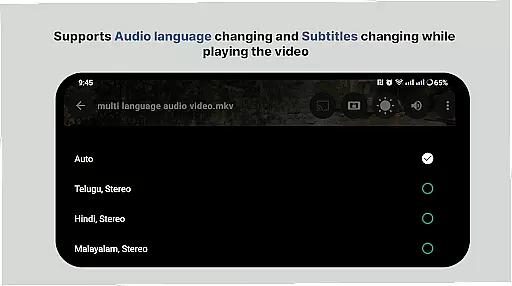
The player includes advanced features such as subtitle support, multi-track audio, and aspect-ratio adjustments. It also offers smart media library functionality, allowing users to easily organize and access their video files. With its intuitive interface and powerful playback capabilities, this app ensures a superior viewing experience on both phones and tablets.
Whether you're watching movies or personal recordings, HD Video Player All Format delivers professional-grade performance. Its efficient file handling and quick start feature make it perfect for users who value both quality and convenience in their mobile entertainment experience.
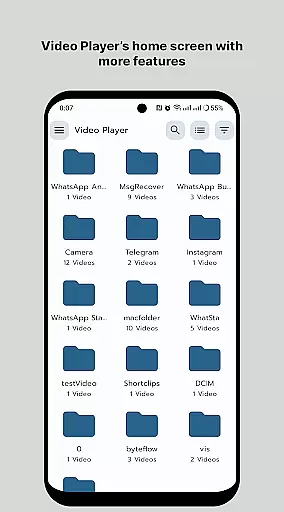
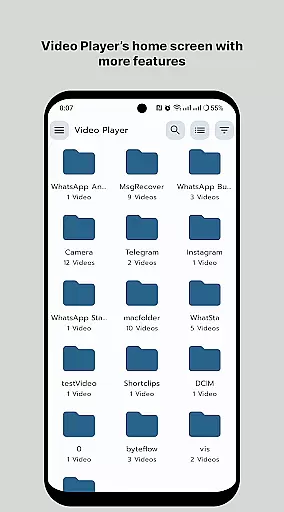
HD Video Player All Format stands out with its comprehensive feature set designed for optimal video playback. The app supports all major video formats, ensuring compatibility with diverse media files. Its smart media library automatically organizes video content, while folder browsing allows direct access to specific directories.
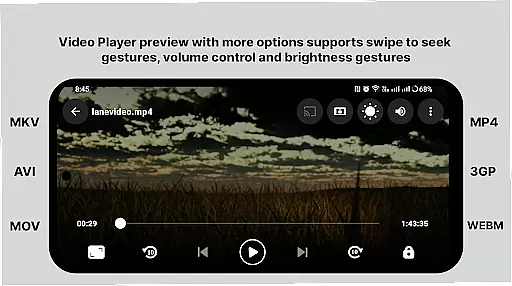
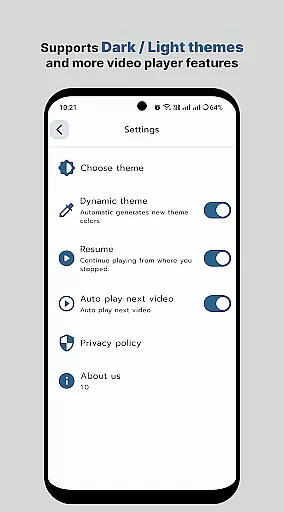
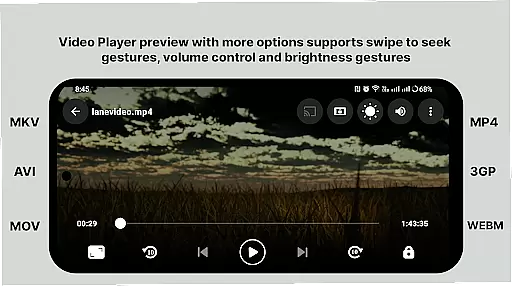
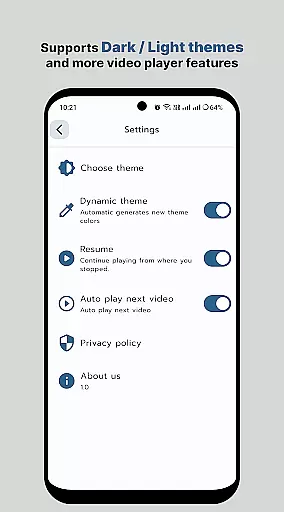
Advanced playback controls include gesture-based volume and brightness adjustment, playback speed control, and screen rotation options. The player maintains high-quality output even with 4K videos, while offering subtitle synchronization and multi-track audio support. These features combine to create a customizable viewing experience tailored to individual preferences.
Additional functionalities enhance user convenience, such as easy file sharing, video management tools, and eye protection mode. The app's efficient memory usage and fast loading times ensure smooth performance across different Android devices, making it a reliable choice for both casual viewers and multimedia enthusiasts.
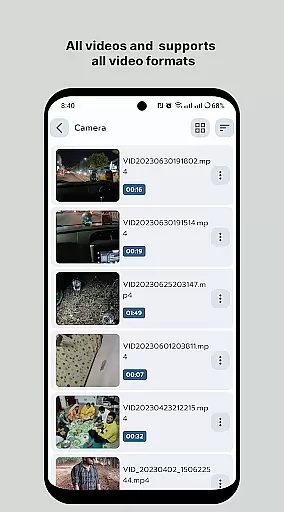
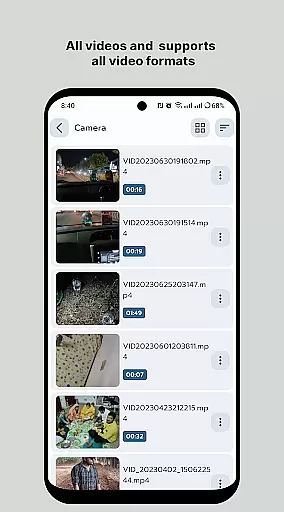
Video format compatibility is a crucial feature for any video player application, ensuring that users can enjoy their media files regardless of the format. HD Video Player - All Format Video Player Pro 2024 supports an extensive range of video formats, including but not limited to MP4, AVI, MKV, and FLV. This versatility allows users to play videos without the need for conversion or additional codecs.
The app's ability to handle 4K/Ultra HD video files with high-definition playback ensures that users experience top-notch video quality. Whether it's on an Android tablet or phone, this all-format video player maintains its performance, providing smooth and uninterrupted viewing. The inclusion of subtitle support further enriches the user experience by catering to those who require or prefer subtitles in multiple languages.
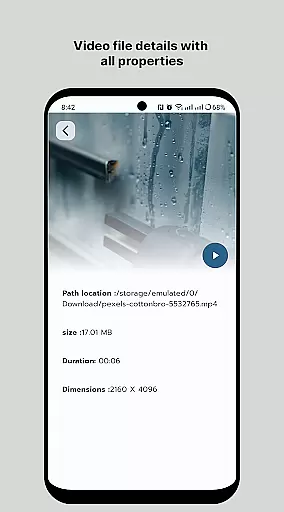
For users who have diverse media libraries, the smart media library feature simplifies the process of finding and playing video files. By organizing media efficiently, users can browse folders directly and locate their desired content quickly. Additionally, features such as multi-track audio support and auto-rotation enhance the adaptability of the player to various user preferences and device orientations.
While HD Video Player focuses primarily on playback, its AI-powered editing features offer users convenient tools to manage and optimize their video content. Although not as comprehensive as dedicated video editing software, these features provide essential functions that cater to casual editors looking to make quick adjustments to their media files.
One notable capability is the playback speed control, allowing users to accelerate or decelerate video playback according to their preference. This feature is particularly useful when reviewing footage or trying to locate a specific moment within a video. Moreover, gesture controls for adjusting volume and brightness contribute to a more intuitive user interface, enhancing the overall user experience during video playback sessions.
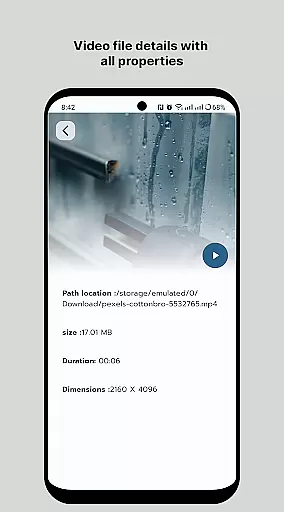
HD Video Player also enables users to easily share and manage their videos, thanks to integrated options that streamline these processes. With just a few taps, users can distribute their media across platforms or store it securely. These practical functionalities ensure that even though the app prioritizes video playback, it still delivers value through its editing capabilities, making it a versatile choice for Android users seeking both quality and convenience in a single application.
User-friendly interface
Wide format support
Smooth 4K playback
Comprehensive subtitle options
Efficient media organization
Limited iOS availability
No cloud integration
Premium feature costs
Occasional bugs
Large file size

Create & edit videos with AI
 4.30
4.30
KineMaster, Your Ultimate Video Editor!
4.40
Stream high quality video from your camera over NDI protocol
4.4
AirMirror Receiver - Screen mirroring/cast web videos to Android TV by AirPlay.
4.40
Download videos easily & play them all in one smart, powerful video manager.
3.40
Fast & easy HD video downloader for all formats, support 4K playback & download.
4.60
Video Downloader, Multiple Resolution Options, Video Player
4.50
AI Video Editor with Music, Filter, Slideshow, Effect, Merge & Trim Video.
4.80
Make videos you’re proud to share with Edits, a video editor for creators.
4.70
An easy-to-use and all-round screen recorder with audio
4.80
Turn your phone into a wireless camera!
4.20
Web Browser for LG TV to stream webvideos, online movies and livestreams in HD
4.20
Browser for Samsung TV to stream webvideos, online movies and livestreams in HD
4.10
Powerful, professional, versatile teleprompter. Developed by an active film crew
4.00
Explore the largest library of free GIFs, Stickers & Memes - or create your own!
3.90
HD video & music player - All format support with floating & PIP mode!
3.80
IPTV Player - Watch live TV from m3m & m3u8 playlist, stream IPTV on mobile
3.30
You can play SWF format file!
2.50
Powerful HD video player with support for all formats & subtitles.
4.4


User Reviews