
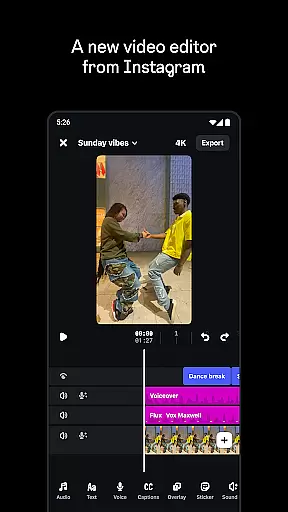
Edits is a powerful mobile video editor designed specifically for content creators who want to produce professional-quality videos directly on their smartphones. The app offers an all-in-one solution for the entire video creation process, from initial capture to final export.
With Edits, users can record high-quality clips up to 10 minutes long and immediately begin editing with precision tools. The app supports advanced camera settings, AI-powered animations, green screen effects, and various audio enhancements. Creators can also add captions, filters, stickers, and sound effects to make their videos stand out.
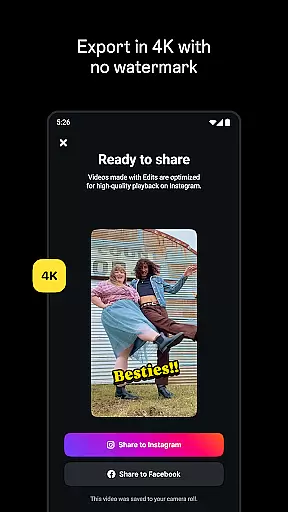
This application is particularly beneficial for social media marketers and influencers who need to create engaging content for platforms like Instagram. Its seamless integration with Instagram and ability to export 4K videos without watermarks makes it an essential tool for modern digital creators.
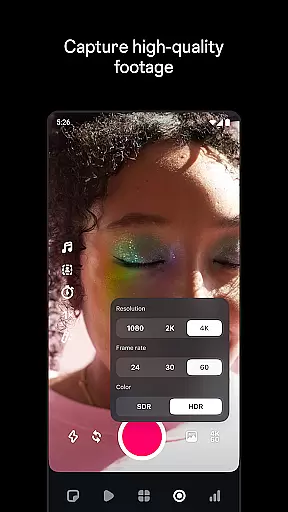
Edits distinguishes itself through its comprehensive suite of professional-grade video editing tools. The app's single-frame precision editing allows creators to fine-tune every aspect of their videos with exceptional accuracy. Advanced camera controls enable users to adjust resolution, frame rate, and dynamic range while recording.
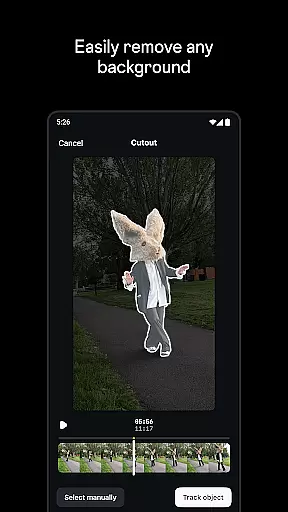
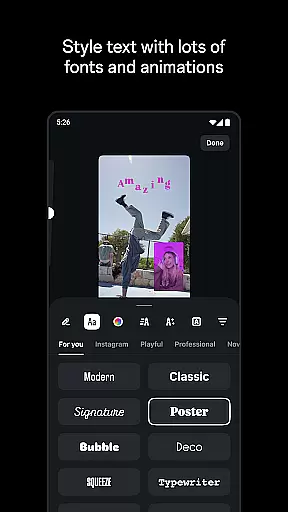
The application's creative capabilities extend to AI animation features that bring images to life and background replacement options including green screen and cutout effects. Users can enhance their videos with a wide selection of fonts, sound effects, filters, and stickers. The automatic caption generation feature saves time while ensuring accessibility.
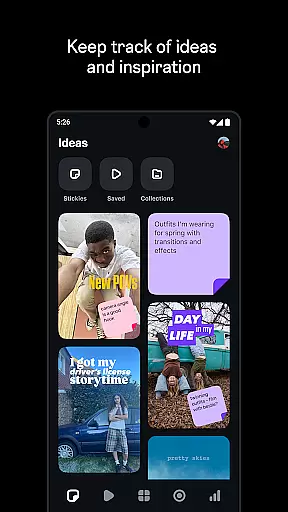
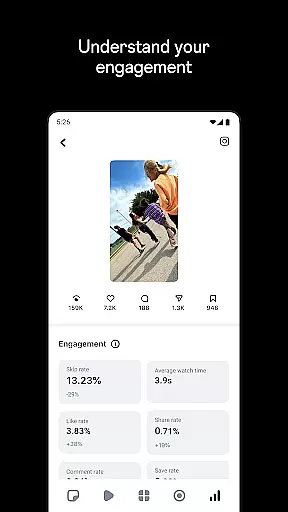
Edits also provides valuable analytics tools for content strategists. The live insights dashboard helps creators track their video performance and understand engagement metrics. Additionally, the built-in inspiration browser allows users to explore trending audio and popular content, informing their future creative decisions.
Video format compatibility is crucial for any video editor, and Edits, an Instagram App, excels in this area. The app supports a wide range of video formats, allowing creators to import and export videos without worrying about compatibility issues.
With the capability to export videos in 4K resolution without watermarks, Edits ensures that your creations retain their high quality across different platforms. This feature is particularly beneficial for content creators who aim to maintain professional-grade output on social media.
Moreover, Edits provides powerful tools such as single-frame precision editing and various camera settings. These features ensure that regardless of the source format, users can fine-tune every aspect of their video projects with ease.
The app also includes creative options like AI animation, green screen functionality, and video overlays. By supporting diverse video formats, Edits empowers creators to experiment with these advanced features without being limited by technical constraints.
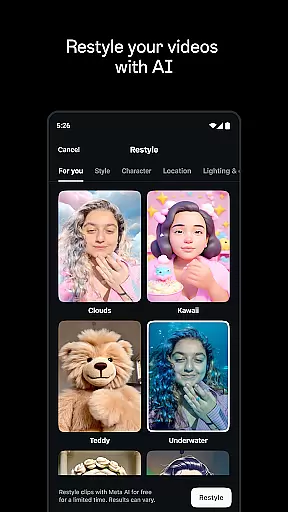
AI-powered editing features are at the forefront of Edits, an Instagram App, revolutionizing how creators approach video production. With AI animation capabilities, users can bring static images to life, adding dynamic movement and enhancing storytelling potential.
One standout feature is the automatic caption generation, which simplifies the process of making videos accessible. Creators can customize how captions appear, ensuring they align with the video's aesthetic while improving viewer engagement.
Additionally, Edits offers enhanced audio tools powered by AI, which make voices clearer and remove background noise. This ensures that dialogue and narration are crisp, providing a professional touch to any project.
The integration of AI doesn't stop there; it extends to browsing reels with trending audio, offering inspiration and keeping creators informed about current trends. Such innovative AI-driven functionalities streamline the editing process, allowing creators to focus more on their creative vision rather than technical details.
User-friendly interface
Professional editing tools
Seamless Instagram integration
High-quality 4K exports
Comprehensive audio enhancement
Limited to mobile devices
Advanced features may overwhelm beginners
Requires significant storage space
Premium features might be costly
Occasional performance issues

Video player, file manager for all formats, 4K/HD media player supports subtitle
 4.30
4.30
The smartest M3U IPTV Player your playlists have ever seen.
4.2
HD Video player all format, HD Videos, Cast & Subtitle. No annoying ads.
4.60
Powerful, professional, versatile teleprompter. Developed by an active film crew
4.00
Your media, on your terms.
4.10
Tik & Story Saver-Download ALL social media videos, photos & reels no watermark.
4.80
Explore the largest library of free GIFs, Stickers & Memes - or create your own!
3.90
Download website videos fast&privacy
4.40
AI Video Editor:AI Music, Text to Video,Text to Speech,Auto Caption,Video Effect
4.00
Video Trimmer, Video to MP3 Converter. Extract music from video, Easy & Fast.
4.80
Download videos and play them offline
4.70
Find, download, and play torrents with the official BitTorrent® Pro app
4.70
?100% FREE! Download & save videos? safely in this app. All formats supported.
4.60
Snaptubè Video Downloader app allows to download videos and music in Snaptube. .
4.60
Search & download videos from net with all video downloader, auto-detect & safe.
4.60
Viddo: Generate Action Figure, AI Anime, AI kiss, AI hug Video from image & text
4.40
Powerful video player with advanced hardware acceleration and subtitle supports
4.20
Livestream, news, & gaming content. Watch, chat, and upload. Join Rumble today!
3.80
Kodi media center, a free and open source cross-platform entertainment hub
3.60


User Reviews