
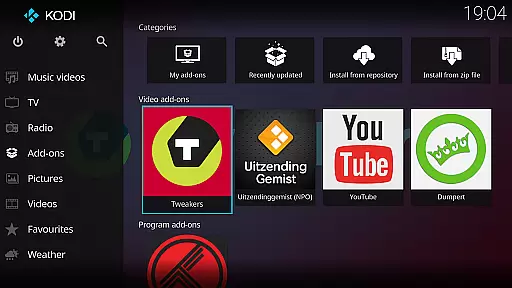
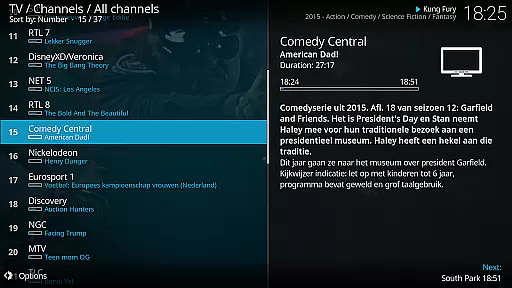
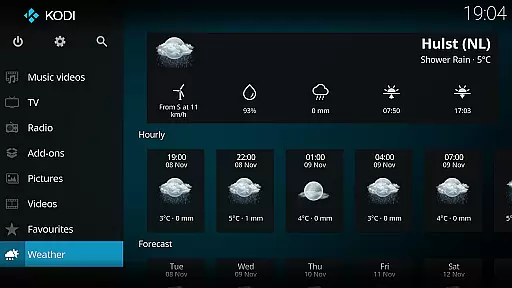
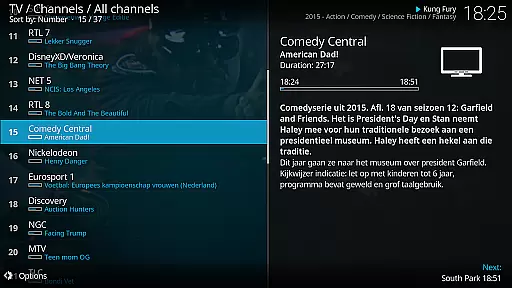
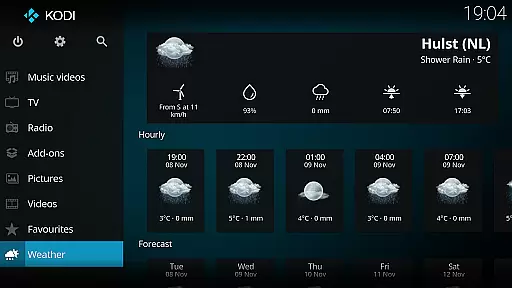
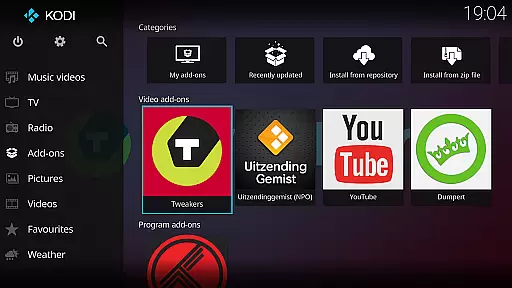
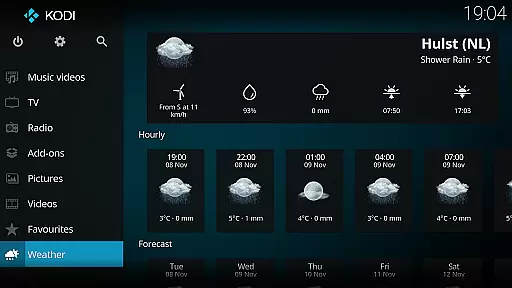
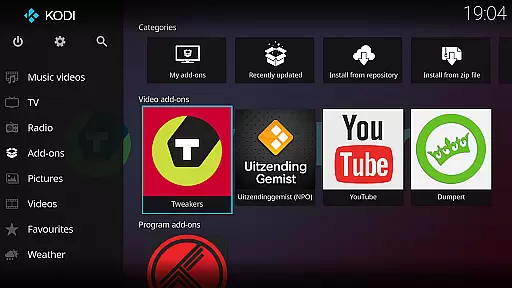
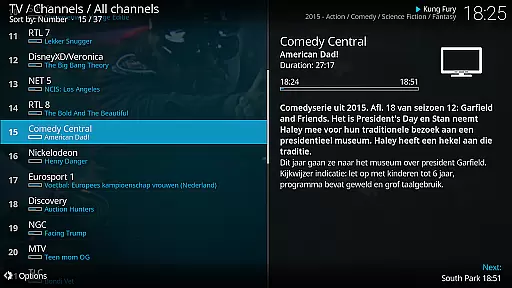
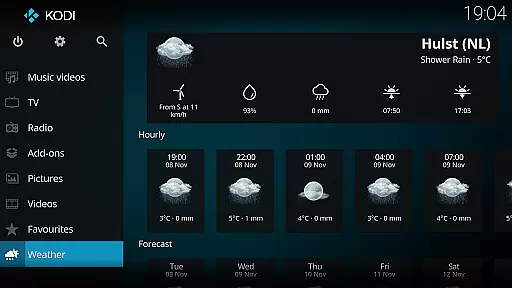
Kodi is an award-winning media player and entertainment hub designed for home theater setups. It offers a 10-foot user interface, making it perfect for living-room entertainment using remote controls. The software supports various media formats from hard drives, optical discs, local networks, and the internet.
With its powerful graphical user interface, Kodi allows users to easily browse and view videos, photos, podcasts, and music. It's compatible with multiple platforms and can be enhanced with third-party plugins for additional functionality. Kodi's new Estuary skin provides a fast and user-friendly experience, while the Estouchy skin is optimized for larger phones and tablets.
Kodi boasts a range of features that make it a versatile media player. Its cross-platform compatibility ensures you can use it on various devices, including HTPCs, smartphones, and tablets. The software supports a wide array of media formats, ensuring you can play almost any file type.
One of Kodi's standout features is its ability to install third-party plugins, which can provide access to freely available content online. The Estuary and Estouchy skins enhance user experience by offering intuitive navigation and improved usability. Additionally, Kodi's open-source nature allows developers to contribute to its development, ensuring continuous improvement and innovation.
One of the core strengths of Kodi lies in its exceptional video format compatibility. This media player supports a wide range of video formats including but not limited to MP4, AVI, MKV, MOV, and WMV. Such extensive compatibility ensures that users can play virtually any video file without worrying about format restrictions.
The software achieves this through an advanced decoding engine that automatically detects and processes different video codecs. Whether you're accessing local files or streaming content from the internet, Kodi's robust architecture ensures smooth playback across all supported formats. This eliminates the need for additional conversion software or plugins.
For users, this means unparalleled flexibility in managing their digital media library. You can easily switch between different types of content without experiencing playback issues. The application also provides detailed information about each video file, including resolution, frame rate, and codec details.
Moreover, Kodi's developers regularly update the platform to support emerging video formats and technologies. This commitment to maintaining comprehensive format compatibility makes Kodi an ideal choice for home theater enthusiasts who demand both quality and versatility from their media player.
While primarily known as a media player, Kodi incorporates several AI-powered editing features that enhance user experience when managing digital content. These intelligent tools help optimize video playback settings based on content type and viewing environment. For instance, the system can automatically adjust brightness levels and color balance to suit different room lighting conditions.
The application's AI algorithms also assist in organizing media libraries through smart tagging and categorization. When adding new content, Kodi's intelligent system scans metadata and suggests appropriate tags and artwork, making it easier to maintain a well-organized collection. This feature particularly benefits users with extensive media libraries who want to keep their content systematically arranged.
Kodi's AI capabilities extend to personalized recommendations as well. Based on your viewing habits and preferences, the system suggests similar content from your library, creating a more engaging entertainment experience. These recommendations become increasingly accurate as the system learns your preferences over time.
Furthermore, the platform includes basic video editing tools enhanced by AI technology. Users can apply automatic scene detection, generate smart playlists, and create customized viewing experiences without requiring advanced technical knowledge. These features demonstrate how Kodi combines traditional media playback with modern AI enhancements to deliver a comprehensive entertainment solution.
User-friendly interface
Wide format support
Customizable with plugins
Cross-platform compatibility
Active community support
No built-in content
Requires technical knowledge
Third-party plugins vary in quality
Not ideal for small screens
Potential legal concerns with streaming

Client application for NextPVR software
 3.00
3.00
Connect 2 UVC devices for recording and broadcast video/audio stream
3.90
A Quick and Pro Video Editor
4.70
Support 1000+ Video Format, Subtitle Download, mp3 & Background Play, Cast On TV
4.60
GENRAL PRO - General Pro is the best video player that fully supports all formats.
4.70
All in one multi protocols stream receiver for AirPlay, Cast and DLNA.
3.60
A Simple app to download Video & Music from the Internet.
4.70
Video player with 4K & 1080P support, popup play, background play and subtitle.
4.20
Make videos you’re proud to share with Edits, a video editor for creators.
4.70
Pro video editor app for Instagram, edit video with song, AI, effect & slowmo.
4.80
Play ALL formats in 4K & HD. Video downloader, MP3 player, Chromecast & more.
4.80
Download Hub, easy and private way to download and enjoy your videos offline
4.80
High-Quality USB Camera Viewer & HDMI Display
4.70
Watch a large amount of high-definition short drama content
4.60
Create photo video with music & template. AI video maker for stunning slideshow.
4.60
Add date and time watermark to photos and videos
4.50
Video Downloader is an utility that can save videos and music from web sites
4.20
Explore the largest library of free GIFs, Stickers & Memes - or create your own!
3.90
Live TV, anywhere in your home
3.80


User Reviews