
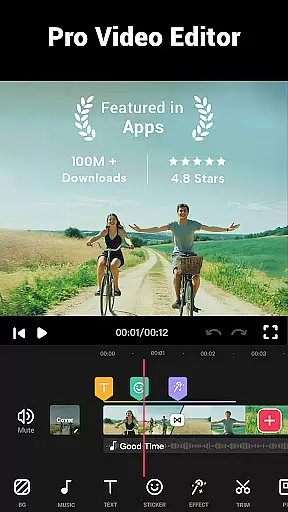

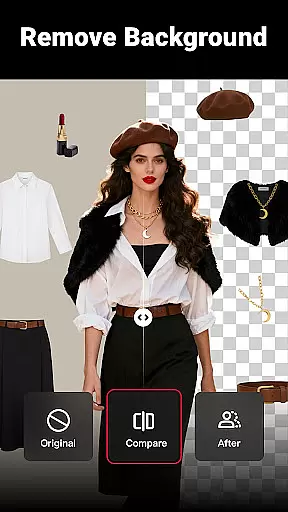
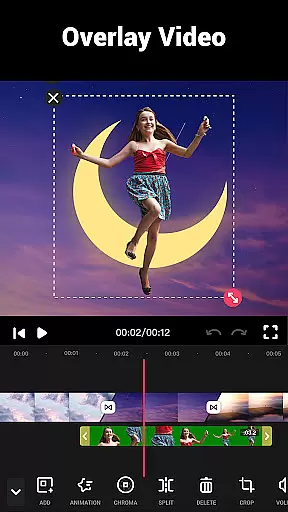
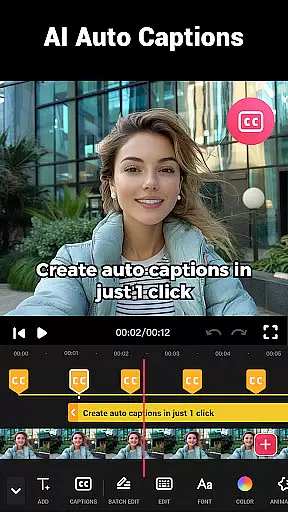
Video Maker is a versatile video editing application that allows users to create professional-quality videos directly from their Android devices. The app offers an extensive range of features including trimming, cutting, and adjusting video speed, as well as adding music, transitions, filters, and effects. With support for 4K video export and no watermark, it ensures high-quality output for both beginners and experienced editors.
This all-in-one video editor stands out with its user-friendly interface and powerful editing tools. Users can easily convert photos into videos with music, apply stunning movie-style filters, and merge clips with transition effects. The app also supports multi-layer editing, audio extraction, and video compression, making it suitable for creating content for platforms like YouTube, Instagram, and TikTok.
Whether you're producing vlogs, intros, or social media content, Video Maker provides the necessary tools to enhance creativity and productivity. Its regular updates with new effects, filters, and fonts ensure that users always have fresh options to make their videos stand out.
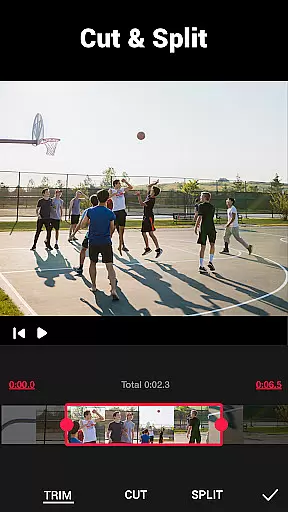
Video Maker distinguishes itself through its comprehensive feature set tailored for both amateur and professional video editors. One of its key strengths is the ability to perform complex edits such as trimming, cutting, and splitting videos into multiple clips. Additionally, users can adjust playback speed to create fast or slow-motion effects, providing dynamic control over video storytelling.
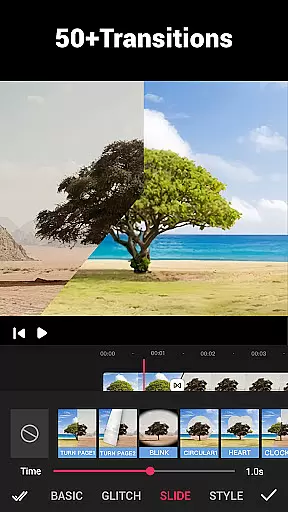
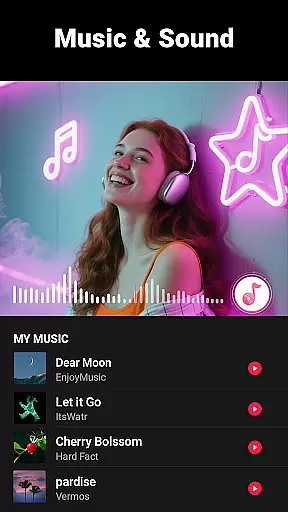
The app excels in creative enhancements with over 50 transition effects, various filters, and the option to add music tracks or sound effects. It supports multi-layer editing, allowing creators to combine video, images, text, and audio seamlessly. The inclusion of advanced features like audio track marking based on rhythm and background blurring further expands its creative possibilities.
Practicality meets quality with Video Maker's ability to export videos in up to 4K resolution without watermarks. The app also includes essential tools for video compression, format conversion, and aspect ratio adjustment, ensuring compatibility across different platforms while maintaining high visual fidelity.
Video format compatibility is a crucial feature for any video editing application, ensuring that users can work with a wide range of video files without conversion hassles. Video Maker excels in this area by supporting various popular formats, allowing creators to import and export videos seamlessly.
The app's robust compatibility covers formats like MP4, AVI, MOV, and more, making it versatile for both casual users and professional content creators. This flexibility ensures that no matter the source of your video clips, you can start editing right away without worrying about format restrictions.
For users who want to share their creations on different platforms, Video Maker provides optimized export settings. Whether you're posting to YouTube, Instagram, or TikTok, the app adjusts the video specifications to meet each platform's requirements, enhancing the sharing experience.
By offering extensive video format support, Video Maker empowers users to focus on their creative process rather than technical limitations. This comprehensive compatibility makes the app a reliable choice for anyone looking to produce high-quality video content efficiently.
AI-powered editing features are revolutionizing the way we create and edit videos, and Video Maker stands at the forefront of this innovation. By integrating advanced artificial intelligence, the app simplifies complex editing tasks, making professional-quality video production accessible to everyone.
One standout feature is the AI-driven audio extraction tool, which allows users to effortlessly pull music or sound from any video clip. This functionality is perfect for creating dynamic soundtracks or repurposing audio content across multiple projects.
The app also utilizes AI for smart video enhancement. With just a few taps, users can apply automatic color correction, optimize brightness levels, and enhance overall video quality. These intelligent adjustments ensure that every frame looks polished and visually appealing.
Additionally, Video Maker's AI capabilities extend to automated editing suggestions. The app analyzes your footage and recommends optimal cuts, transitions, and effects based on your content type. This intuitive assistance streamlines the editing process while maintaining creative control, making video production faster and more efficient.
User-friendly interface
Extensive editing tools
High-quality 4K export
No watermark on videos
Regular feature updates
Occasional performance issues
Advanced features may overwhelm beginners
Limited customer support options
Some features require premium purchase
Interface could be more intuitive

?100% FREE! Download & save videos? safely in this app. All formats supported.
 4.60
4.60
Cast to Chromecast, Xbox, Fire Stick, Roku, DLNA, Smart TV & No Feature Limited!
4.50
HD video maker with no watermark, no ads & vlog maker with music, PIP, text
4.50
An easy-to-use and all-round screen recorder with audio
4.80
Fast & Private Video Downloader App. Save all videos easily from the Internet.
4.40
Download videos and play them offline
4.70
IPTV Loader, loads your own Playlist. DOES NOT CONTAIN ANY LIST OR CHANNELS
4.60
#1 Torrent App on Android ** No Ads Ever + Battery Saver **
4.80
Screen recorder with audio to take live videos & Screenshot in high quality!
4.70
AI Video Editor with Music, Filter, Slideshow, Effect, Merge & Trim Video.
4.80
Tik & Story Saver-Download ALL social media videos, photos & reels no watermark.
4.80
GENRAL PRO - General Pro is the best video player that fully supports all formats.
4.70
Auto video maker with music & exclusive filters. Video editing made simple.
4.50
Video player, file manager for all formats, 4K/HD media player supports subtitle
4.30
KMPlayer Plus (Divx Codec) officially support Divx codec.
4.30
Powerful, professional, versatile teleprompter. Developed by an active film crew
4.00
Fast private browser with secure, seamless access & supported video downloads!
4.00
IPTV Player - Watch live TV from m3m & m3u8 playlist, stream IPTV on mobile
3.30
Mix with Virtual DJ directly from your phone or tablet !
3.10


User Reviews