
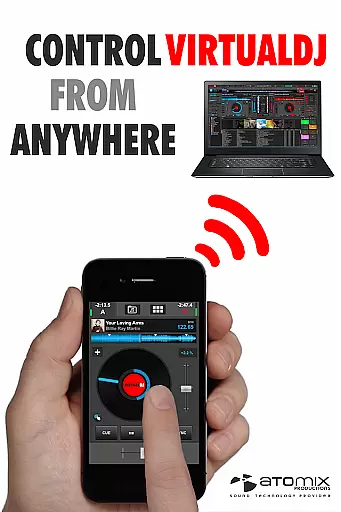
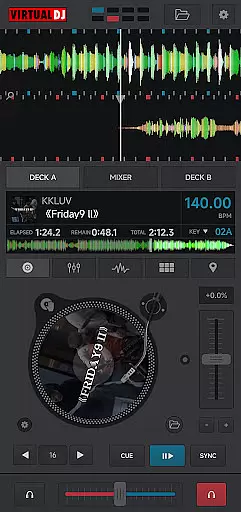
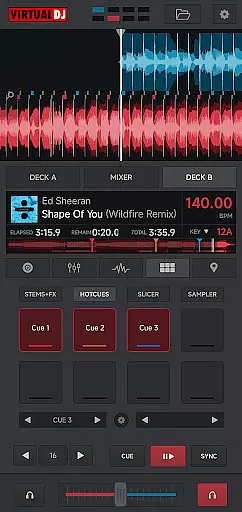
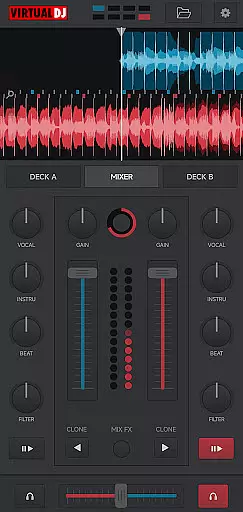
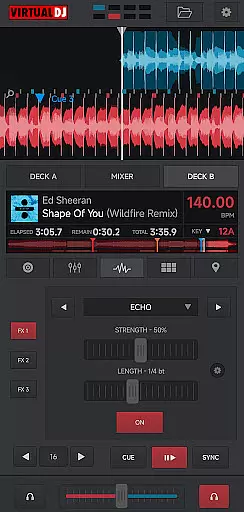
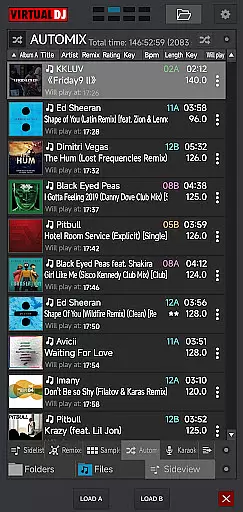
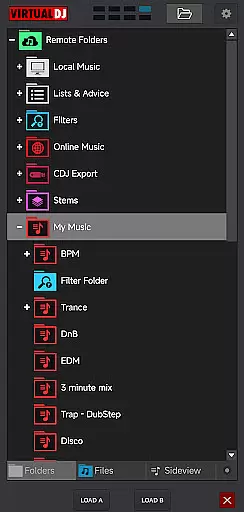
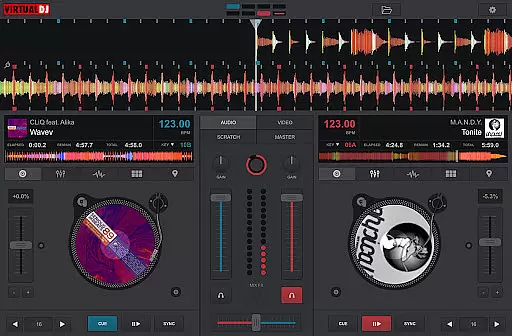
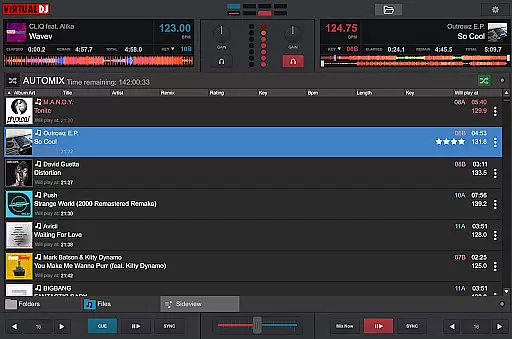
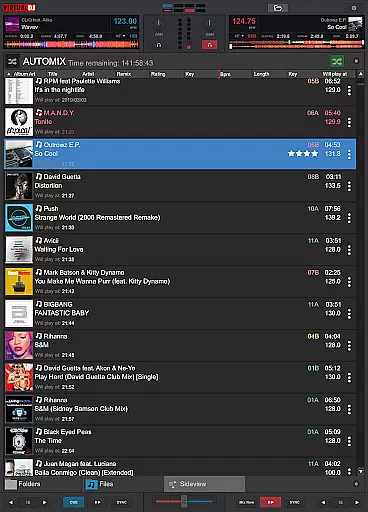
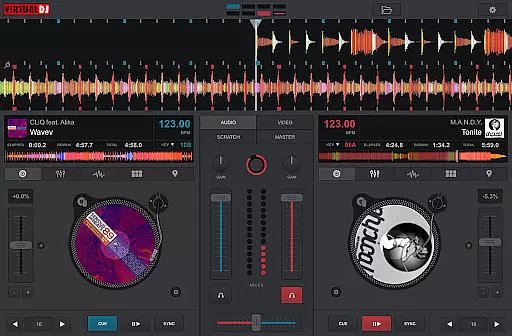
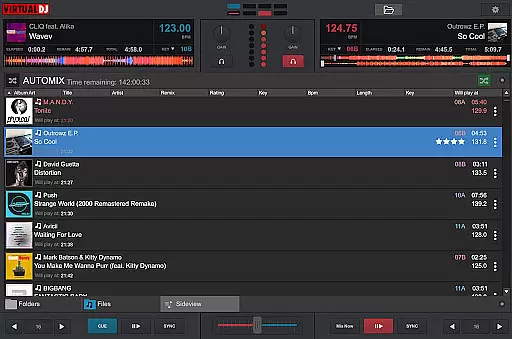
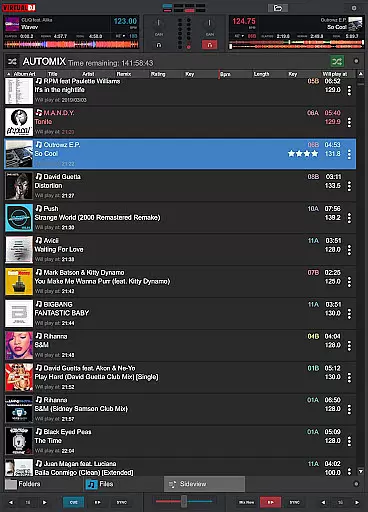
VirtualDJ Remote is a powerful application that allows DJs to control VirtualDJ software directly from their mobile devices. The app enables users to mix tracks, apply effects, and manage playlists wirelessly over a Wi-Fi connection. Whether you're using a smartphone or tablet, this app transforms your device into a versatile DJ controller.
The application supports complete freedom of movement, allowing DJs to step away from the booth while still maintaining full control of their mixes. It also features customizable skins, enabling users to tailor the interface to their specific needs. With compatibility for both PC and Mac, VirtualDJ Remote ensures seamless integration with the main VirtualDJ software, making it an essential tool for both amateur and professional DJs.
This app is particularly useful in live performance settings where mobility and flexibility are crucial. By connecting to the computer running VirtualDJ, users can operate all functions remotely, including beat mixing, video mixing, and effect applications. This wireless capability enhances the DJing experience by providing maximum versatility and control.
VirtualDJ Remote offers an impressive array of features designed to enhance the DJing experience. The app's primary feature is its ability to connect wirelessly to VirtualDJ software running on a PC or Mac. This connection is established through a simple Wi-Fi setup, either via an existing network or by creating an ad-hoc connection. Once connected, users gain full access to VirtualDJ's comprehensive suite of tools.
The app supports various DJing functions, including beat mixing, effects application, and sampler control. Users can customize their experience through downloadable skins, which allow for personalized interface designs. These skins are compatible with VirtualDJ's skin SDK, ensuring extensive customization options. Additionally, the app enables remote control of up to 99 decks simultaneously, making it suitable for complex performances.
Other notable features include video mixing capabilities, live broadcasting options, and session recording functionality. The app also provides LiveFeedback, offering personalized suggestions for track selection. With its comprehensive feature set and flexible customization options, VirtualDJ Remote stands out as a versatile tool for modern DJs.
VirtualDJ Remote stands out with its extensive video format compatibility, ensuring that DJs and content creators can work seamlessly across various media types. The application supports a wide array of video formats, allowing users to mix music videos without the concern of format incompatibility.
This versatility is crucial for professional DJs who require reliable software for live performances. By supporting multiple formats, VirtualDJ Remote enables users to focus on their creativity and performance rather than technical limitations.
The software's ability to handle diverse video formats also extends to its broadcasting features. Users can stream their mixes live on internet radios and project video outputs to larger screens, making it an essential tool for events and venues that demand both audio and visual entertainment.
While VirtualDJ Remote is primarily designed for DJ performances, it incorporates AI-powered features that enhance the editing and mixing experience. These smart tools assist users in beat matching, song suggestions, and effect applications, streamlining the DJing process and allowing for more intuitive control over music and video elements.
The AI integration simplifies complex tasks such as tempo adjustments and transitions between tracks, which are critical for maintaining the energy of a live set. This technological advantage helps both novice and experienced DJs to craft professional-quality mixes with greater ease and efficiency.
Moreover, the application's AI capabilities extend to personalized advice through LiveFeedback, offering real-time suggestions on what to play next based on audience reactions. This feature not only enhances user engagement but also aids in developing unique and responsive DJ sets tailored to any event or crowd.
User-friendly interface
Extensive customization options
Wireless control capability
Wide range of supported features
Compatible with multiple devices
Requires separate software installation
Dependent on stable Wi-Fi connection
Limited standalone functionality
Occasional connectivity issues
Steep learning curve for beginners

The smartest M3U IPTV Player your playlists have ever seen.
 4.1
4.1
Online Videos Player
3.90
Save photos and videos from social apps in one tap.
3.60
Download videos easily & play them all in one smart, powerful video manager.
3.40
Seamlessly connect and control your smart devices, anytime, anywhere with ease.
4.60
This app is an emulator of some specific IPTV boxes
3.50
Browser for Fire TV to stream webvideos, online movies, livestreams in HD
4.40
Powerful video player with advanced hardware acceleration and subtitle supports
4.20
Viddo: Generate Action Figure, AI Anime, AI kiss, AI hug Video from image & text
4.40
Pro video editor app for Instagram, edit video with song, AI, effect & slowmo.
4.80
GENRAL PRO - General Pro is the best video player that fully supports all formats.
4.70
Auto video maker with music & exclusive filters. Video editing made simple.
4.50
Video Downloader, Multiple Resolution Options, Video Player
4.50
Photo and Music Video Creator into Stunning Videos—Effortlessly
4.40
Fast video downloader & private browser. Save HD clips to watch offline.
4.40
LumaFusion: The Ultimate Storytelling Experience for Video Editing
4.10
Kodi media center, a free and open source cross-platform entertainment hub
3.60
Connect EasyCap or UVC devices for recording and broadcast video/audio stream
3.60
A full editing room to accompany your Insta360 cameras and handheld gimbals.
3.30


User Reviews