

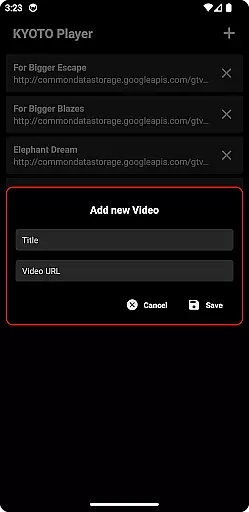

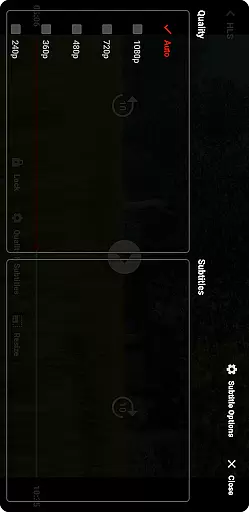

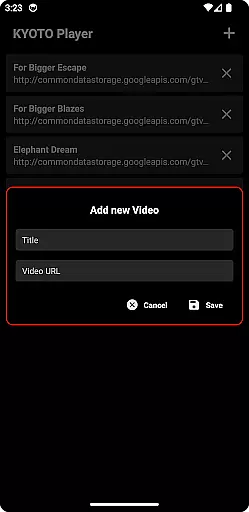

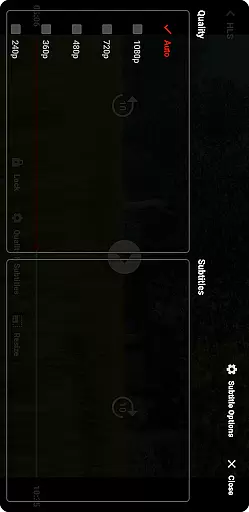

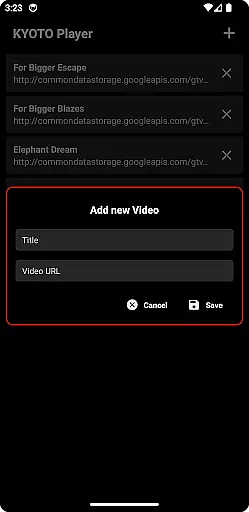

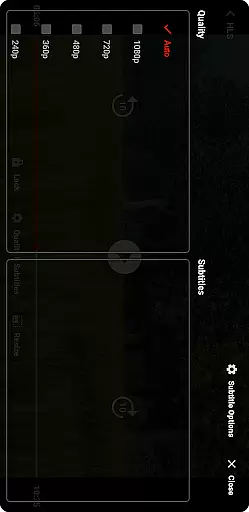
KYOTO Player is a versatile video player app designed for seamless playback of various online video formats. Supporting an extensive range of file types including MP4, HLS, DASH, and more, it ensures smooth streaming without compatibility issues.
The app's intuitive interface allows users to easily navigate and play their favorite online content. Whether you're watching movies or streaming live events, KYOTO Player provides a reliable viewing experience across multiple platforms.
With its broad format support and user-friendly design, KYOTO Player is an excellent choice for anyone seeking a comprehensive video playback solution on their mobile device.
KYOTO Player stands out with its wide array of supported video and audio formats, accommodating most common file types like MP4, WebM, MKV, and MPEG standards. This versatility eliminates the need for multiple players.
The app incorporates advanced streaming technologies such as HLS and DASH support, enabling adaptive bitrate streaming for optimal video quality based on your internet connection.
Additional features include customizable playback settings, background audio support, and a built-in equalizer for music files. These capabilities make KYOTO Player suitable for both casual viewers and audiovisual enthusiasts.
Video format compatibility is a crucial feature for any video player application, ensuring that users can enjoy a wide range of video content without worrying about format restrictions. KYOTO Player excels in this area by supporting an extensive list of formats including MP4, HLS, DASH, MP3, WebM, MKV, OGG, WAV, MPEG-TS, MPEG-PS, FLV, and more.
The app's broad format support means that whether you're streaming online videos or playing locally stored files, you're unlikely to encounter a format that KYOTO Player cannot handle. This versatility makes it an ideal choice for users with diverse video libraries.
By incorporating advanced decoding technologies, KYOTO Player ensures smooth playback across all supported formats. The application optimizes video rendering to provide the best possible quality, regardless of the original file format.
Users benefit from not having to convert files or use multiple apps for different formats. With KYOTO Player, they get a comprehensive solution that simplifies their video viewing experience while maintaining high standards of performance and reliability.
While KYOTO Player primarily focuses on video playback, its AI-powered editing features offer additional value to users who wish to make quick edits without switching applications. These features utilize artificial intelligence to automate common editing tasks, making the process faster and more intuitive.
For instance, users can take advantage of smart trimming, which automatically detects and suggests optimal cut points based on scene changes or audio cues. This saves time and effort compared to manual trimming, especially for those who are not professional editors.
Another notable feature is automatic color correction, where AI algorithms analyze the video frame by frame to adjust brightness, contrast, and saturation levels. This results in enhanced visual quality without requiring user intervention.
These intelligent tools democratize video editing, allowing even beginners to produce polished content. By integrating these capabilities within a robust video player, KYOTO Player provides a comprehensive multimedia solution that caters to both casual viewers and aspiring content creators.
User-friendly interface
Wide format support
Reliable streaming performance
Customizable playback options
Cross-platform compatibility
Limited advanced editing tools
No built-in download manager
Occasional buffering issues
Basic subtitle support
Ads in free version

Video Downloader is an utility that can save videos and music from web sites
 4.20
4.20
Capture images & record videos for USB Camera, Webcam, Microscopes, Endoscopes
3.80
IPTV Player - Watch live TV from m3m & m3u8 playlist, stream IPTV on mobile
3.30
Powerful Video Editor & Photo Editing App —— Quick Edits & Stunning Effects!
4.30
Find, download, and play torrents with the official BitTorrent® Pro app
4.70
This app is an emulator of some specific IPTV boxes
3.50
Web Browser for LG TV to stream webvideos, online movies and livestreams in HD
4.20
Fast private browser with secure, seamless access & supported video downloads!
4.00
Video&Drama Player All Format is a HD video player, music player
3.00
#1 Torrent App on Android ** No Ads Ever + Battery Saver **
4.80
Tik & Story Saver-Download ALL social media videos, photos & reels no watermark.
4.80
IPTV Loader, loads your own Playlist. DOES NOT CONTAIN ANY LIST OR CHANNELS
4.60
Auto video maker with music & exclusive filters. Video editing made simple.
4.50
Video player, file manager for all formats, 4K/HD media player supports subtitle
4.30
Create & edit videos with AI
4.30
Make your own Animations, Video and Photo Edits, Visual Effects, and more!
4.00
Cast to Smart TV, Fire TV. Cast video, photo - Fast & Stable!
3.90
Livestream, news, & gaming content. Watch, chat, and upload. Join Rumble today!
3.80
Video player with powerful streaming playback and various convenient features.
2.10


User Reviews